
N_i_c_k_y_Mouse - Minecraft Skins & Skin History
Current Minecraft skin of the player N_i_c_k_y_Mouse, loaded from the official Mojang API. Rotate the 3D model with your mouse or finger, then download the skin as a PNG file and use it in Minecraft: Bedrock Edition or Java Edition for free. When N_i_c_k_y_Mouse changes their skin, this page updates automatically and the old skin stays in the history below.
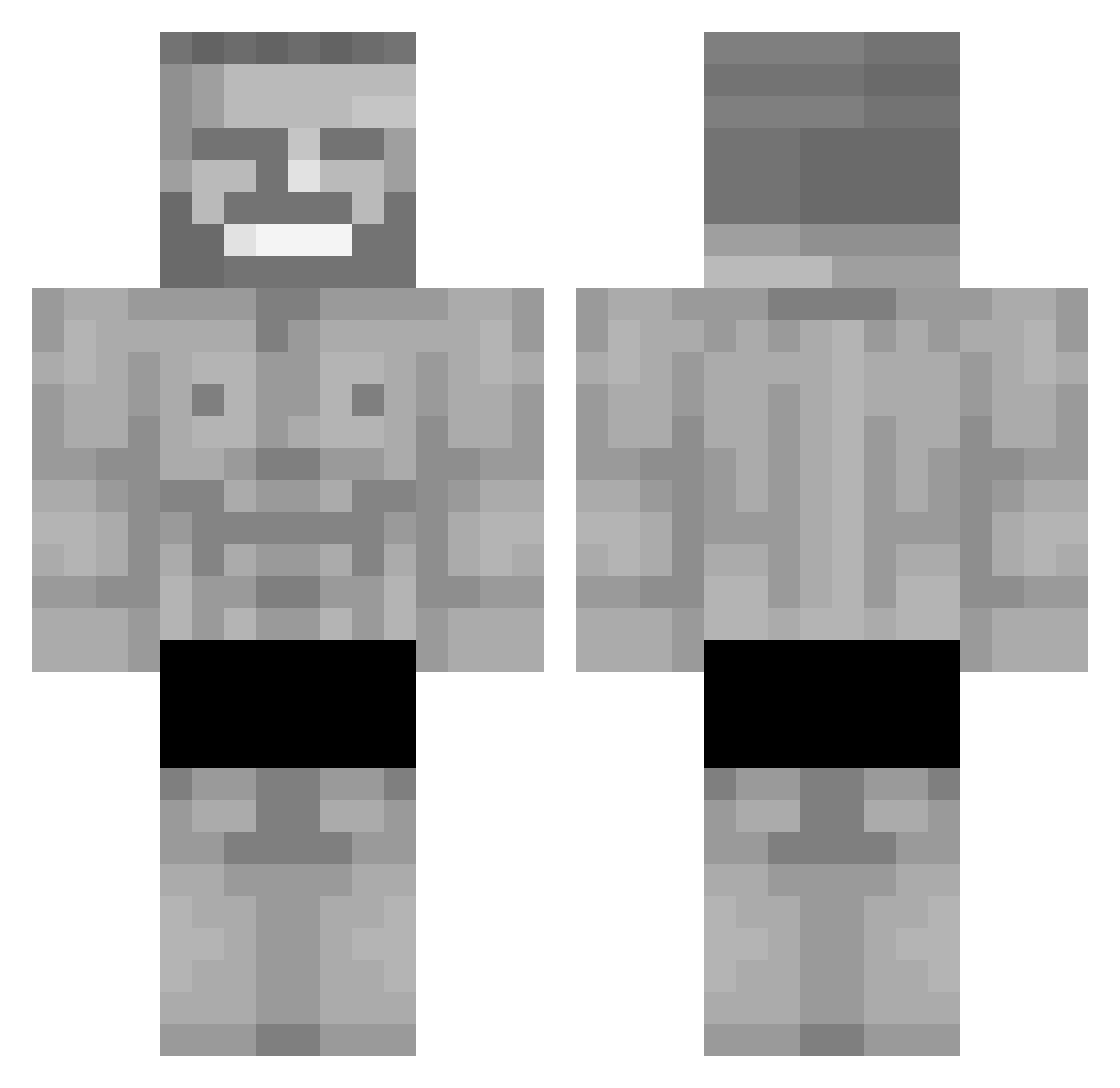
Other players with this skin (297)
N_i_c_k_y_Mouse was the 50th player we have seen with this skin, first spotted on 11.08.2026. The same skin was seen on these players. Open a nickname to see their current skin and skin history.
 JERERO23 matupaz Synix199 z5700 M4rty_
 VolGreYT drilaa00 umutyy MaCiU4 mARDR Ethnoducoco
 Silvertini zhengo rgrWGE localmcplayer Terminating12 ozil1 CazaPeruana maerick29 Myowzart Hyp3x19 Keeqzi zJUMBOXz roketsov JOWEED19 SwoleSqirrel2908 Doctor__Mu helenauni itxLopez Lukasul kakaaaa_ Xryzeq RebornMailman omarprogamer00 gmager403 N3ikooys vxzter Narkosse ExpectationLimit JJ253003 Bacheano kanezapadny Bodo232 guiossbr hellehl Sebamvb12 Dominox_YT88 wor1nd FantaPomelo ESL_Klaus Pempek2013 yakimika Buchtic99 Momor144 standingstone ChungaChunga kaanguzel EndeTew kajagamer14 Evo35_
More Gigachad Minecraft skins
How to install the N_i_c_k_y_Mouse skin
- Press the Download button above to save the skin as a PNG file.
- Minecraft: Bedrock Edition (PE): open the Dressing Room from the main menu (or tap your character → Edit Character), go to Classic Skins → Owned, press the + (new skin) button, choose the downloaded PNG and pick the Classic (Steve) model. Works on PC and mobile; consoles cannot import custom skins.
- Minecraft: Java Edition: open the Minecraft Launcher, go to the Skins tab, click New Skin, load the PNG, pick the Classic (Steve) model and press Save & Use. You can also upload it at minecraft.net → Profile → Change Skin.
The skin does not show up after import - what should I do?
Restart Minecraft and open the Dressing Room again - imported skins sometimes appear only after a restart. Also make sure you selected the imported skin and picked the Classic (Steve) model.
Which model should I choose, Classic or Slim?
This skin is designed for the Classic (Steve) model. If you pick the wrong model, the arms of the skin will look stretched or squeezed.
Is the skin of N_i_c_k_y_Mouse free to download?
Yes. Press Download, save the PNG file and use it in Minecraft: Bedrock Edition or Java Edition - no payment or registration needed. The skin also works on multiplayer servers and Realms.
More skins
Looking for more? Go back to all Minecraft skins and check the top skins of the week, month and all time, or find any player's skin by nickname.