
NZombie44 - Minecraft Skins & Skin History
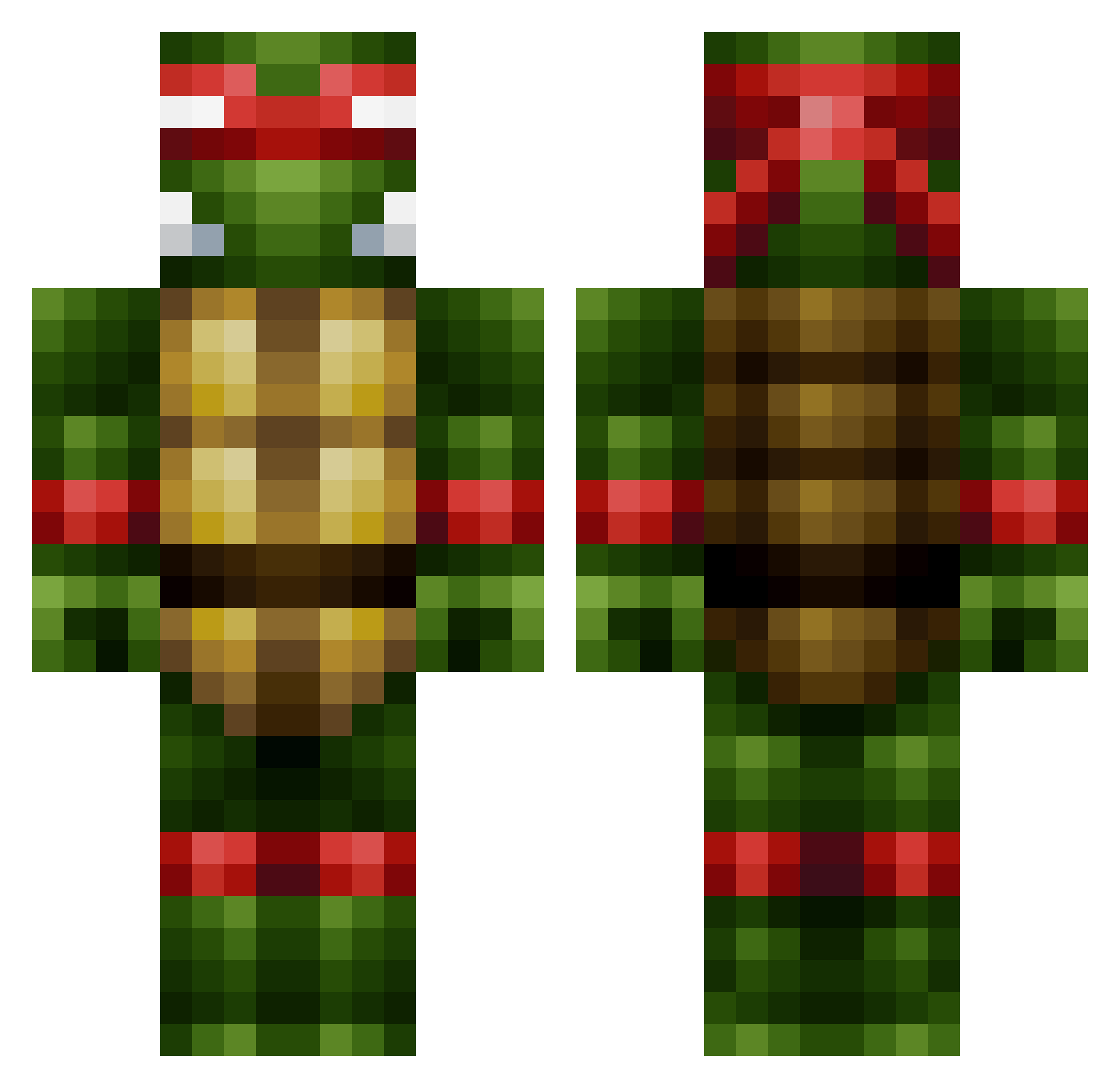
Current Minecraft skin of the player NZombie44, loaded from the official Mojang API. Rotate the 3D model with your mouse or finger, then download the skin as a PNG file and use it in Minecraft: Bedrock Edition or Java Edition for free. When NZombie44 changes their skin, this page updates automatically and the old skin stays in the history below.
Other players with this skin (444)
NZombie44 was the 299th player we have seen with this skin, first spotted on 02.10.2026. The same skin was seen on these players. Open a nickname to see their current skin and skin history.
 desmt olliedog6 theminer29er RichieD55 xxadrkdragonxx2 CrustyPeep Maliffor handymanhenry Munted99 Doorknot halcyon_S ryanpushong CarnageX2099 RichGangOG CaptainPastafari turtfluff sionmorris jokeboy69 POTAL12 KICKASSMIDGE Larbiteur Couling613D DaRk_IcE719 Zechin_ moyettdavid Razzer666 Tec_9_ Zo0Me TxRedneck84 bmxking78 BreemZ notname1 silent_boss UnclePab DerpEnzo XxToxicBananasxX Beast_Z_Man jerneye danielw9980 BLBLBLBL CaptinCookie1234 nudupro armymoshdude1 CallumB6_ Tw_PaRaDoX KekZz_HD Sarkawt MikeyWestsides Mjolnerd jumpcj sussudio krisheat87 GhettoVan Ray1964 etsonson REGOOOOO YUMMISANDWICH SnipingHunter007 CreightonA frN13
More Raphael Minecraft skins
How to install the NZombie44 skin
- Press the Download button above to save the skin as a PNG file.
- Minecraft: Bedrock Edition (PE): open the Dressing Room from the main menu (or tap your character → Edit Character), go to Classic Skins → Owned, press the + (new skin) button, choose the downloaded PNG and pick the Classic (Steve) model. Works on PC and mobile; consoles cannot import custom skins.
- Minecraft: Java Edition: open the Minecraft Launcher, go to the Skins tab, click New Skin, load the PNG, pick the Classic (Steve) model and press Save & Use. You can also upload it at minecraft.net → Profile → Change Skin.
The skin does not show up after import - what should I do?
Restart Minecraft and open the Dressing Room again - imported skins sometimes appear only after a restart. Also make sure you selected the imported skin and picked the Classic (Steve) model.
Which model should I choose, Classic or Slim?
This skin is designed for the Classic (Steve) model. If you pick the wrong model, the arms of the skin will look stretched or squeezed.
Is the skin of NZombie44 free to download?
Yes. Press Download, save the PNG file and use it in Minecraft: Bedrock Edition or Java Edition - no payment or registration needed. The skin also works on multiplayer servers and Realms.
More skins
Looking for more? Go back to all Minecraft skins and check the top skins of the week, month and all time, or find any player's skin by nickname.