
NUMBA_222 - Minecraft Skins & Skin History
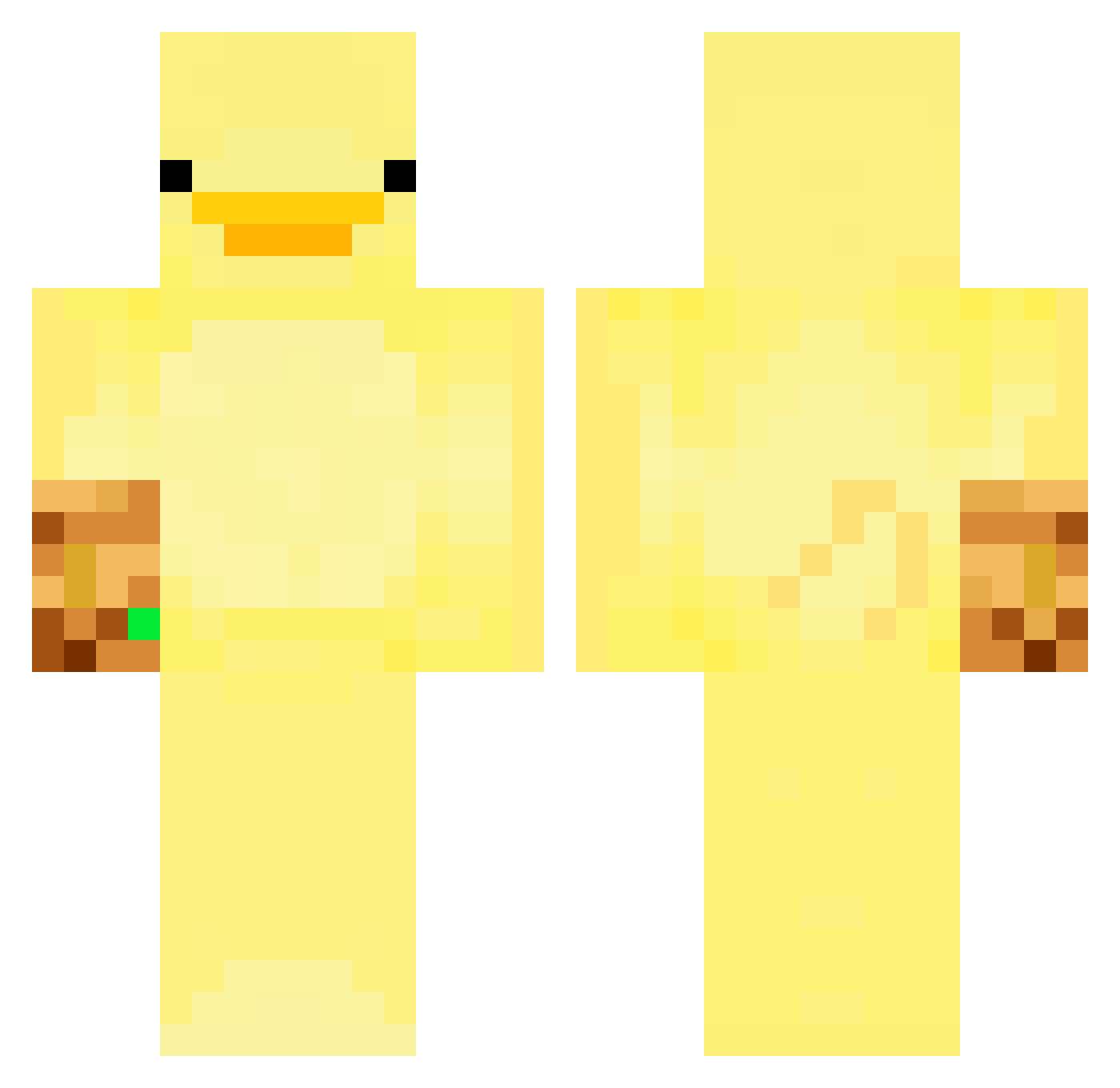
Current Minecraft skin of the player NUMBA_222, loaded from the official Mojang API. Rotate the 3D model with your mouse or finger, then download the skin as a PNG file and use it in Minecraft: Bedrock Edition or Java Edition for free. When NUMBA_222 changes their skin, this page updates automatically and the old skin stays in the history below.
Other players with this skin (247)
NUMBA_222 was the 125th player we have seen with this skin, first spotted on 12.09.2026. The same skin was seen on these players. Open a nickname to see their current skin and skin history.
 Vikiviki89 leefsun Titezl dvd1278 james8787 SMZIN_ PeanutGodo Flinty2010 sadation JunimDaMoyocerr NERS77 busanMadame POLLOKFCMC Parra17 Bok_L Moon__jellyfish weirdfish927 Lapid okpaxson Mechanoid0
 sntp ehdghks_0104 Barattolovuoto19 QuaccOnCracc MaaelUWU HealthyBachelor TaPhune MRReee14 alyssakiem __Miffy__ ZAYGOOD yura_kol Killer_VN iAdamOMG francisatlantis Kwangan samjamesallen chorizor amh8212 Matisssss SadViolin_ Blueplo GlowGlow10 juns09 KonGRonin3310 Bigmonke_0 ropenet azertyuiop4465 samhale244 aldibagforlife UNSTOPZ spiritus_ Prof_De_Zouglou tedduk HongARi Andymyman semuha h9yubnny Roebits1 jpw_2910
More Thanos Minecraft skins
How to install the NUMBA_222 skin
- Press the Download button above to save the skin as a PNG file.
- Minecraft: Bedrock Edition (PE): open the Dressing Room from the main menu (or tap your character → Edit Character), go to Classic Skins → Owned, press the + (new skin) button, choose the downloaded PNG and pick the Classic (Steve) model. Works on PC and mobile; consoles cannot import custom skins.
- Minecraft: Java Edition: open the Minecraft Launcher, go to the Skins tab, click New Skin, load the PNG, pick the Classic (Steve) model and press Save & Use. You can also upload it at minecraft.net → Profile → Change Skin.
The skin does not show up after import - what should I do?
Restart Minecraft and open the Dressing Room again - imported skins sometimes appear only after a restart. Also make sure you selected the imported skin and picked the Classic (Steve) model.
Which model should I choose, Classic or Slim?
This skin is designed for the Classic (Steve) model. If you pick the wrong model, the arms of the skin will look stretched or squeezed.
Is the skin of NUMBA_222 free to download?
Yes. Press Download, save the PNG file and use it in Minecraft: Bedrock Edition or Java Edition - no payment or registration needed. The skin also works on multiplayer servers and Realms.
More skins
Looking for more? Go back to all Minecraft skins and check the top skins of the week, month and all time, or find any player's skin by nickname.