
NORIKOMORITA - Minecraft Skins & Skin History
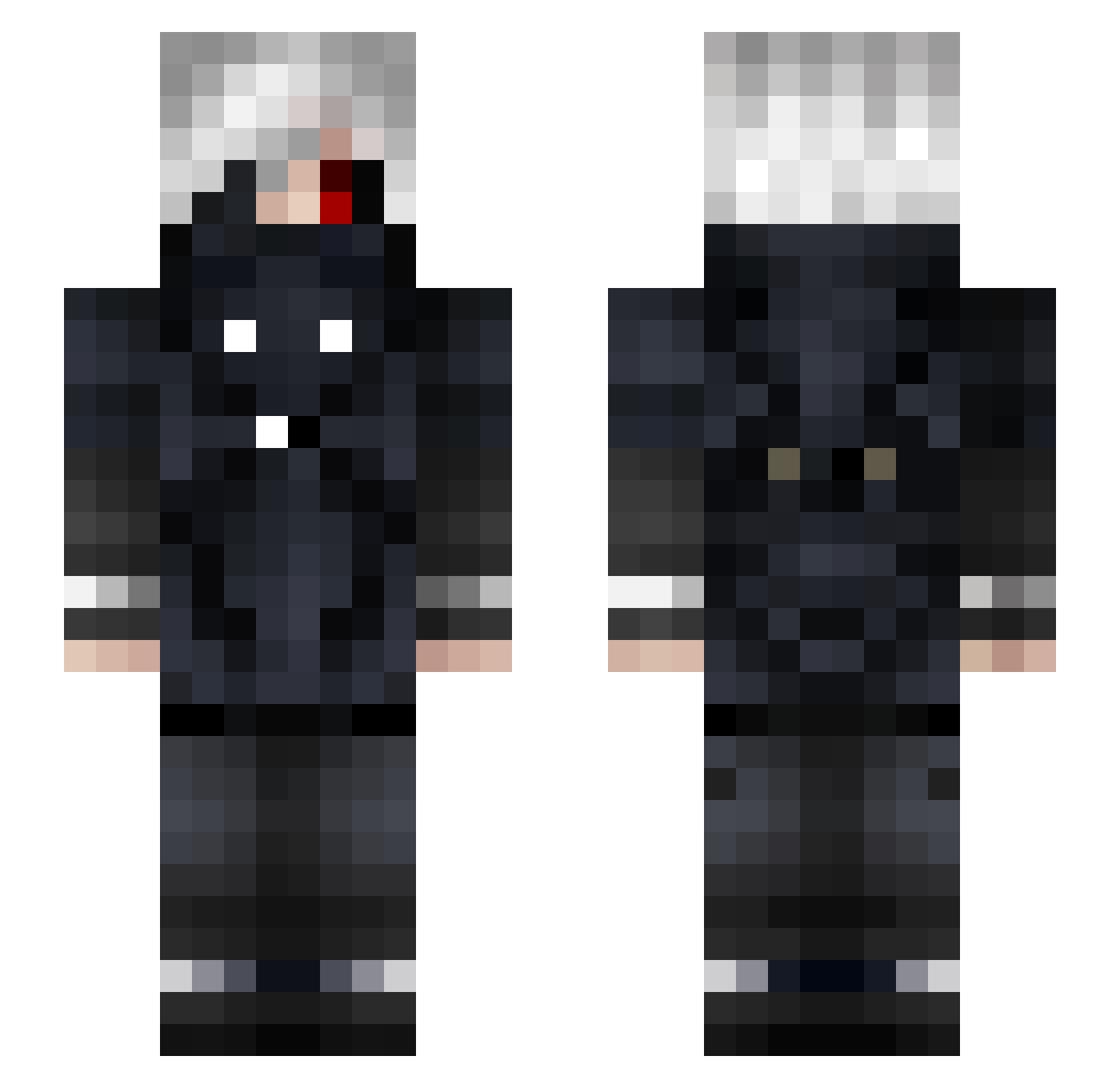
Current Minecraft skin of the player NORIKOMORITA, loaded from the official Mojang API. Rotate the 3D model with your mouse or finger, then download the skin as a PNG file and use it in Minecraft: Bedrock Edition or Java Edition for free. When NORIKOMORITA changes their skin, this page updates automatically and the old skin stays in the history below.
Other players with this skin (77)
NORIKOMORITA was the 42nd player we have seen with this skin, first spotted on 04.09.2026. The same skin was seen on these players. Open a nickname to see their current skin and skin history.
 MoguriBanjo kartoffel300 Funkata Complicates Riboflavinski TheDeniTuy Baddack51 C0WB0YKILLER ExoticArk _WH1T3_ KanekiG ametyanz DuKriegstBombe CheaterBOT GanKunG kjb22001 THEgoldenPANDA21 Strife10t YuriyKaneki Folkky2511 100cocucuong Davaaa OrientalX Luctor97 Naelyy_ yoks_sama skyfox221 MK2020 DooingItRight xSMTx_Shironeko X_Kaneki_ ProtovX3 c558669 Jedi050702 XBoulettas_ palarosh lamMasterTHI3F fetemb topuso ApocalypseBot ZFGTetanicEvil MangledGhoul23 Heusebus Sprags Figo464 Ldeathnote tonkla2407 Yolo_Ralph Agent_KaiFTW DesolareOCE Ahmet_SayanTR SSD_Nolan Yolodin P3DRO0_ xtangoii Polop148 Coopjo Ricey_2005 ShadeShift JoaozinhuPow
More Kaneki Minecraft skins
How to install the NORIKOMORITA skin
- Press the Download button above to save the skin as a PNG file.
- Minecraft: Bedrock Edition (PE): open the Dressing Room from the main menu (or tap your character → Edit Character), go to Classic Skins → Owned, press the + (new skin) button, choose the downloaded PNG and pick the Slim (Alex) model. Works on PC and mobile; consoles cannot import custom skins.
- Minecraft: Java Edition: open the Minecraft Launcher, go to the Skins tab, click New Skin, load the PNG, pick the Slim (Alex) model and press Save & Use. You can also upload it at minecraft.net → Profile → Change Skin.
The skin does not show up after import - what should I do?
Restart Minecraft and open the Dressing Room again - imported skins sometimes appear only after a restart. Also make sure you selected the imported skin and picked the Slim (Alex) model.
Which model should I choose, Classic or Slim?
This skin is designed for the Slim (Alex) model. If you pick the wrong model, the arms of the skin will look stretched or squeezed.
Is the skin of NORIKOMORITA free to download?
Yes. Press Download, save the PNG file and use it in Minecraft: Bedrock Edition or Java Edition - no payment or registration needed. The skin also works on multiplayer servers and Realms.
More skins
Looking for more? Go back to all Minecraft skins and check the top skins of the week, month and all time, or find any player's skin by nickname.