
N68n - Minecraft Skins & Skin History
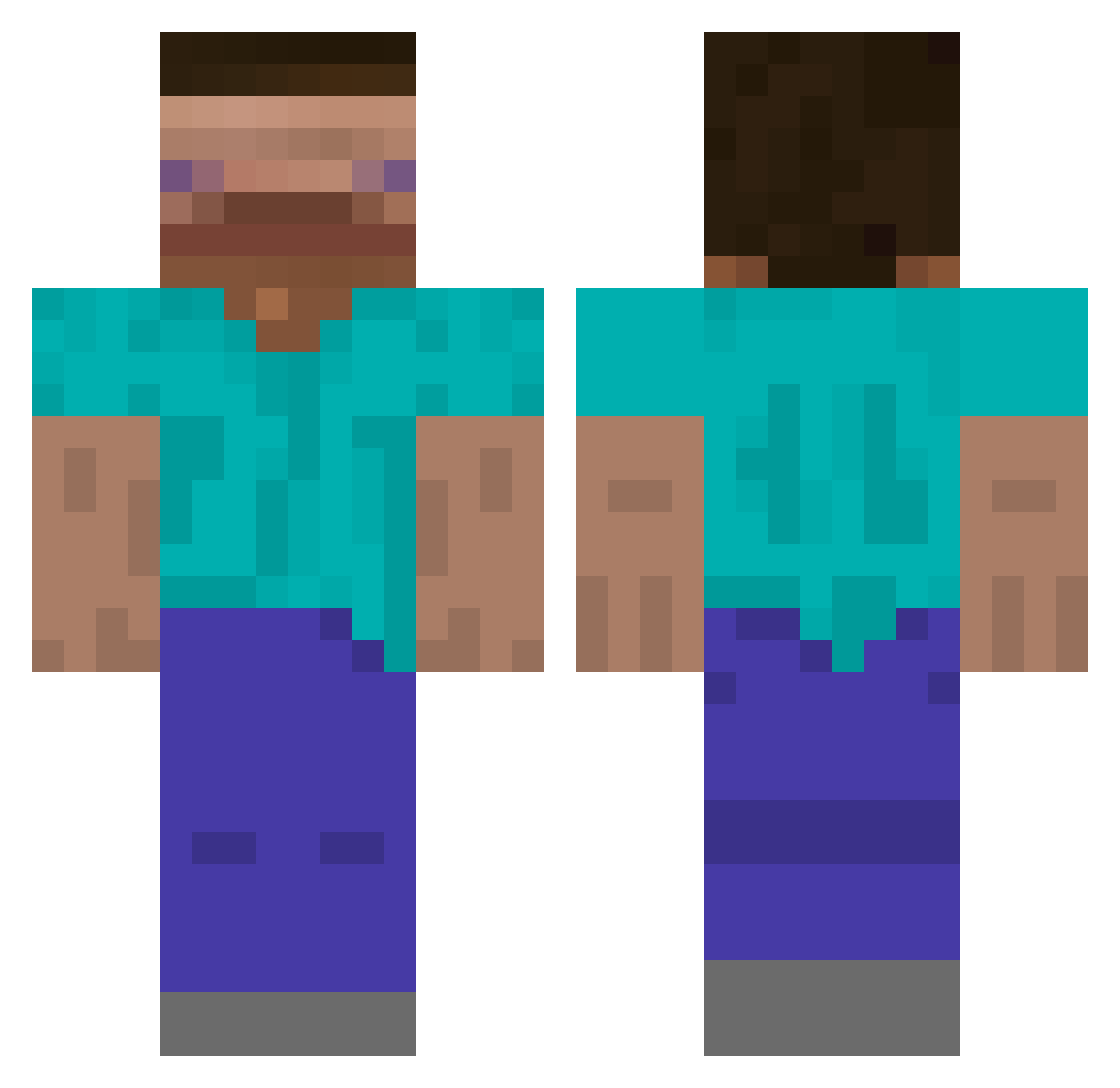
Current Minecraft skin of the player N68n, loaded from the official Mojang API. Rotate the 3D model with your mouse or finger, then download the skin as a PNG file and use it in Minecraft: Bedrock Edition or Java Edition for free. When N68n changes their skin, this page updates automatically and the old skin stays in the history below.
Other players with this skin (601)
N68n was the 551st player we have seen with this skin, first spotted on 24.10.2026. The same skin was seen on these players. Open a nickname to see their current skin and skin history.
 Whitelined g__p Pines_05 vidslacker OhHeckingFrick Kotatakai Antek_Malin Totesmcgotes12 BIGBOSSJUSTIN kareeeeee __kiter__ WhiteCola_ BlayeOWO Heisen303 Niranloh spiderben11104 WumbologistMatto Janek47 zRubik_ _p__ TechPhil2 FranzOtto1212 matdollee luisaurel69 Danko_Spanko69 rasteli Class2575 Meuovo_seco eater_of_rice dez0t Griebler llamaboss124 84545 Theroscan Eyuionxc ggman1231 Chokoi gekson73 CCold_ pgaldino itsakay FerryArmPits jjjjjeeeeffffgk yeah0410 BEETER1 axlash dwarf88 goktwwg AidenKing681 LethalWhispers limaozeras DrewBug123 Niggel333 leszium Classy0103 OnionRingSoup King_Bananna Impotatomaster Diablo_Potato WesternVibe
How to install the N68n skin
- Press the Download button above to save the skin as a PNG file.
- Minecraft: Bedrock Edition (PE): open the Dressing Room from the main menu (or tap your character → Edit Character), go to Classic Skins → Owned, press the + (new skin) button, choose the downloaded PNG and pick the Classic (Steve) model. Works on PC and mobile; consoles cannot import custom skins.
- Minecraft: Java Edition: open the Minecraft Launcher, go to the Skins tab, click New Skin, load the PNG, pick the Classic (Steve) model and press Save & Use. You can also upload it at minecraft.net → Profile → Change Skin.
The skin does not show up after import - what should I do?
Restart Minecraft and open the Dressing Room again - imported skins sometimes appear only after a restart. Also make sure you selected the imported skin and picked the Classic (Steve) model.
Which model should I choose, Classic or Slim?
This skin is designed for the Classic (Steve) model. If you pick the wrong model, the arms of the skin will look stretched or squeezed.
Is the skin of N68n free to download?
Yes. Press Download, save the PNG file and use it in Minecraft: Bedrock Edition or Java Edition - no payment or registration needed. The skin also works on multiplayer servers and Realms.
More skins
Looking for more? Go back to all Minecraft skins and check the top skins of the week, month and all time, or find any player's skin by nickname.