
N1ghty_923 - Minecraft Skins & Skin History
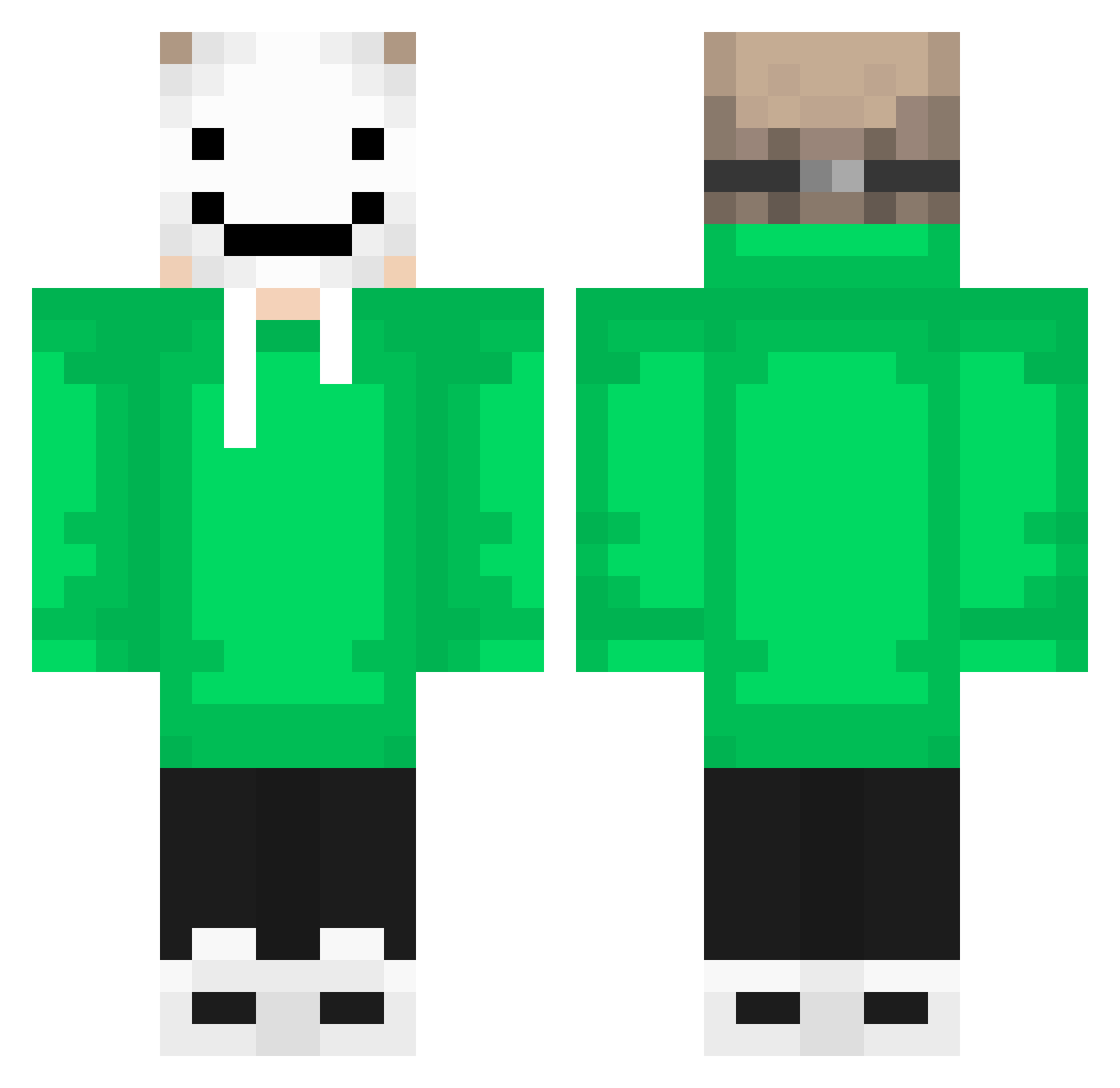
Current Minecraft skin of the player N1ghty_923, loaded from the official Mojang API. Rotate the 3D model with your mouse or finger, then download the skin as a PNG file and use it in Minecraft: Bedrock Edition or Java Edition for free. When N1ghty_923 changes their skin, this page updates automatically and the old skin stays in the history below.
Other players with this skin (257)
N1ghty_923 was the 242nd player we have seen with this skin, first spotted on 27.10.2026. The same skin was seen on these players. Open a nickname to see their current skin and skin history.
 AlemaoDaZs HomemBomba1 LiTtLe_MaN_2010 ExpressMarlin56 EL_INDIGO_36 thehackerofall1 Stenberg23 HectorB1 valenze49 NCNoah13 Dashox Legend991212 skoltados THEREALDREAM5015 Arne_12 Oracle_2_ D_r_e_am Adamthijs Dekir Gimpabompie kamui151 MasxBredek2 waffles19 princess_kay17 Matheus_b epic_stevee Jayliiiiin Fyzzted_ wonwonjae MysticReaper7 Orion_Stars1 Tokollo End_Dream87 CaptainAzure145 rainy_jasmine mengsansui spaggetymonstaPC sonic272121 ppenkun XKoks123Pvp lq666 Frescolari Caceage AKgodmode DonAlexG firmbeliever77 Lxnz02 paulfeux200 Flow_sco7t_jit mattWASSABIE Morphyyyy KyoyaZZZZZ tqlco not_flat1 MrShahJo RomanEmpire975 Onewholaughs rikkitik12345 THEGREAT998 quddus1
More Smiley Face Minecraft skins
See all 1930 Smiley Face skins
How to install the N1ghty_923 skin
- Press the Download button above to save the skin as a PNG file.
- Minecraft: Bedrock Edition (PE): open the Dressing Room from the main menu (or tap your character → Edit Character), go to Classic Skins → Owned, press the + (new skin) button, choose the downloaded PNG and pick the Classic (Steve) model. Works on PC and mobile; consoles cannot import custom skins.
- Minecraft: Java Edition: open the Minecraft Launcher, go to the Skins tab, click New Skin, load the PNG, pick the Classic (Steve) model and press Save & Use. You can also upload it at minecraft.net → Profile → Change Skin.
The skin does not show up after import - what should I do?
Restart Minecraft and open the Dressing Room again - imported skins sometimes appear only after a restart. Also make sure you selected the imported skin and picked the Classic (Steve) model.
Which model should I choose, Classic or Slim?
This skin is designed for the Classic (Steve) model. If you pick the wrong model, the arms of the skin will look stretched or squeezed.
Is the skin of N1ghty_923 free to download?
Yes. Press Download, save the PNG file and use it in Minecraft: Bedrock Edition or Java Edition - no payment or registration needed. The skin also works on multiplayer servers and Realms.
More skins
Looking for more? Go back to all Minecraft skins and check the top skins of the week, month and all time, or find any player's skin by nickname.