
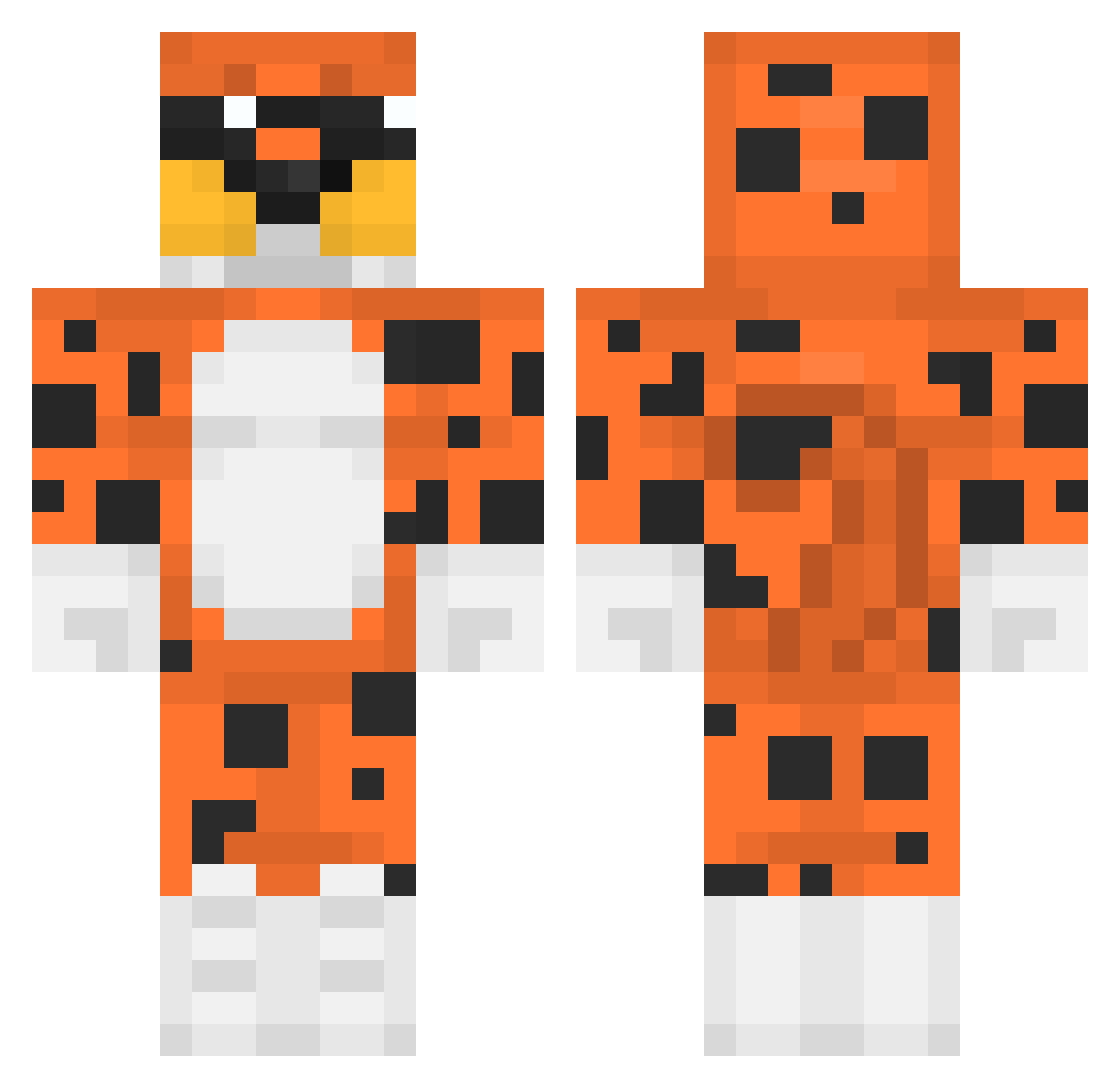
Current Minecraft skin of the player Mystik990, loaded from the official Mojang API. Rotate the 3D model with your mouse or finger, then download the skin as a PNG file and use it in Minecraft: Bedrock Edition or Java Edition for free. When Mystik990 changes their skin, this page updates automatically and the old skin stays in the history below.
Other players with this skin (325)
Mystik990 was the 28th player we have seen with this skin, first spotted on 31.07.2026. The same skin was seen on these players. Open a nickname to see their current skin and skin history.
 SpringTomorrow angus_08 nguoigiachoigame Lwkqq Kruulio thvzi ZAYNGGPAPA apimine7 Pinkboat ir8_msmc_h2t TwistyCheeto hypennon xBetoJr cuberhyeon Dviin borgezs7 neSSi070 GlizzyDemon69 blaistorn ViniciusL001 Siarkow mistermister32 YTChman Turtle_encilada Alperen2525 Maalna ThePampas Barr1374 Juanmibro daddylaz ByJohnnySp uBielsonaroZ BeerCav DoomzDreamer DR4GER EINZ_ME DINO4863 _Kadog Purpl3Diamond JSquared00 cheekibreeki9 sbielecki stas2269 Maksimum__ Webarbaron pentagonyfl MrJasinka86 Zenoosamaa iJuwc zRipelz suslik1 SMau21 HX4RT Furti03 Janus0404 RaegalZ Bobelek_20 Jajxn pelmemes Al7075
More Leopard Minecraft skins
How to install the Mystik990 skin
- Press the Download button above to save the skin as a PNG file.
- Minecraft: Bedrock Edition (PE): open the Dressing Room from the main menu (or tap your character → Edit Character), go to Classic Skins → Owned, press the + (new skin) button, choose the downloaded PNG and pick the Classic (Steve) model. Works on PC and mobile; consoles cannot import custom skins.
- Minecraft: Java Edition: open the Minecraft Launcher, go to the Skins tab, click New Skin, load the PNG, pick the Classic (Steve) model and press Save & Use. You can also upload it at minecraft.net → Profile → Change Skin.
The skin does not show up after import - what should I do?
Restart Minecraft and open the Dressing Room again - imported skins sometimes appear only after a restart. Also make sure you selected the imported skin and picked the Classic (Steve) model.
Which model should I choose, Classic or Slim?
This skin is designed for the Classic (Steve) model. If you pick the wrong model, the arms of the skin will look stretched or squeezed.
Is the skin of Mystik990 free to download?
Yes. Press Download, save the PNG file and use it in Minecraft: Bedrock Edition or Java Edition - no payment or registration needed. The skin also works on multiplayer servers and Realms.
More skins
Looking for more? Go back to all Minecraft skins and check the top skins of the week, month and all time, or find any player's skin by nickname.