
Mysteryo34 - Minecraft Skins & Skin History
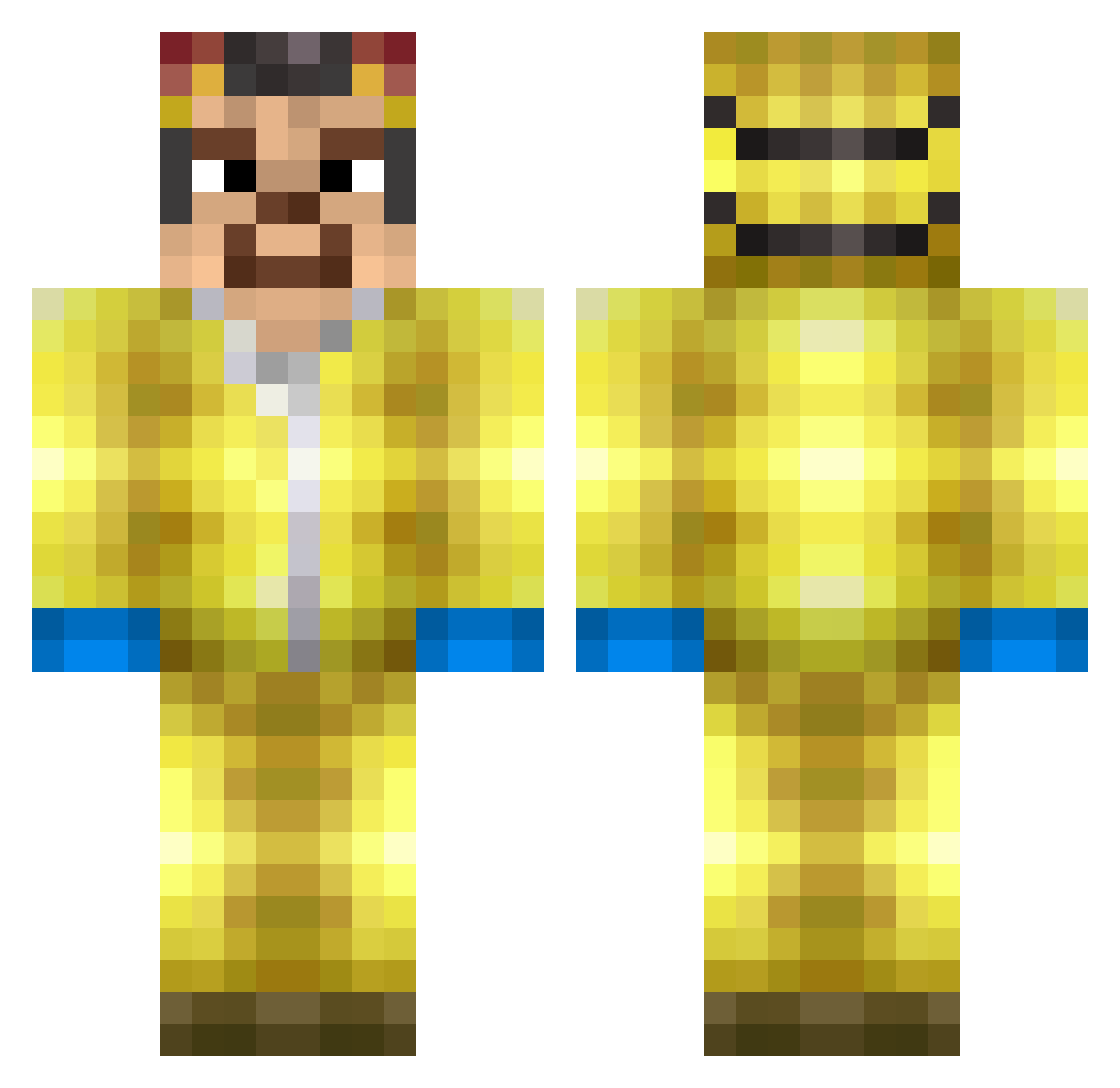
Current Minecraft skin of the player Mysteryo34, loaded from the official Mojang API. Rotate the 3D model with your mouse or finger, then download the skin as a PNG file and use it in Minecraft: Bedrock Edition or Java Edition for free. When Mysteryo34 changes their skin, this page updates automatically and the old skin stays in the history below.
Other players with this skin (370)
Mysteryo34 was the 288th player we have seen with this skin, first spotted on 26.10.2026. The same skin was seen on these players. Open a nickname to see their current skin and skin history.
 ObscurityIsLife ElPopeee ExileWind2 Leijon5 Sebbygra10 kamcalot incognito7747 MunduMT Menze94 BusfahrerUdo emilok Itt0uShura death_medal JakkiMestari NIKITA_82 Sikitor Ordinant Thejimmiestfallo Savesta69 Dexter27399 saltpappi melisssauwu snorxm20 Syonez Viktor908 Asp3cTa crimetastesfunny GussBu5 lays124 Hojiii TheAlbertitoMC Mortiko kamiinek666 gibb00b Fl4tsTheFlounder waltiee Slorien571 barntafsare RoMar112200 Abel1201 WalterWhite2123 MysTixFR ACEGAMING6008 BolleHo SpOOnZ3rO szynka2222 Jactys jonas_kara9 zxmaia LequitCombo05 chesswail MayonnaiseMan315 neekanon CoveredCoast572 TukanMistiko Eljek garfilia Jannick3112 RamenNoodlezzz PitchulaXDBR_PVP
More Walter White Minecraft skins
See all 681 Walter White skins
How to install the Mysteryo34 skin
- Press the Download button above to save the skin as a PNG file.
- Minecraft: Bedrock Edition (PE): open the Dressing Room from the main menu (or tap your character → Edit Character), go to Classic Skins → Owned, press the + (new skin) button, choose the downloaded PNG and pick the Classic (Steve) model. Works on PC and mobile; consoles cannot import custom skins.
- Minecraft: Java Edition: open the Minecraft Launcher, go to the Skins tab, click New Skin, load the PNG, pick the Classic (Steve) model and press Save & Use. You can also upload it at minecraft.net → Profile → Change Skin.
The skin does not show up after import - what should I do?
Restart Minecraft and open the Dressing Room again - imported skins sometimes appear only after a restart. Also make sure you selected the imported skin and picked the Classic (Steve) model.
Which model should I choose, Classic or Slim?
This skin is designed for the Classic (Steve) model. If you pick the wrong model, the arms of the skin will look stretched or squeezed.
Is the skin of Mysteryo34 free to download?
Yes. Press Download, save the PNG file and use it in Minecraft: Bedrock Edition or Java Edition - no payment or registration needed. The skin also works on multiplayer servers and Realms.
More skins
Looking for more? Go back to all Minecraft skins and check the top skins of the week, month and all time, or find any player's skin by nickname.