
Mystery372 - Minecraft Skins & Skin History
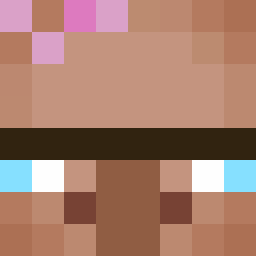
Current Minecraft skin of the player Mystery372, loaded from the official Mojang API. Rotate the 3D model with your mouse or finger, then download the skin as a PNG file and use it in Minecraft: Bedrock Edition or Java Edition for free. When Mystery372 changes their skin, this page updates automatically and the old skin stays in the history below.

Other players with this skin (11425)
Mystery372 was the 754th player we have seen with this skin, first spotted on 30.07.2026. The same skin was seen on these players. Open a nickname to see their current skin and skin history.
 Azotise Tum1c XoGxoGxo ExceLLenti moyashi6653 SeolYoon_love zesious ElmiMage MelonFlapper Parapepa wakandzia xX_Johan_Xx jsh1123 bezetacil Rx_SKATE dingo_atticus MS1321
 duv1penguin TerraGroup lipe1109 TeamGlass Mikepro3000 ghkdrmadmlwjdtls Hjalleb0 simchoe123 asdasdasdasdasd1 Mysn84 ItaiLif GrendelAZ SMRK2021 Toycomjp Galone121 Melvonator
 imagineimagineee Alice028 Covey Porphyry FireLord9999 schae9
 dinizpereira 8alenciaga
 Sulmino phillip0480
 YesSkye kekedu59 DemBlimboj MannieMoo300
 Nathanator13126 Mask1ne
 WoahStatic
 ShrrimpyIsKing ParanoidPatato Gen74 SaulMembrillo Steve________ thegoobrro0 zTags
 Bunki131211 ChillPrinter23 Connives
How to install the Mystery372 skin
- Press the Download button above to save the skin as a PNG file.
- Minecraft: Bedrock Edition (PE): open the Dressing Room from the main menu (or tap your character → Edit Character), go to Classic Skins → Owned, press the + (new skin) button, choose the downloaded PNG and pick the Classic (Steve) model. Works on PC and mobile; consoles cannot import custom skins.
- Minecraft: Java Edition: open the Minecraft Launcher, go to the Skins tab, click New Skin, load the PNG, pick the Classic (Steve) model and press Save & Use. You can also upload it at minecraft.net → Profile → Change Skin.
The skin does not show up after import - what should I do?
Restart Minecraft and open the Dressing Room again - imported skins sometimes appear only after a restart. Also make sure you selected the imported skin and picked the Classic (Steve) model.
Which model should I choose, Classic or Slim?
This skin is designed for the Classic (Steve) model. If you pick the wrong model, the arms of the skin will look stretched or squeezed.
Is the skin of Mystery372 free to download?
Yes. Press Download, save the PNG file and use it in Minecraft: Bedrock Edition or Java Edition - no payment or registration needed. The skin also works on multiplayer servers and Realms.
More skins
Looking for more? Go back to all Minecraft skins and check the top skins of the week, month and all time, or find any player's skin by nickname.