
MykogamiX - Minecraft Skins & Skin History
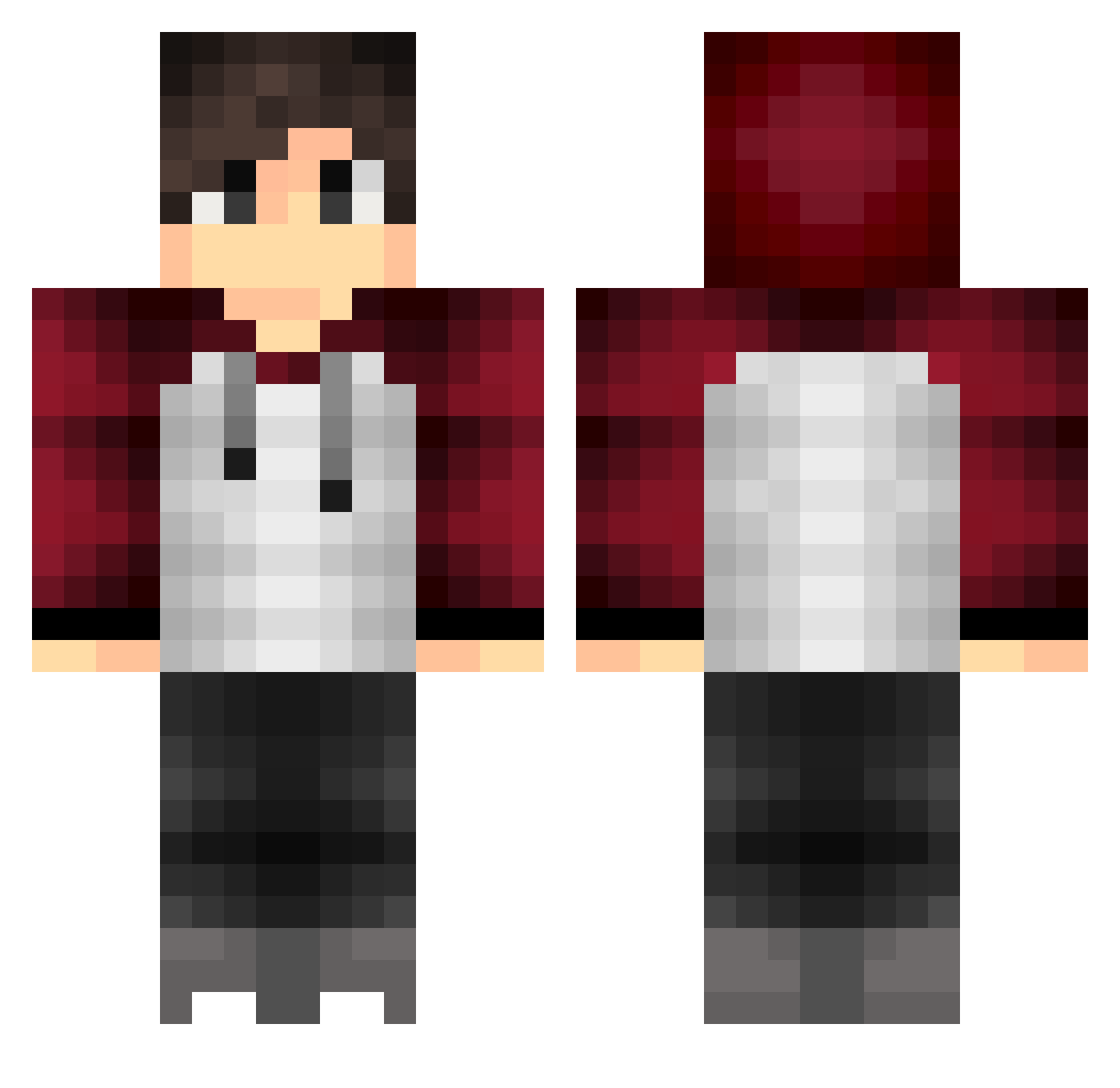
Current Minecraft skin of the player MykogamiX, loaded from the official Mojang API. Rotate the 3D model with your mouse or finger, then download the skin as a PNG file and use it in Minecraft: Bedrock Edition or Java Edition for free. When MykogamiX changes their skin, this page updates automatically and the old skin stays in the history below.
Other players with this skin (396)
MykogamiX was the 88th player we have seen with this skin, first spotted on 16.08.2026. The same skin was seen on these players. Open a nickname to see their current skin and skin history.
 Dizel_Maps Scyss mdm19 xMisiekxD hans221 jokerhhkk NewCorgi Key_2014 Frespu underwrite alexbask Fisch412 Pokas_27 verran_nyak Yuuki_Jeen Avakaii FairlyPure Fael159 zunkp Alloy1 NonasH Axellboy55 ItzPenguins OoneShooter Invisionz Rafael05 Lablie DistressedRomeo CaatchMe bramos_0492 JoseeeVel Cooki82 SpartaXNS orosima Justicar_Abh Fugix88 Jotk0407 Yaya_Zerta Again_17 Aidoneos_ liMath schoenmakerJ Cofcof2020 AlexLivesMatters Gabritherusso ashley_4290 Mob_Skeleton2 TonySoprano781 _kuka 3huis FireCenture YufengHawk PoProstuBartek SynuGTR Deadzy_ Spooofs rainYY6 nemusyy BarDuck2 ElHuguino
How to install the MykogamiX skin
- Press the Download button above to save the skin as a PNG file.
- Minecraft: Bedrock Edition (PE): open the Dressing Room from the main menu (or tap your character → Edit Character), go to Classic Skins → Owned, press the + (new skin) button, choose the downloaded PNG and pick the Classic (Steve) model. Works on PC and mobile; consoles cannot import custom skins.
- Minecraft: Java Edition: open the Minecraft Launcher, go to the Skins tab, click New Skin, load the PNG, pick the Classic (Steve) model and press Save & Use. You can also upload it at minecraft.net → Profile → Change Skin.
The skin does not show up after import - what should I do?
Restart Minecraft and open the Dressing Room again - imported skins sometimes appear only after a restart. Also make sure you selected the imported skin and picked the Classic (Steve) model.
Which model should I choose, Classic or Slim?
This skin is designed for the Classic (Steve) model. If you pick the wrong model, the arms of the skin will look stretched or squeezed.
Is the skin of MykogamiX free to download?
Yes. Press Download, save the PNG file and use it in Minecraft: Bedrock Edition or Java Edition - no payment or registration needed. The skin also works on multiplayer servers and Realms.
More skins
Looking for more? Go back to all Minecraft skins and check the top skins of the week, month and all time, or find any player's skin by nickname.