
MyDonkeyHasCake - Minecraft Skins & Skin History
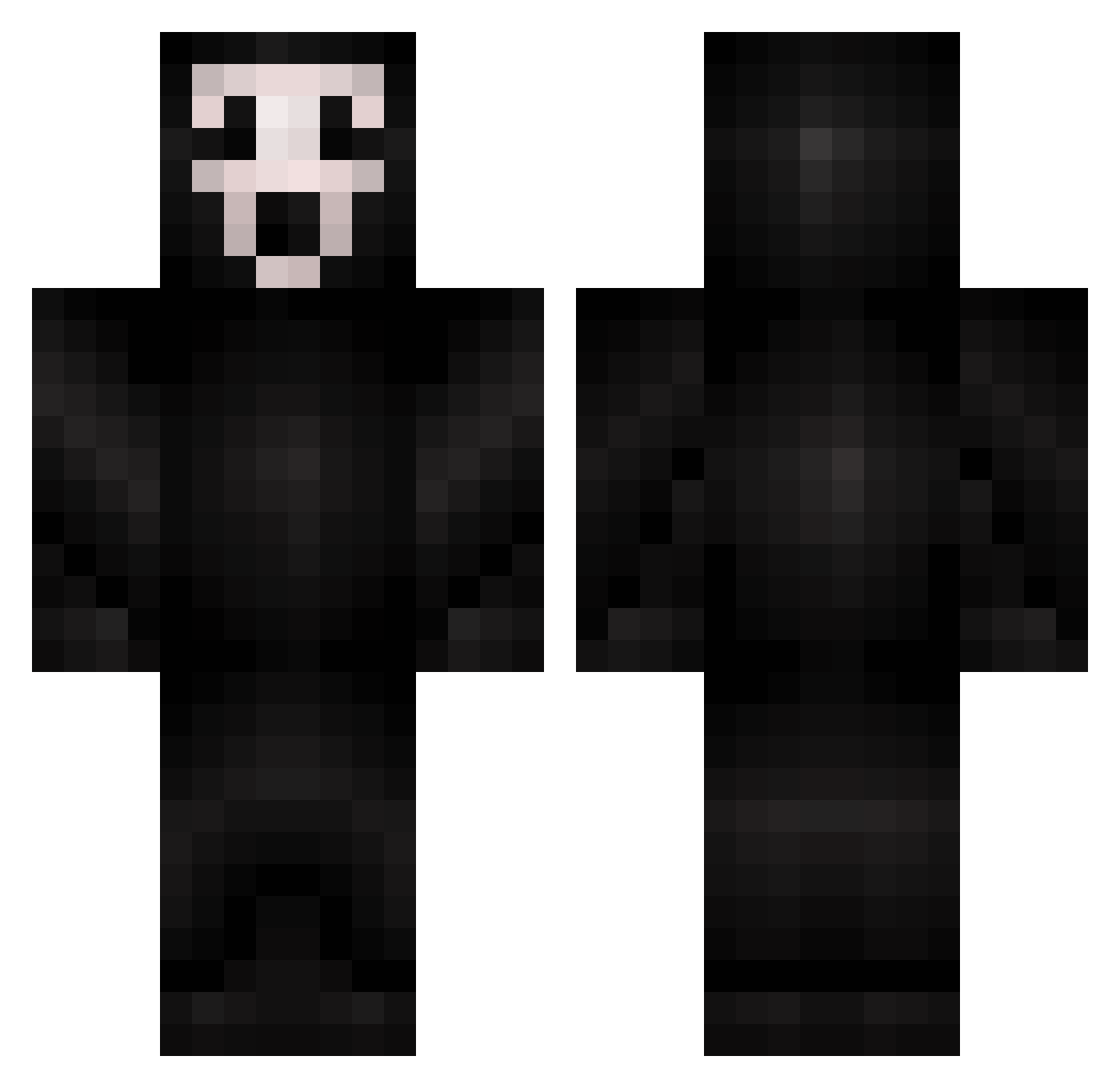
Current Minecraft skin of the player MyDonkeyHasCake, loaded from the official Mojang API. Rotate the 3D model with your mouse or finger, then download the skin as a PNG file and use it in Minecraft: Bedrock Edition or Java Edition for free. When MyDonkeyHasCake changes their skin, this page updates automatically and the old skin stays in the history below.
Other players with this skin (298)
MyDonkeyHasCake was the 87th player we have seen with this skin, first spotted on 27.08.2026. The same skin was seen on these players. Open a nickname to see their current skin and skin history.
 Knoppy1997 Excalibur_2213 rohan0303 HomieAngel VizeCape ErikWayne22 joePAPAQc allavona das0065 SneezyBead76380 Antipreis DonDishSoap69 MikhaelSkills Rotikso StealthyBlueJay potatosalad136 Screann flamenduk Cigar_Galaxy Justin_It4themen taylortotzz PumkinPal Glitched0ut_ jork2p zlShuffle vrsut Hananochiruramu Veeti DabossKotes Extract1x Squiz98 K0PC1O KidiZ98 Bola83 McHeavy Krixess PizzaSteve123222 Blitz11451 Saul10 ninjaboy5672 AnOrdinaryFatCat pencilholderz Adrian102 bluedreww China_Zy SatTws Tentaii Portokaleonas BIGIDIBANG DarkLordMrc Yeskahh XFreeBG L_Kevkha DeifiedBDN JhonWick166 DomS290 Cucciole JJondaloose Nickadeeemis im_nixtape
More Scream Minecraft skins
How to install the MyDonkeyHasCake skin
- Press the Download button above to save the skin as a PNG file.
- Minecraft: Bedrock Edition (PE): open the Dressing Room from the main menu (or tap your character → Edit Character), go to Classic Skins → Owned, press the + (new skin) button, choose the downloaded PNG and pick the Classic (Steve) model. Works on PC and mobile; consoles cannot import custom skins.
- Minecraft: Java Edition: open the Minecraft Launcher, go to the Skins tab, click New Skin, load the PNG, pick the Classic (Steve) model and press Save & Use. You can also upload it at minecraft.net → Profile → Change Skin.
The skin does not show up after import - what should I do?
Restart Minecraft and open the Dressing Room again - imported skins sometimes appear only after a restart. Also make sure you selected the imported skin and picked the Classic (Steve) model.
Which model should I choose, Classic or Slim?
This skin is designed for the Classic (Steve) model. If you pick the wrong model, the arms of the skin will look stretched or squeezed.
Is the skin of MyDonkeyHasCake free to download?
Yes. Press Download, save the PNG file and use it in Minecraft: Bedrock Edition or Java Edition - no payment or registration needed. The skin also works on multiplayer servers and Realms.
More skins
Looking for more? Go back to all Minecraft skins and check the top skins of the week, month and all time, or find any player's skin by nickname.