
MyCreeperHD - Minecraft Skins & Skin History
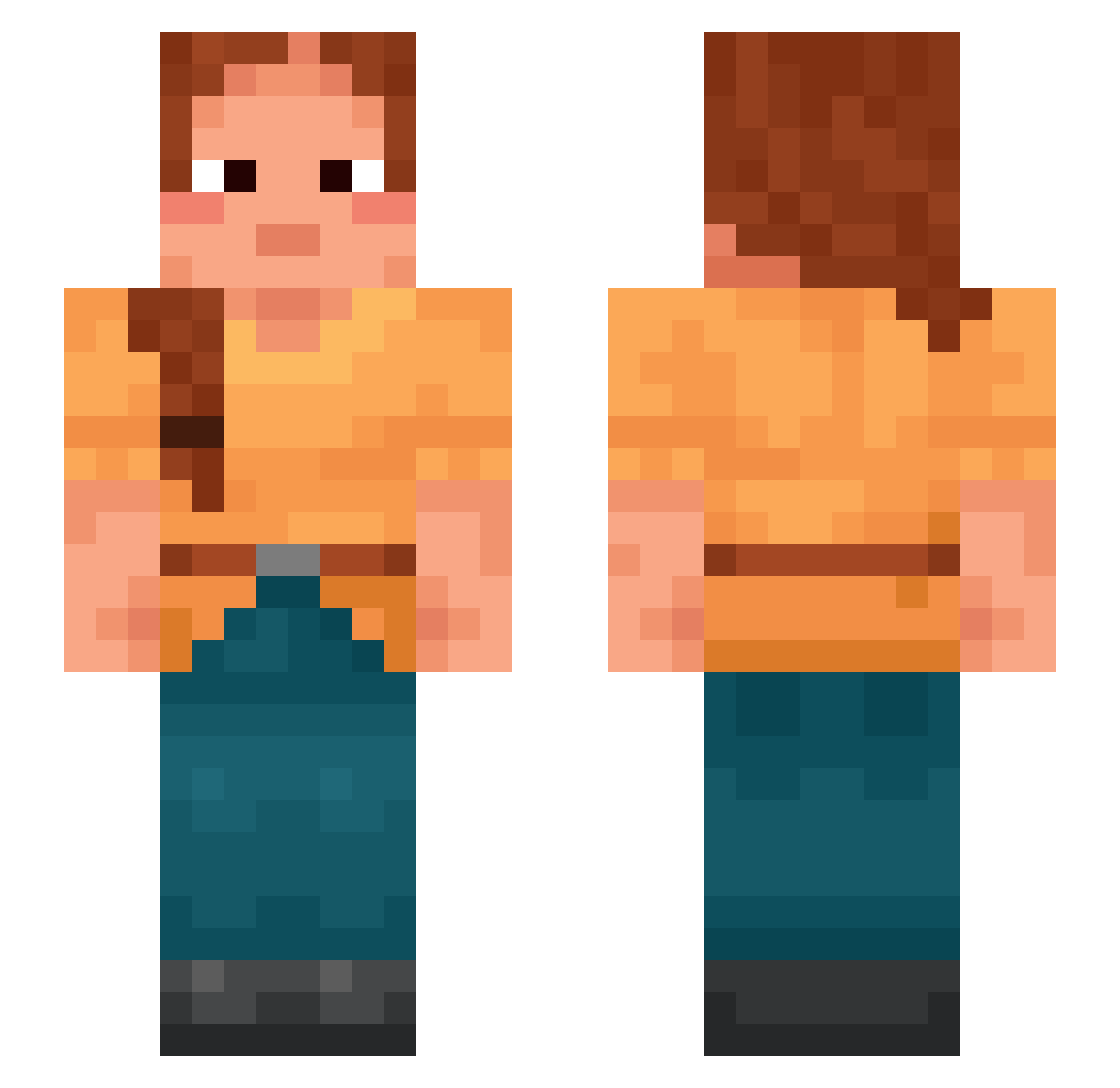
Current Minecraft skin of the player MyCreeperHD, loaded from the official Mojang API. Rotate the 3D model with your mouse or finger, then download the skin as a PNG file and use it in Minecraft: Bedrock Edition or Java Edition for free. When MyCreeperHD changes their skin, this page updates automatically and the old skin stays in the history below.
Other players with this skin (996)
MyCreeperHD was the 912th player we have seen with this skin, first spotted on 26.10.2026. The same skin was seen on these players. Open a nickname to see their current skin and skin history.
 Senones SugarsFmK Thedancingfart Romanist conveyor Murasaki1021 daises Censure StopkiMarcysi laeti Miraling trigger_hurt emarcid LikeHead CURCMCCURC Trolly Towkay Wank Tilaite Groof Serendipitously 1DALAL srinivas bihuabihua Noyan1983 terraceous Demonised JTR_000 peternet chati odiousness Kath69 caraways curacaos Metannie CoolGuyVideos123 AceKaptain Dazaaiii Uracil Pathologists hoofprint Gubernaculum Papuchan20 Calmingly Vukuzu LED2N Acle BunzOaken Kentucky502 Vendee dargue Maxu_PL xXGeorge_PellXx CantingCamp1021 Blood_Twillight Masculines tomoyo Overarched Lupoma Auditioned
More Braid Minecraft skins
How to install the MyCreeperHD skin
- Press the Download button above to save the skin as a PNG file.
- Minecraft: Bedrock Edition (PE): open the Dressing Room from the main menu (or tap your character → Edit Character), go to Classic Skins → Owned, press the + (new skin) button, choose the downloaded PNG and pick the Slim (Alex) model. Works on PC and mobile; consoles cannot import custom skins.
- Minecraft: Java Edition: open the Minecraft Launcher, go to the Skins tab, click New Skin, load the PNG, pick the Slim (Alex) model and press Save & Use. You can also upload it at minecraft.net → Profile → Change Skin.
The skin does not show up after import - what should I do?
Restart Minecraft and open the Dressing Room again - imported skins sometimes appear only after a restart. Also make sure you selected the imported skin and picked the Slim (Alex) model.
Which model should I choose, Classic or Slim?
This skin is designed for the Slim (Alex) model. If you pick the wrong model, the arms of the skin will look stretched or squeezed.
Is the skin of MyCreeperHD free to download?
Yes. Press Download, save the PNG file and use it in Minecraft: Bedrock Edition or Java Edition - no payment or registration needed. The skin also works on multiplayer servers and Realms.
More skins
Looking for more? Go back to all Minecraft skins and check the top skins of the week, month and all time, or find any player's skin by nickname.