
MustyApplez - Minecraft Skins & Skin History
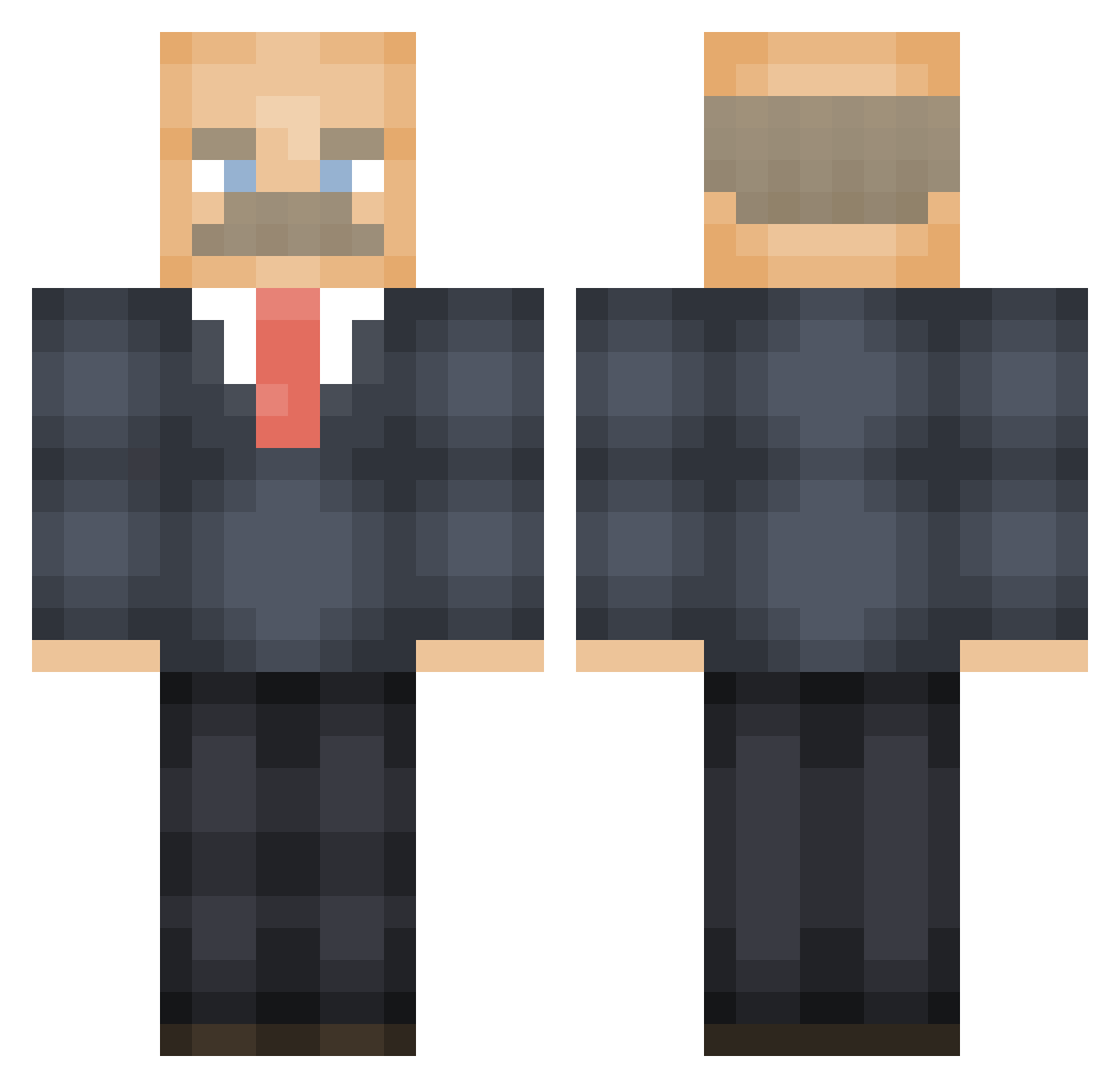
Current Minecraft skin of the player MustyApplez, loaded from the official Mojang API. Rotate the 3D model with your mouse or finger, then download the skin as a PNG file and use it in Minecraft: Bedrock Edition or Java Edition for free. When MustyApplez changes their skin, this page updates automatically and the old skin stays in the history below.
Other players with this skin (474)
MustyApplez was the 190th player we have seen with this skin, first spotted on 02.09.2026. The same skin was seen on these players. Open a nickname to see their current skin and skin history.
 Chastant54 Ramontonton tomdabomb019 temusgubluh GOJOMOSO Jman729 go_be_a_badman99 caveman9000 vdru koko_4XO mortenjohs Thrashlord TomasaurusNL Felixx1119 yaboiduncan BigSmoke3856 ikar0s rubhertoe kb720 _w_i_z_a_r_d_ tacoballs690 BlueGrassBandt Zorbon_ RickyTickie Sentinel_Nine stottster123 aktug jad48 Cayyrex SquirtyGert jadenftw24 QuokkaOverload 4bottlecap409 F1mn Tahlia_Harris Falconberger Kartoffel698 minko089 hxydvn swatson37 SuperSundae BenFranklin798 SkyPapi BlueSped MoragTheGranny Kyleirvine00 iyi_ minuscipher Trieu1997 unstpablegamer Haywood7842 Rasseputin LokSrc dummybummy Kitsune_207 Slabbs katelyngally PinkDresser HuGo__44 RealAristoteles
More Vladimir Lenin Minecraft skins
See all 38 Vladimir Lenin skins
How to install the MustyApplez skin
- Press the Download button above to save the skin as a PNG file.
- Minecraft: Bedrock Edition (PE): open the Dressing Room from the main menu (or tap your character → Edit Character), go to Classic Skins → Owned, press the + (new skin) button, choose the downloaded PNG and pick the Classic (Steve) model. Works on PC and mobile; consoles cannot import custom skins.
- Minecraft: Java Edition: open the Minecraft Launcher, go to the Skins tab, click New Skin, load the PNG, pick the Classic (Steve) model and press Save & Use. You can also upload it at minecraft.net → Profile → Change Skin.
The skin does not show up after import - what should I do?
Restart Minecraft and open the Dressing Room again - imported skins sometimes appear only after a restart. Also make sure you selected the imported skin and picked the Classic (Steve) model.
Which model should I choose, Classic or Slim?
This skin is designed for the Classic (Steve) model. If you pick the wrong model, the arms of the skin will look stretched or squeezed.
Is the skin of MustyApplez free to download?
Yes. Press Download, save the PNG file and use it in Minecraft: Bedrock Edition or Java Edition - no payment or registration needed. The skin also works on multiplayer servers and Realms.
More skins
Looking for more? Go back to all Minecraft skins and check the top skins of the week, month and all time, or find any player's skin by nickname.