
Murgias - Minecraft Skins & Skin History
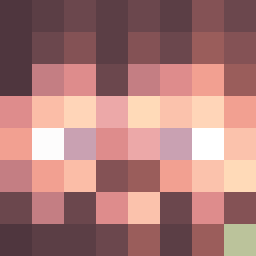
Current Minecraft skin of the player Murgias, loaded from the official Mojang API. Rotate the 3D model with your mouse or finger, then download the skin as a PNG file and use it in Minecraft: Bedrock Edition or Java Edition for free. When Murgias changes their skin, this page updates automatically and the old skin stays in the history below.

Other players with this skin (13371)
Murgias was the 5678th player we have seen with this skin, first spotted on 11.09.2026. The same skin was seen on these players. Open a nickname to see their current skin and skin history.
 Etonnement daseor_1 BloodRed3879
 NanZO17 SrPiina_ Evey0r_ kingc2000 YookuPooku LillKingen17 blackman2402 JustAChillGirl Trxstcn AsiaEurope jony_s Aka_ez_Boys MC_ChoCo a3bc Watanabi8 woop_woon Amplication Ug1yFish _MFB JboyEX Minitaso humangal53 Berlin710 TristinJT
 Adrdope melump TechnoRops jooste Fritz_Str 27_4 Tom_Aura_Farmer DMTwired CosmoOrion Deizirfy Shangren William75526 AddJet angryboy123 tbabes sambadoubrazil SHOG Spinturnix KazeiKz_ Rivtex MaximistKuhl13 8gh1 Younggeunman YoungOfTheFiends brokenstuff 1_GB cheatos1 GGULGGUANG dai_sh Tastaind Cookie9785 mattbcraft abod_XD
How to install the Murgias skin
- Press the Download button above to save the skin as a PNG file.
- Minecraft: Bedrock Edition (PE): open the Dressing Room from the main menu (or tap your character → Edit Character), go to Classic Skins → Owned, press the + (new skin) button, choose the downloaded PNG and pick the Classic (Steve) model. Works on PC and mobile; consoles cannot import custom skins.
- Minecraft: Java Edition: open the Minecraft Launcher, go to the Skins tab, click New Skin, load the PNG, pick the Classic (Steve) model and press Save & Use. You can also upload it at minecraft.net → Profile → Change Skin.
The skin does not show up after import - what should I do?
Restart Minecraft and open the Dressing Room again - imported skins sometimes appear only after a restart. Also make sure you selected the imported skin and picked the Classic (Steve) model.
Which model should I choose, Classic or Slim?
This skin is designed for the Classic (Steve) model. If you pick the wrong model, the arms of the skin will look stretched or squeezed.
Is the skin of Murgias free to download?
Yes. Press Download, save the PNG file and use it in Minecraft: Bedrock Edition or Java Edition - no payment or registration needed. The skin also works on multiplayer servers and Realms.
More skins
Looking for more? Go back to all Minecraft skins and check the top skins of the week, month and all time, or find any player's skin by nickname.