
MurdocXlX - Minecraft Skins & Skin History
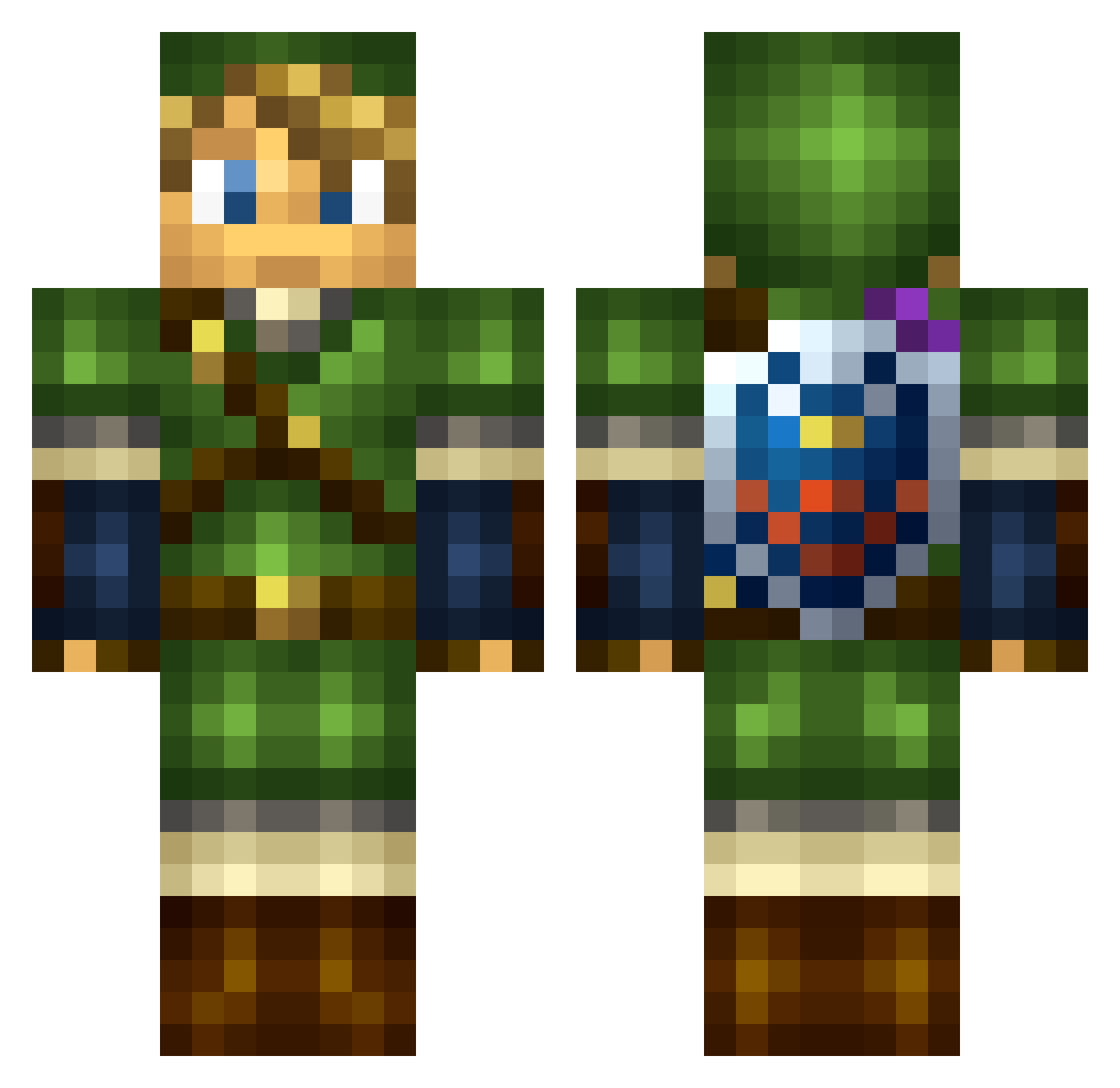
Current Minecraft skin of the player MurdocXlX, loaded from the official Mojang API. Rotate the 3D model with your mouse or finger, then download the skin as a PNG file and use it in Minecraft: Bedrock Edition or Java Edition for free. When MurdocXlX changes their skin, this page updates automatically and the old skin stays in the history below.
Other players with this skin (41)
MurdocXlX was the 24th player we have seen with this skin, first spotted on 22.09.2026. The same skin was seen on these players. Open a nickname to see their current skin and skin history.
 Briinx Duprom TropiePower Exotope Rafi1202 Dantoonie52 SouperDavid LuPaGins ofc2000alex LeCommunism Yalcomacob GANJESUS noahmacsauce SuperKilbs Naidl
 Eggman_Gaming Xdude38 Jenova2911 LENN12 Mr_Star_Lord legitnamie HappyFeet_zw Linky13 Gustl087 Soup527 MandoXXII thegoldenboy_ Link_The_hero78 DaBestDaTimes Maxwells5000 EpicHunter116 Jeffaneld lilpro29 pearbear127 WetDogFoodEater Estyle evil_bluffer gerggrif Fabio05 OmegaFalcorn Korht
More Hylian Shield Minecraft skins
See all 74 Hylian Shield skins
How to install the MurdocXlX skin
- Press the Download button above to save the skin as a PNG file.
- Minecraft: Bedrock Edition (PE): open the Dressing Room from the main menu (or tap your character → Edit Character), go to Classic Skins → Owned, press the + (new skin) button, choose the downloaded PNG and pick the Classic (Steve) model. Works on PC and mobile; consoles cannot import custom skins.
- Minecraft: Java Edition: open the Minecraft Launcher, go to the Skins tab, click New Skin, load the PNG, pick the Classic (Steve) model and press Save & Use. You can also upload it at minecraft.net → Profile → Change Skin.
The skin does not show up after import - what should I do?
Restart Minecraft and open the Dressing Room again - imported skins sometimes appear only after a restart. Also make sure you selected the imported skin and picked the Classic (Steve) model.
Which model should I choose, Classic or Slim?
This skin is designed for the Classic (Steve) model. If you pick the wrong model, the arms of the skin will look stretched or squeezed.
Is the skin of MurdocXlX free to download?
Yes. Press Download, save the PNG file and use it in Minecraft: Bedrock Edition or Java Edition - no payment or registration needed. The skin also works on multiplayer servers and Realms.
More skins
Looking for more? Go back to all Minecraft skins and check the top skins of the week, month and all time, or find any player's skin by nickname.