
Mukerson - Minecraft Skins & Skin History
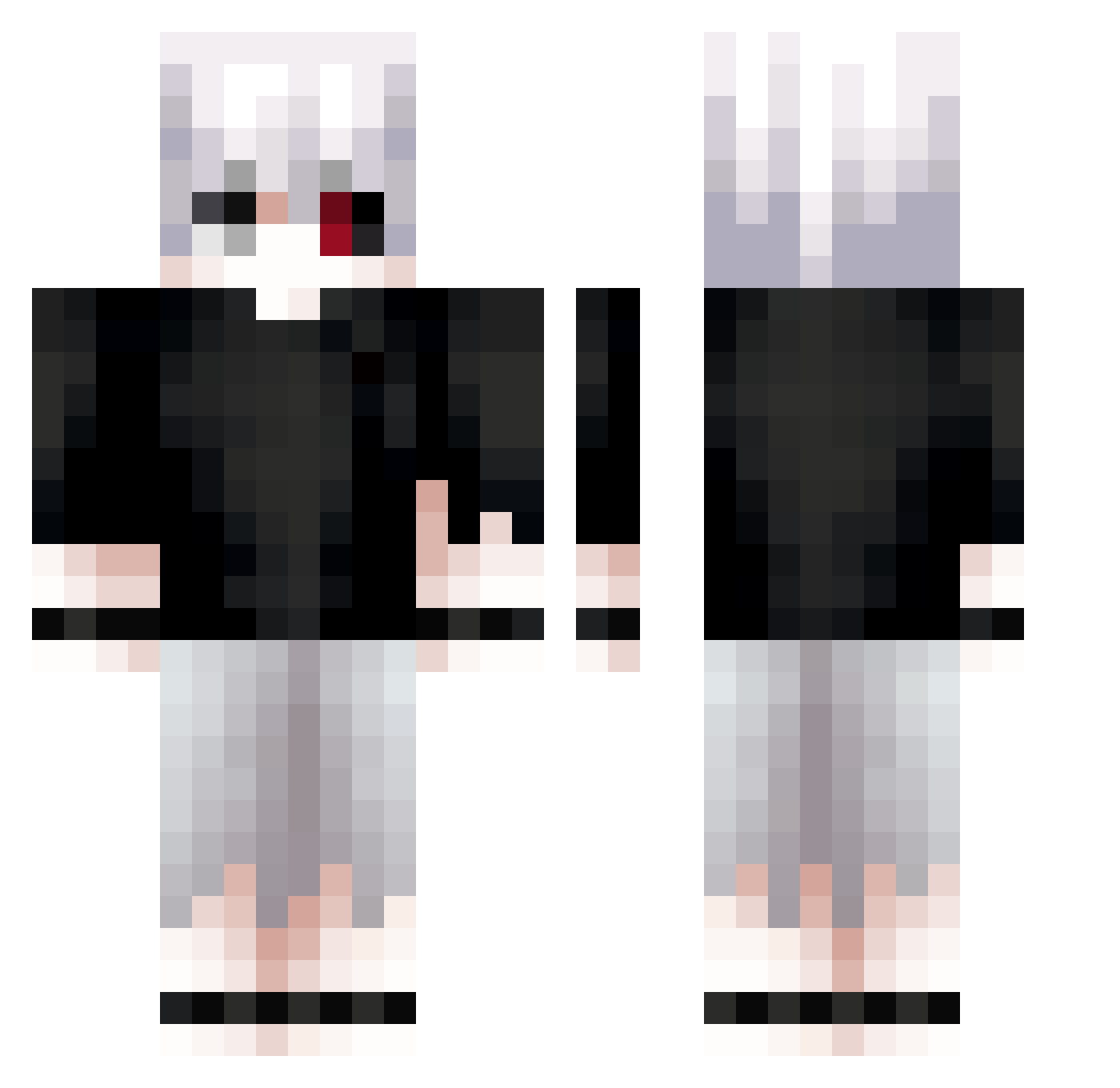
Current Minecraft skin of the player Mukerson, loaded from the official Mojang API. Rotate the 3D model with your mouse or finger, then download the skin as a PNG file and use it in Minecraft: Bedrock Edition or Java Edition for free. When Mukerson changes their skin, this page updates automatically and the old skin stays in the history below.
Other players with this skin (612)
Mukerson was the 46th player we have seen with this skin, first spotted on 31.07.2026. The same skin was seen on these players. Open a nickname to see their current skin and skin history.
 Plutopup23 Ness1s dwiightyyy vampville wontt1 N0tEREEN Ca0Ki StillExting Skarshy KenKaneki4819 Myroxi Ghoulcom iOver_xH KYORAAAA NotDestra Timelesstext4 _Eyyrol lm_a_larp_kid edglngmaster Yamato4252 xing17 bink12321 Shjvaa_Qs Distort09 lil_dark_boy ImToToasty cashgiannn cypekcwl LukasAC1
 wolftiger3 JordiX28
 ISO_68 jackwinters420 Moriatyy Dori33 Merlyn2002 XiaoAAAAAAAAAAA DRACOFTH CoolioJoe12 Allen1799 destructe147 TheBun4Fun jefe777 mzKirio MrMufarini 3UwU3
 IK_08 Breinox Xyne7 K1llaBr Blank953 norityui thedaniuxx iRexkz7 XxFlareGamingxX RubiiXx96 tortu500 Maybe_A7X MrBig_69 danich777
More Kaneki Minecraft skins
How to install the Mukerson skin
- Press the Download button above to save the skin as a PNG file.
- Minecraft: Bedrock Edition (PE): open the Dressing Room from the main menu (or tap your character → Edit Character), go to Classic Skins → Owned, press the + (new skin) button, choose the downloaded PNG and pick the Classic (Steve) model. Works on PC and mobile; consoles cannot import custom skins.
- Minecraft: Java Edition: open the Minecraft Launcher, go to the Skins tab, click New Skin, load the PNG, pick the Classic (Steve) model and press Save & Use. You can also upload it at minecraft.net → Profile → Change Skin.
The skin does not show up after import - what should I do?
Restart Minecraft and open the Dressing Room again - imported skins sometimes appear only after a restart. Also make sure you selected the imported skin and picked the Classic (Steve) model.
Which model should I choose, Classic or Slim?
This skin is designed for the Classic (Steve) model. If you pick the wrong model, the arms of the skin will look stretched or squeezed.
Is the skin of Mukerson free to download?
Yes. Press Download, save the PNG file and use it in Minecraft: Bedrock Edition or Java Edition - no payment or registration needed. The skin also works on multiplayer servers and Realms.
More skins
Looking for more? Go back to all Minecraft skins and check the top skins of the week, month and all time, or find any player's skin by nickname.