
MugiwaraYa9 - Minecraft Skins & Skin History
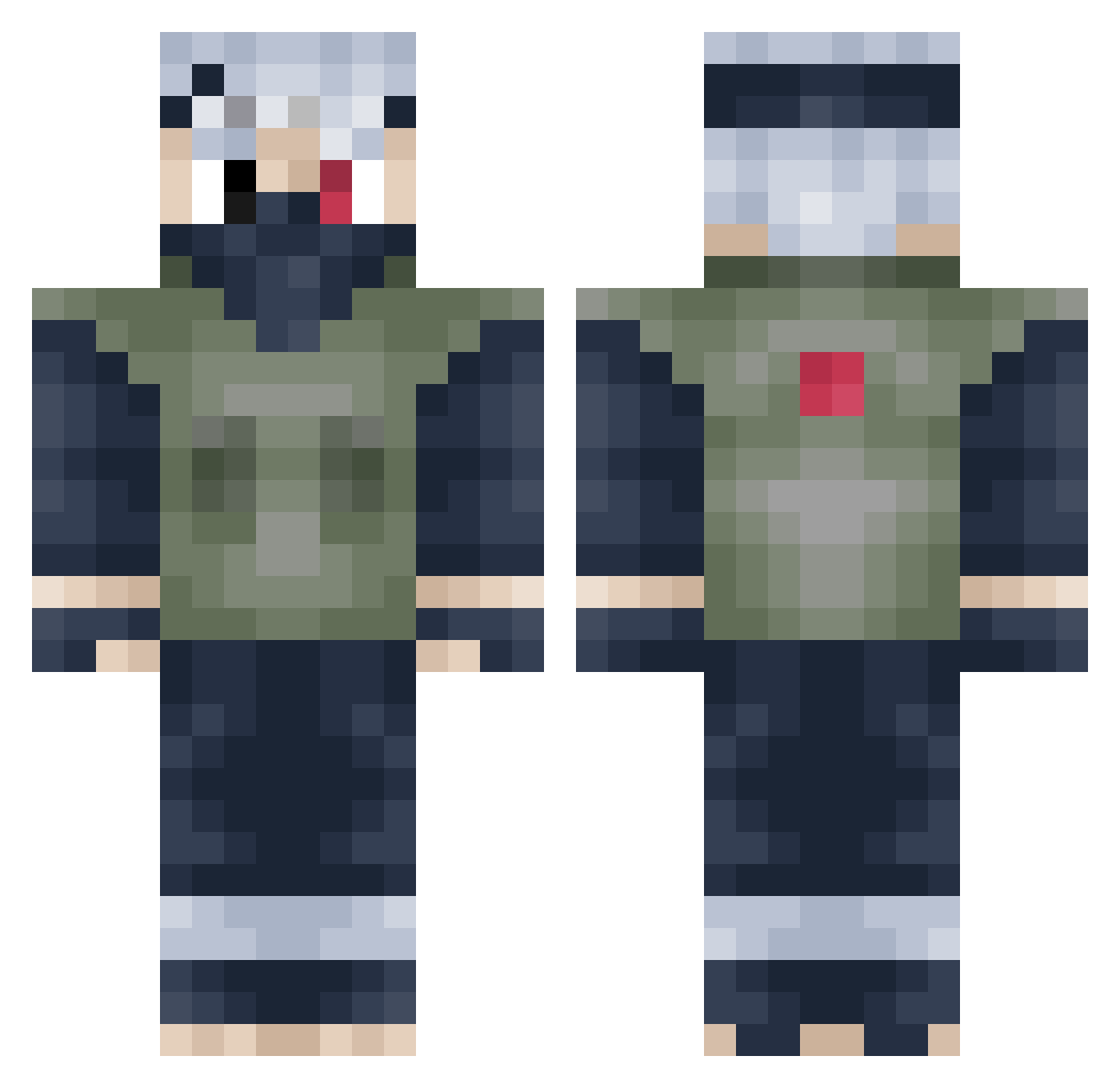
Current Minecraft skin of the player MugiwaraYa9, loaded from the official Mojang API. Rotate the 3D model with your mouse or finger, then download the skin as a PNG file and use it in Minecraft: Bedrock Edition or Java Edition for free. When MugiwaraYa9 changes their skin, this page updates automatically and the old skin stays in the history below.
Other players with this skin (398)
MugiwaraYa9 was the 343rd player we have seen with this skin, first spotted on 19.10.2026. The same skin was seen on these players. Open a nickname to see their current skin and skin history.
 _sarah_shoots916 NevroGames mioh0 Spudleek Mugfjell rsheath otterkok Luke_dark1 iJinky B0SS21 Spaghetti690 RAYZER_77 TheBlackBeard_ DarkSiedous Mr_xirang Law2k7 bvphomett adeene ToraManny Faxrd9 holymolyBIGSWOLY robbyjobby Cryptics_edwin Julenciia BackWoodzs Goldenrooster41 Karamyzx bootybandit12345 DiAmaT isiahd RMzzLDN KareemZKing XxSkeleton3234xX Satna48 tesgamer97 OpTicJaHoVah Mikko03 Kindustries rokusum3322 slatt2408 KevinNowak Headbene TyrellPrime Crvcy RXCZN Arguail11 sonnyjackson duya__ AzuraHackeClient Biggymokey N0echo FallenTitan9914 discountdbl12 juiceguys13 HardBassBubble Dawgs4024 JaxyyTK Maccakakka CapMick mohammedbk09
More Kakashi Hatake Minecraft skins
See all 468 Kakashi Hatake skins
How to install the MugiwaraYa9 skin
- Press the Download button above to save the skin as a PNG file.
- Minecraft: Bedrock Edition (PE): open the Dressing Room from the main menu (or tap your character → Edit Character), go to Classic Skins → Owned, press the + (new skin) button, choose the downloaded PNG and pick the Classic (Steve) model. Works on PC and mobile; consoles cannot import custom skins.
- Minecraft: Java Edition: open the Minecraft Launcher, go to the Skins tab, click New Skin, load the PNG, pick the Classic (Steve) model and press Save & Use. You can also upload it at minecraft.net → Profile → Change Skin.
The skin does not show up after import - what should I do?
Restart Minecraft and open the Dressing Room again - imported skins sometimes appear only after a restart. Also make sure you selected the imported skin and picked the Classic (Steve) model.
Which model should I choose, Classic or Slim?
This skin is designed for the Classic (Steve) model. If you pick the wrong model, the arms of the skin will look stretched or squeezed.
Is the skin of MugiwaraYa9 free to download?
Yes. Press Download, save the PNG file and use it in Minecraft: Bedrock Edition or Java Edition - no payment or registration needed. The skin also works on multiplayer servers and Realms.
More skins
Looking for more? Go back to all Minecraft skins and check the top skins of the week, month and all time, or find any player's skin by nickname.