
MuduXD - Minecraft Skins & Skin History
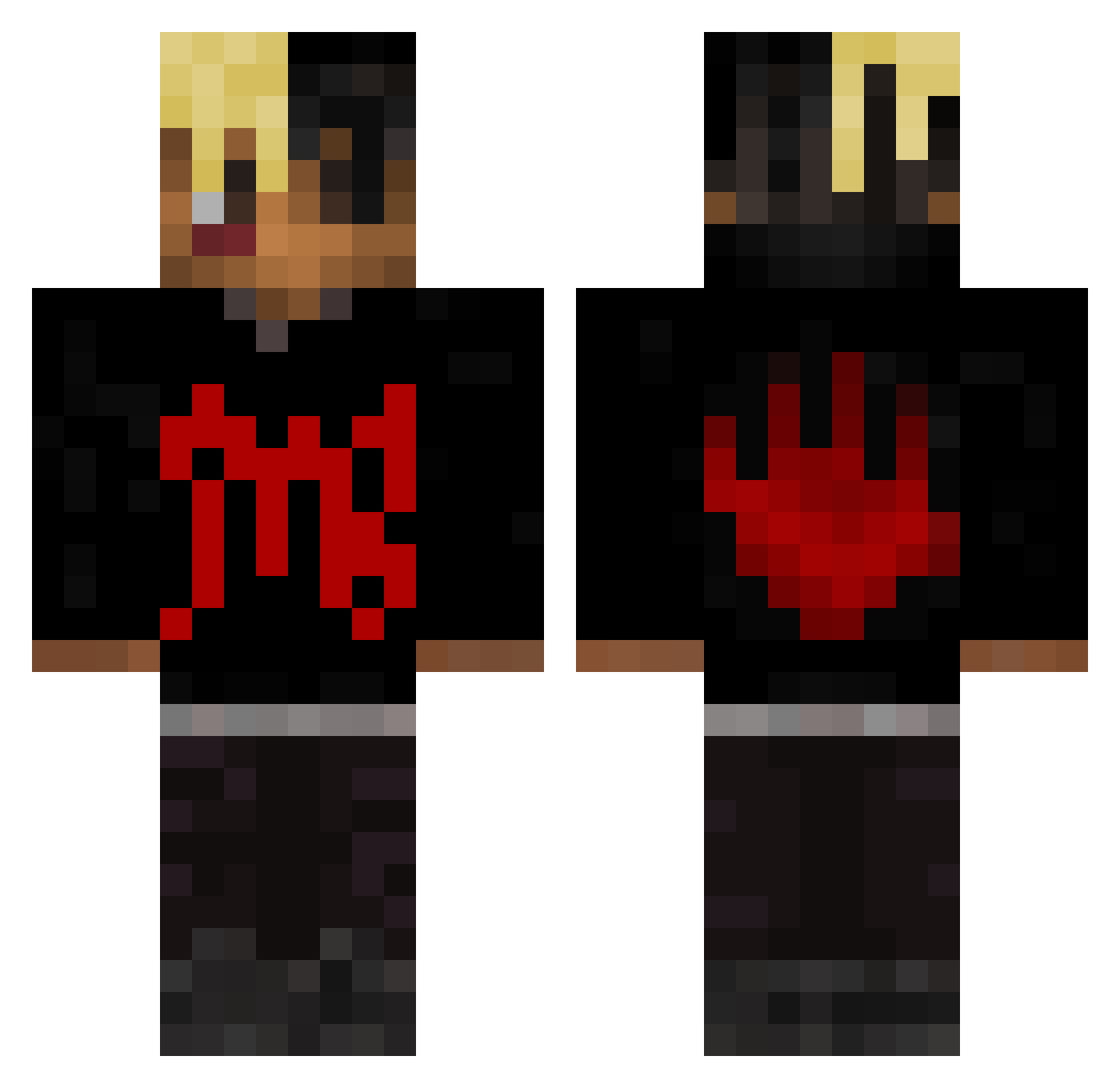
Current Minecraft skin of the player MuduXD, loaded from the official Mojang API. Rotate the 3D model with your mouse or finger, then download the skin as a PNG file and use it in Minecraft: Bedrock Edition or Java Edition for free. When MuduXD changes their skin, this page updates automatically and the old skin stays in the history below.
Other players with this skin (415)
MuduXD was the 333rd player we have seen with this skin, first spotted on 15.10.2026. The same skin was seen on these players. Open a nickname to see their current skin and skin history.
 MAKEOUTHILL_9999 halolights becknick RichBriar Forestlife_HD dirtymungo_ TK9BOY rumpy18 Despartiate SpeedLuci parkerIV brehno cnzinhx GBrunheri Popcorn23023 yungrage SekkerPlays Nacho6275 Lokusiak5 LilGravy23 Naigal13 JaxBear0214 willwill0622 MAKEOUTHIILLL _Vlxne RalloTimo Drifty_Quartz Enigmaty _MCCRAY_ JonnyHibbleton TommyQuelloVero jorgles UbiquityDeadlock Simao_1896 PatientFPS Digtree Shxded0 Aronbaby7 oigopm ColinMChoi 520520520 vDxLa_ Hypodermicus rawrski2001 TheFatTony23 VeryRusty00 Magiiiccccc WonkAzee Bin0728 VitorSKT romereo NWA38 L9Tol iiTzMB YRN_RICHIE Sorenbby17 Lentila_ meneluzer Vxrietyy PTneles
More Xxxtentacion Minecraft skins
See all 407 Xxxtentacion skins
How to install the MuduXD skin
- Press the Download button above to save the skin as a PNG file.
- Minecraft: Bedrock Edition (PE): open the Dressing Room from the main menu (or tap your character → Edit Character), go to Classic Skins → Owned, press the + (new skin) button, choose the downloaded PNG and pick the Classic (Steve) model. Works on PC and mobile; consoles cannot import custom skins.
- Minecraft: Java Edition: open the Minecraft Launcher, go to the Skins tab, click New Skin, load the PNG, pick the Classic (Steve) model and press Save & Use. You can also upload it at minecraft.net → Profile → Change Skin.
The skin does not show up after import - what should I do?
Restart Minecraft and open the Dressing Room again - imported skins sometimes appear only after a restart. Also make sure you selected the imported skin and picked the Classic (Steve) model.
Which model should I choose, Classic or Slim?
This skin is designed for the Classic (Steve) model. If you pick the wrong model, the arms of the skin will look stretched or squeezed.
Is the skin of MuduXD free to download?
Yes. Press Download, save the PNG file and use it in Minecraft: Bedrock Edition or Java Edition - no payment or registration needed. The skin also works on multiplayer servers and Realms.
More skins
Looking for more? Go back to all Minecraft skins and check the top skins of the week, month and all time, or find any player's skin by nickname.