
Mudryk13 - Minecraft Skins & Skin History
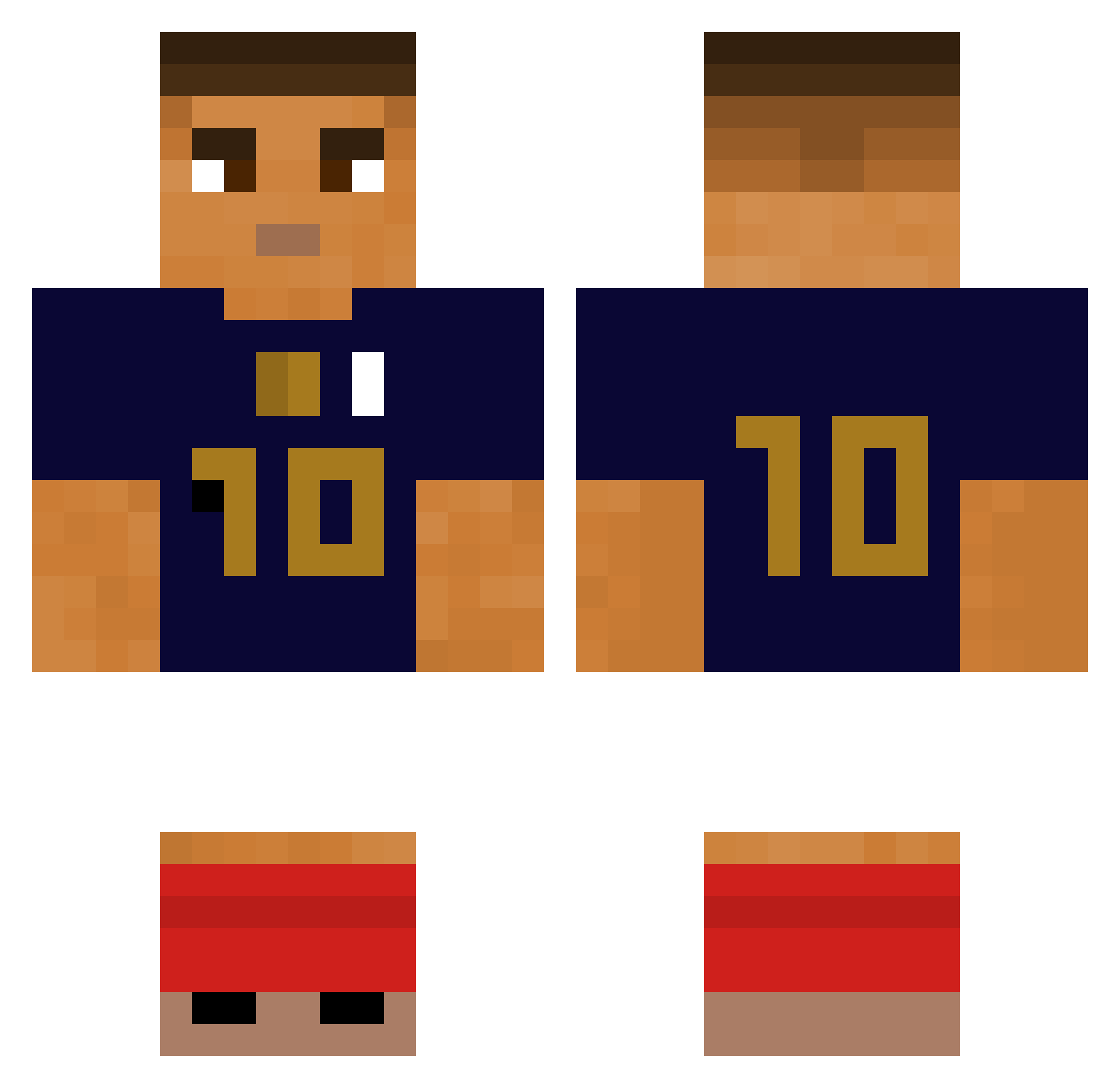
Current Minecraft skin of the player Mudryk13, loaded from the official Mojang API. Rotate the 3D model with your mouse or finger, then download the skin as a PNG file and use it in Minecraft: Bedrock Edition or Java Edition for free. When Mudryk13 changes their skin, this page updates automatically and the old skin stays in the history below.
Other players with this skin (280)
Mudryk13 was the 139th player we have seen with this skin, first spotted on 13.09.2026. The same skin was seen on these players. Open a nickname to see their current skin and skin history.
 alex_b2b SpiderTriso cbastar10 Altan187 joanum99 MbappeLover69 legaaa6 Yiitjpeg lidzak1 Luka1s2 Gutyz2002 sukanigadiktua bnxy elmarman hamabe_minami829 Tortapounder147 MeXican_NiNja369 DoomGarden TristanCG06 s8TanGone martin_Security Bogslime
 toriafr ChanJongPark Yoobappe sackyzaum akakaic ayskoledemonteur Sto932 yuzuha29 MrOmegon T_Furax SolarLix_ TheC0nstructi0nB TC_Mikey shu_777 ReviRte antoo_2404 ansony0121 BlueFuture1885 Lewzhy bastimc SteveSerrano Koraht67 RashfordJP Yonotengobrazos yodace1 real3109 ShakenSky511 NavSauce desertitchi Rosinha0121 Elio898 MbappeGoat777 K1ylian_Mbappe KexPlays_ Lalbinos gyokan0906 SpicySnakeYaoi EmirCany
More Kylian Mbappe Minecraft skins
See all 33 Kylian Mbappe skins
How to install the Mudryk13 skin
- Press the Download button above to save the skin as a PNG file.
- Minecraft: Bedrock Edition (PE): open the Dressing Room from the main menu (or tap your character → Edit Character), go to Classic Skins → Owned, press the + (new skin) button, choose the downloaded PNG and pick the Classic (Steve) model. Works on PC and mobile; consoles cannot import custom skins.
- Minecraft: Java Edition: open the Minecraft Launcher, go to the Skins tab, click New Skin, load the PNG, pick the Classic (Steve) model and press Save & Use. You can also upload it at minecraft.net → Profile → Change Skin.
The skin does not show up after import - what should I do?
Restart Minecraft and open the Dressing Room again - imported skins sometimes appear only after a restart. Also make sure you selected the imported skin and picked the Classic (Steve) model.
Which model should I choose, Classic or Slim?
This skin is designed for the Classic (Steve) model. If you pick the wrong model, the arms of the skin will look stretched or squeezed.
Is the skin of Mudryk13 free to download?
Yes. Press Download, save the PNG file and use it in Minecraft: Bedrock Edition or Java Edition - no payment or registration needed. The skin also works on multiplayer servers and Realms.
More skins
Looking for more? Go back to all Minecraft skins and check the top skins of the week, month and all time, or find any player's skin by nickname.