
MrzIsmet - Minecraft Skins & Skin History
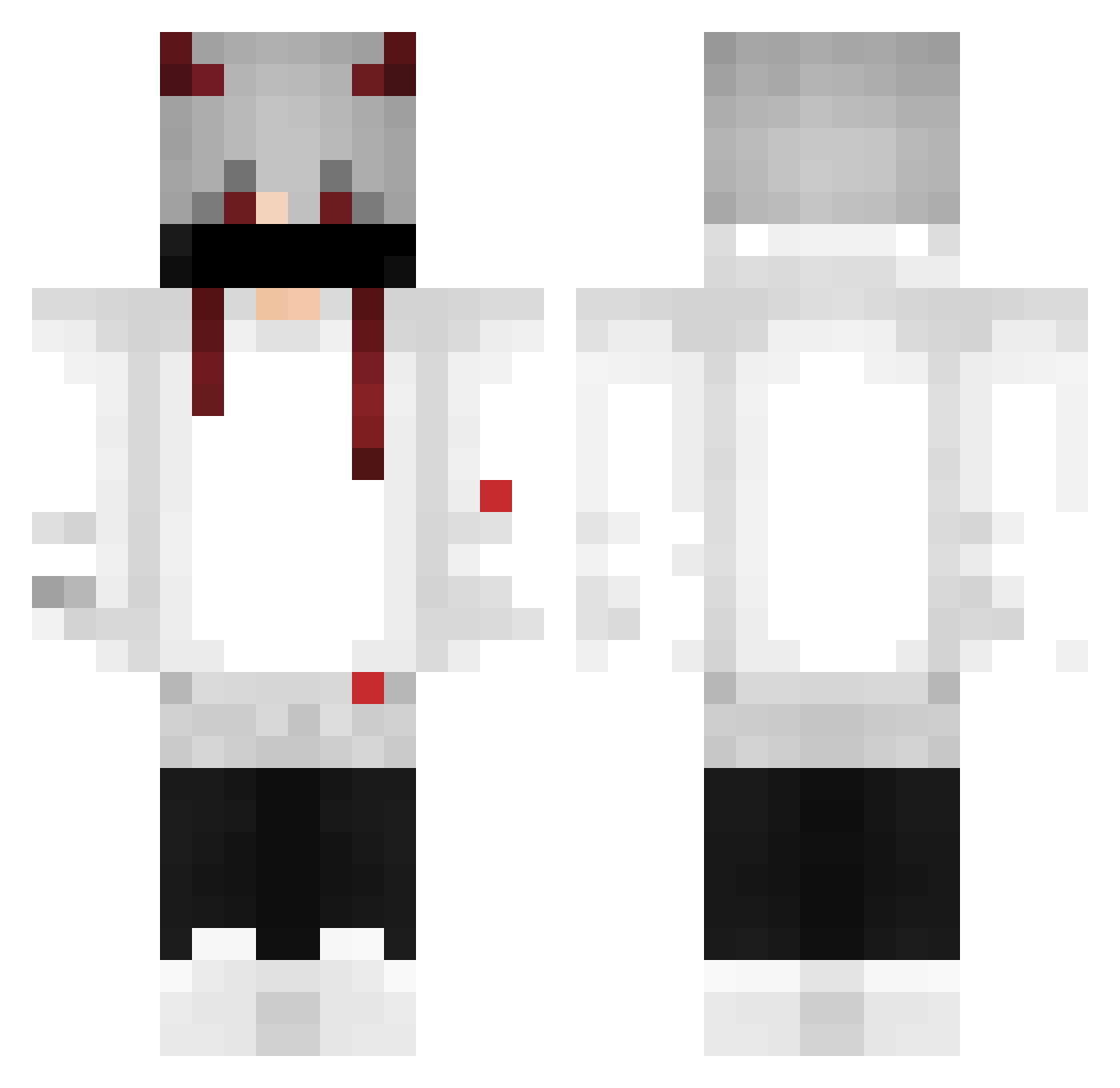
Current Minecraft skin of the player MrzIsmet, loaded from the official Mojang API. Rotate the 3D model with your mouse or finger, then download the skin as a PNG file and use it in Minecraft: Bedrock Edition or Java Edition for free. When MrzIsmet changes their skin, this page updates automatically and the old skin stays in the history below.
Other players with this skin (490)
MrzIsmet was the 418th player we have seen with this skin, first spotted on 29.10.2026. The same skin was seen on these players. Open a nickname to see their current skin and skin history.
 Quicker1 Meaw_EiiEii SolitaryWolf6 luca0369 onlyredx gasparzn Ikki123 Itsflosky Black_Wolf9609 F3rezin3 M4TH3U5 HARSHU_WARRIOR LeoCheng790670 Renatohen _Aybo_ Kxzutorx Lakacha1221 DopeBoysALT1 Seus_kid benii8888 hiroyukisam thzkjx NoirAdo pietroxxt matthewsearles8 mateusvinicius46 Emirhan5119 MiguelBHD pepetan dharmik_op DaddyTrash_ CAIO2K_ Hunt3ryTZ_ FLETCHER68 ArthurBC13 Yas4 FlavinhoohDoPneu Mikaazu XXXARTYXXX Scirocc0 satru1 Resolutee XAM7 De3t1nY0 JakubsonKM DragonSnake128 mrluk25 L3VIATH3N DANDAN_OFC AAmorimSZ vininxcz hunkpe Zomnum 01witcher PATINNx StryderSC17 Slayz4Dayz__ ALLORUT Palhacinhooo pideyiyenpokemon
More Demon Horns Minecraft skins
How to install the MrzIsmet skin
- Press the Download button above to save the skin as a PNG file.
- Minecraft: Bedrock Edition (PE): open the Dressing Room from the main menu (or tap your character → Edit Character), go to Classic Skins → Owned, press the + (new skin) button, choose the downloaded PNG and pick the Classic (Steve) model. Works on PC and mobile; consoles cannot import custom skins.
- Minecraft: Java Edition: open the Minecraft Launcher, go to the Skins tab, click New Skin, load the PNG, pick the Classic (Steve) model and press Save & Use. You can also upload it at minecraft.net → Profile → Change Skin.
The skin does not show up after import - what should I do?
Restart Minecraft and open the Dressing Room again - imported skins sometimes appear only after a restart. Also make sure you selected the imported skin and picked the Classic (Steve) model.
Which model should I choose, Classic or Slim?
This skin is designed for the Classic (Steve) model. If you pick the wrong model, the arms of the skin will look stretched or squeezed.
Is the skin of MrzIsmet free to download?
Yes. Press Download, save the PNG file and use it in Minecraft: Bedrock Edition or Java Edition - no payment or registration needed. The skin also works on multiplayer servers and Realms.
More skins
Looking for more? Go back to all Minecraft skins and check the top skins of the week, month and all time, or find any player's skin by nickname.