
MrocznyZakontek - Minecraft Skins & Skin History
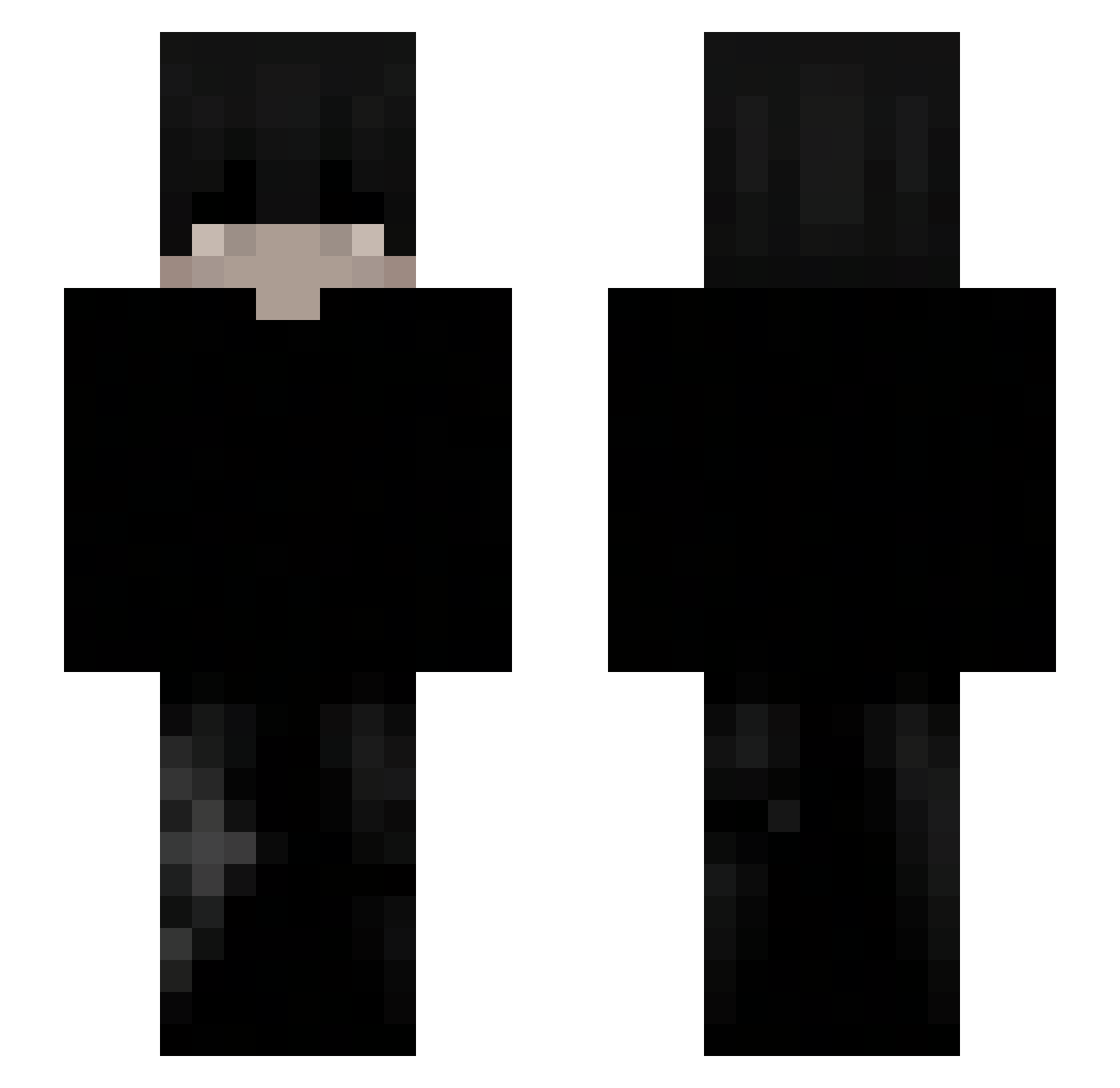
Current Minecraft skin of the player MrocznyZakontek, loaded from the official Mojang API. Rotate the 3D model with your mouse or finger, then download the skin as a PNG file and use it in Minecraft: Bedrock Edition or Java Edition for free. When MrocznyZakontek changes their skin, this page updates automatically and the old skin stays in the history below.
Other players with this skin (145)
MrocznyZakontek was the 114th player we have seen with this skin, first spotted on 29.10.2026. The same skin was seen on these players. Open a nickname to see their current skin and skin history.
 GATI23 _szymsonek_ LockLordTop ZyPerkx sunnyarx fwh7ven richer008 zDemon21 LinhJadetvuUwU Jxrdaan Whamzk hatefuI xV1bezx ogruddyy0 SherlockBaki Feo_ol _Aathery_ luvdmakzz Who_Omar fernando_142 STAZE0 _Snipe750 KevinTheDeep podfx Gvlms GuGlarz EskaT3o JadeOnMinecraft MaksIk0 yasinmb Javid_Shah snjis9 Sxntxx_01 allegropelo BatsTarsier852 FedtValeuba SMEYz Michal3833 k0ndzu Angelman21 Tuttilago Asiantologist JoshM0SH_ xyzgeo Borg0 zczawik_ zKARTOM _693 potashi L_woko FilsDeSP3C Igor1507 Maayan2015 Tibencito ___Cherry_ xZabka66 IIFlo_ Hawks498 Zn03_ yarboy1234
How to install the MrocznyZakontek skin
- Press the Download button above to save the skin as a PNG file.
- Minecraft: Bedrock Edition (PE): open the Dressing Room from the main menu (or tap your character → Edit Character), go to Classic Skins → Owned, press the + (new skin) button, choose the downloaded PNG and pick the Slim (Alex) model. Works on PC and mobile; consoles cannot import custom skins.
- Minecraft: Java Edition: open the Minecraft Launcher, go to the Skins tab, click New Skin, load the PNG, pick the Slim (Alex) model and press Save & Use. You can also upload it at minecraft.net → Profile → Change Skin.
The skin does not show up after import - what should I do?
Restart Minecraft and open the Dressing Room again - imported skins sometimes appear only after a restart. Also make sure you selected the imported skin and picked the Slim (Alex) model.
Which model should I choose, Classic or Slim?
This skin is designed for the Slim (Alex) model. If you pick the wrong model, the arms of the skin will look stretched or squeezed.
Is the skin of MrocznyZakontek free to download?
Yes. Press Download, save the PNG file and use it in Minecraft: Bedrock Edition or Java Edition - no payment or registration needed. The skin also works on multiplayer servers and Realms.
More skins
Looking for more? Go back to all Minecraft skins and check the top skins of the week, month and all time, or find any player's skin by nickname.