
Mrnolan32 - Minecraft Skins & Skin History
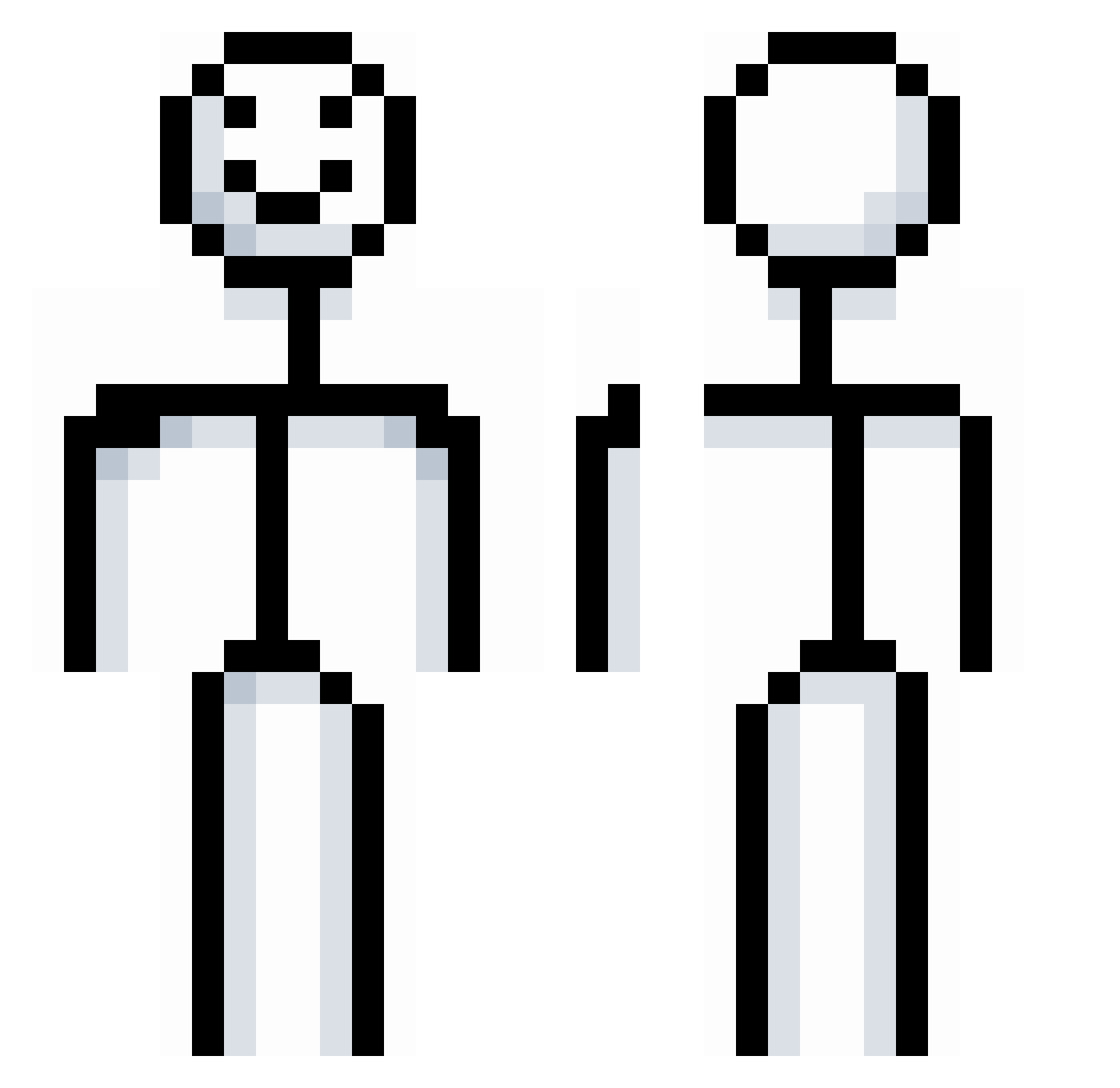
Current Minecraft skin of the player Mrnolan32, loaded from the official Mojang API. Rotate the 3D model with your mouse or finger, then download the skin as a PNG file and use it in Minecraft: Bedrock Edition or Java Edition for free. When Mrnolan32 changes their skin, this page updates automatically and the old skin stays in the history below.
Other players with this skin (903)
Mrnolan32 was the 778th player we have seen with this skin, first spotted on 26.10.2026. The same skin was seen on these players. Open a nickname to see their current skin and skin history.
 raggy95 Tantikorn Dominik9515 wastenova AFREEDOVE Fire_gg1 liaoyouxi rzuf_69 Erdnait Tex_z COCOJUNG LilUziDev kvvxs rhksdn_ deafonions Brindillax sayavlrt YaQ9527 Deker991 Something92010 _milk_kid mariansbh Mailrain makabakayu Brayden0912vd DrAlban6359 Tomasoss roxxeee BLOCK_lightning Fr1endIyF1re blydem fredagsprinsen TheInsaneBard900 RexInSwiss static3bg Term05 handimgurkenglas 0scaro__o AcidConsumer punjaab Weegum sheriff_ktd LyxusGG ReekyLumps BIGBOOTYBRUHH Xuexzy caezim_1218 almalki369 KmY990 CorruptingAcid EthanRodrig o_Kenny_o Brianwuuu poopstar0987654 F237 JamisonJiggz ujine5 BaBaRoon _DDoDDo_ Ogalo1
More Stickman Minecraft skins
How to install the Mrnolan32 skin
- Press the Download button above to save the skin as a PNG file.
- Minecraft: Bedrock Edition (PE): open the Dressing Room from the main menu (or tap your character → Edit Character), go to Classic Skins → Owned, press the + (new skin) button, choose the downloaded PNG and pick the Classic (Steve) model. Works on PC and mobile; consoles cannot import custom skins.
- Minecraft: Java Edition: open the Minecraft Launcher, go to the Skins tab, click New Skin, load the PNG, pick the Classic (Steve) model and press Save & Use. You can also upload it at minecraft.net → Profile → Change Skin.
The skin does not show up after import - what should I do?
Restart Minecraft and open the Dressing Room again - imported skins sometimes appear only after a restart. Also make sure you selected the imported skin and picked the Classic (Steve) model.
Which model should I choose, Classic or Slim?
This skin is designed for the Classic (Steve) model. If you pick the wrong model, the arms of the skin will look stretched or squeezed.
Is the skin of Mrnolan32 free to download?
Yes. Press Download, save the PNG file and use it in Minecraft: Bedrock Edition or Java Edition - no payment or registration needed. The skin also works on multiplayer servers and Realms.
More skins
Looking for more? Go back to all Minecraft skins and check the top skins of the week, month and all time, or find any player's skin by nickname.