
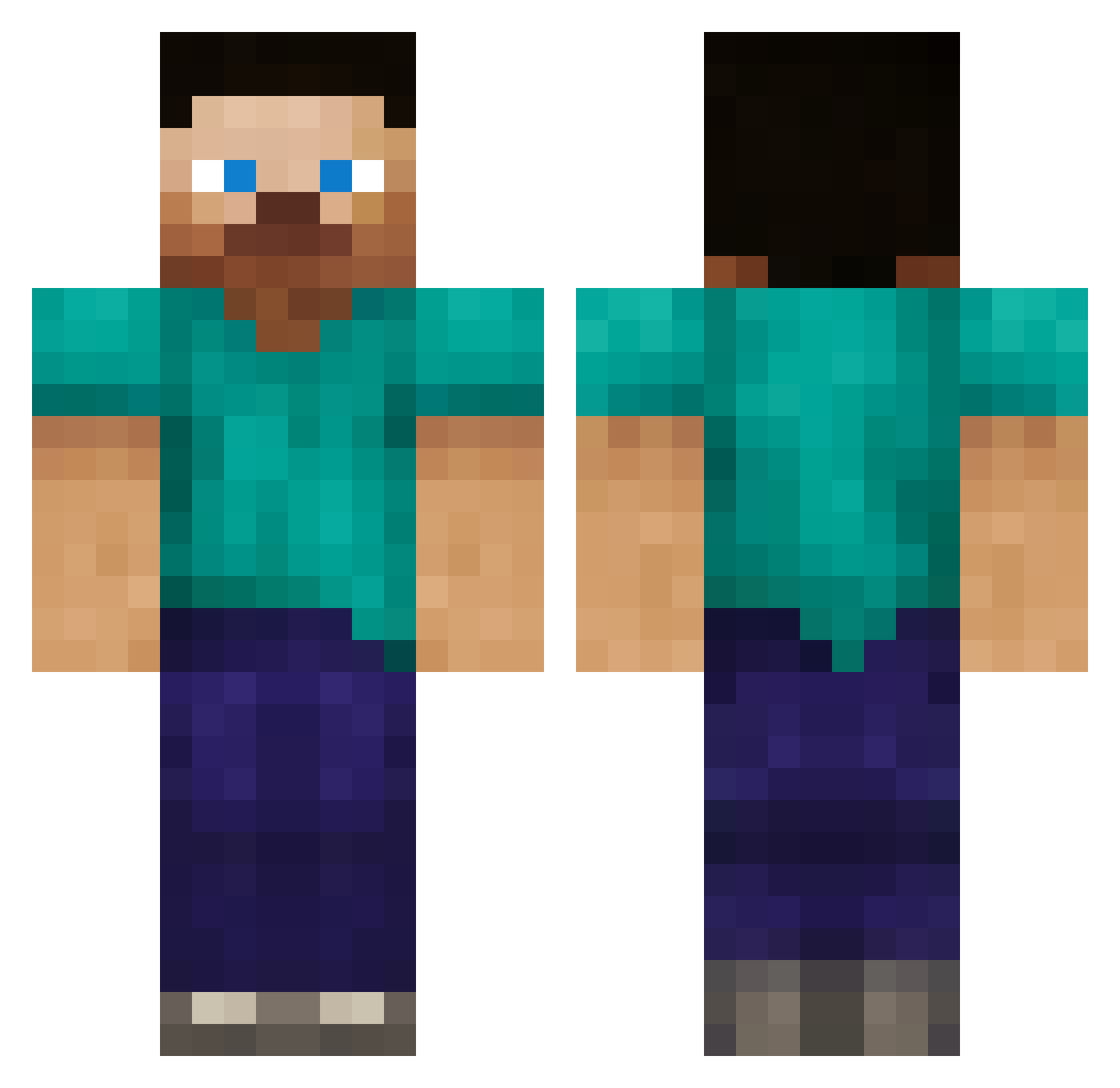
Current Minecraft skin of the player Mr_kuin, loaded from the official Mojang API. Rotate the 3D model with your mouse or finger, then download the skin as a PNG file and use it in Minecraft: Bedrock Edition or Java Edition for free. When Mr_kuin changes their skin, this page updates automatically and the old skin stays in the history below.
Other players with this skin (65)
Mr_kuin was the 44th player we have seen with this skin, first spotted on 15.09.2026. The same skin was seen on these players. Open a nickname to see their current skin and skin history.
 livErD69 Slampy001 ArmorSigma WantedGalaxy20 robinong97 averys13 Havvok_ HowSway44 jeffteck k7ngs Interpolated SwiftWorks456 xboii62 Vivid_rabit Roulette880 ElionOfficial Ruffians CIIIID Baplaa Tyranel HekticHabib Dierren440908o LucrativeData67 ilovepeesoomuch SkyGodSovereing ouznala VeryGreasyBeast Dorotea55 jaythecutiepie ybtgyyg ReneCantata _HackedClient_ rcalp9846 SonicXRage gamerfrik NovusMundus44 Dempa_99 NeoIsBetter nyyncompoop sjaclark caden131 Mirno43 stupididiot1 sammariin Abikhai _forestal_ EasedToast88843 Supermylly Thepparat quantumTheorist AlanJustAlan alertpokemon101 airplanemodee OgPlayer_ xmdreyerx Gamefanatic HUNTERPOLO TheFreedTable
 Grillmaster86 short421
How to install the Mr_kuin skin
- Press the Download button above to save the skin as a PNG file.
- Minecraft: Bedrock Edition (PE): open the Dressing Room from the main menu (or tap your character → Edit Character), go to Classic Skins → Owned, press the + (new skin) button, choose the downloaded PNG and pick the Classic (Steve) model. Works on PC and mobile; consoles cannot import custom skins.
- Minecraft: Java Edition: open the Minecraft Launcher, go to the Skins tab, click New Skin, load the PNG, pick the Classic (Steve) model and press Save & Use. You can also upload it at minecraft.net → Profile → Change Skin.
The skin does not show up after import - what should I do?
Restart Minecraft and open the Dressing Room again - imported skins sometimes appear only after a restart. Also make sure you selected the imported skin and picked the Classic (Steve) model.
Which model should I choose, Classic or Slim?
This skin is designed for the Classic (Steve) model. If you pick the wrong model, the arms of the skin will look stretched or squeezed.
Is the skin of Mr_kuin free to download?
Yes. Press Download, save the PNG file and use it in Minecraft: Bedrock Edition or Java Edition - no payment or registration needed. The skin also works on multiplayer servers and Realms.
More skins
Looking for more? Go back to all Minecraft skins and check the top skins of the week, month and all time, or find any player's skin by nickname.