
Mr_SkyCraft - Minecraft Skins & Skin History
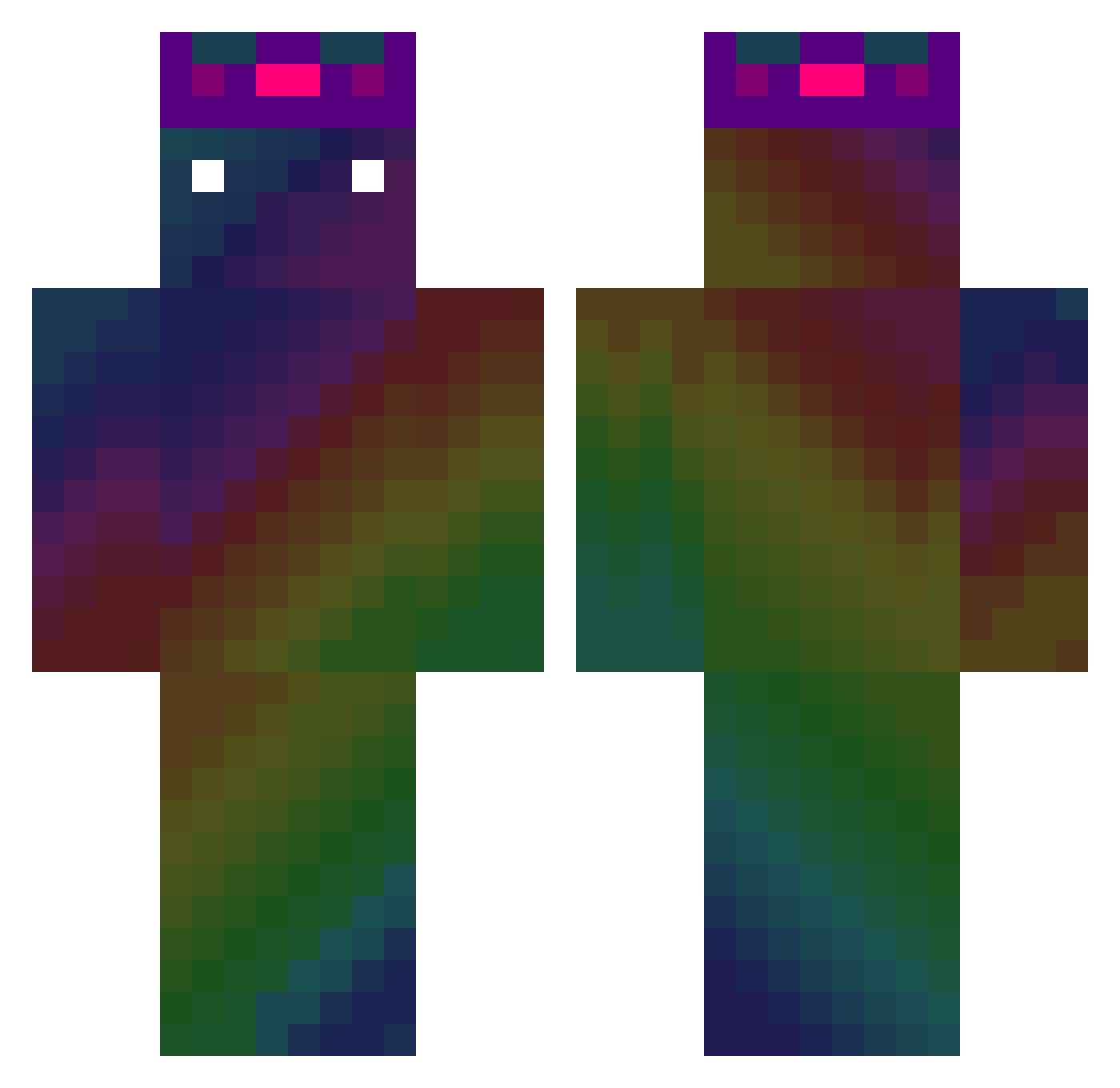
Current Minecraft skin of the player Mr_SkyCraft, loaded from the official Mojang API. Rotate the 3D model with your mouse or finger, then download the skin as a PNG file and use it in Minecraft: Bedrock Edition or Java Edition for free. When Mr_SkyCraft changes their skin, this page updates automatically and the old skin stays in the history below.
Other players with this skin (477)
Mr_SkyCraft was the 302nd player we have seen with this skin, first spotted on 01.10.2026. The same skin was seen on these players. Open a nickname to see their current skin and skin history.
 The_Dab_Master sebmie nicolas_mc123 Minignacio 3LR0jaS LegendaryElectro TryagainxD Nment JMcCheesy KSK99 Friktionator iam_just_aperson aymys P1nP0n Volgarra MushMushHamster Zfiable User_seyoung FSM_venox Polecat16 DivaFabian sweetlemon123 Lucky3512 CraftedBanana HugeStinker kikimyliki Neotry M1STY500 samydelight Betaman4 Vandervill Bercik020 guxiaoming Hauke_Piggy Myoyo_ NunoMRS7 dominate164 Scramex wlsdks981223 CompleXCraig GamerGod055 Odinzain Starburstshadow proxxMc_ JWS0320 Twipsss rekeyem Thundergaming17 PadimirVloutine warix_cz maniac1103 Androidee katsu2525 Maxtheshark skiva28 DmG666 HunStar Uniplast21 xiang1130 svvury77
How to install the Mr_SkyCraft skin
- Press the Download button above to save the skin as a PNG file.
- Minecraft: Bedrock Edition (PE): open the Dressing Room from the main menu (or tap your character → Edit Character), go to Classic Skins → Owned, press the + (new skin) button, choose the downloaded PNG and pick the Classic (Steve) model. Works on PC and mobile; consoles cannot import custom skins.
- Minecraft: Java Edition: open the Minecraft Launcher, go to the Skins tab, click New Skin, load the PNG, pick the Classic (Steve) model and press Save & Use. You can also upload it at minecraft.net → Profile → Change Skin.
The skin does not show up after import - what should I do?
Restart Minecraft and open the Dressing Room again - imported skins sometimes appear only after a restart. Also make sure you selected the imported skin and picked the Classic (Steve) model.
Which model should I choose, Classic or Slim?
This skin is designed for the Classic (Steve) model. If you pick the wrong model, the arms of the skin will look stretched or squeezed.
Is the skin of Mr_SkyCraft free to download?
Yes. Press Download, save the PNG file and use it in Minecraft: Bedrock Edition or Java Edition - no payment or registration needed. The skin also works on multiplayer servers and Realms.
More skins
Looking for more? Go back to all Minecraft skins and check the top skins of the week, month and all time, or find any player's skin by nickname.