
Mr_Roblox007 - Minecraft Skins & Skin History
Current Minecraft skin of the player Mr_Roblox007, loaded from the official Mojang API. Rotate the 3D model with your mouse or finger, then download the skin as a PNG file and use it in Minecraft: Bedrock Edition or Java Edition for free. When Mr_Roblox007 changes their skin, this page updates automatically and the old skin stays in the history below.
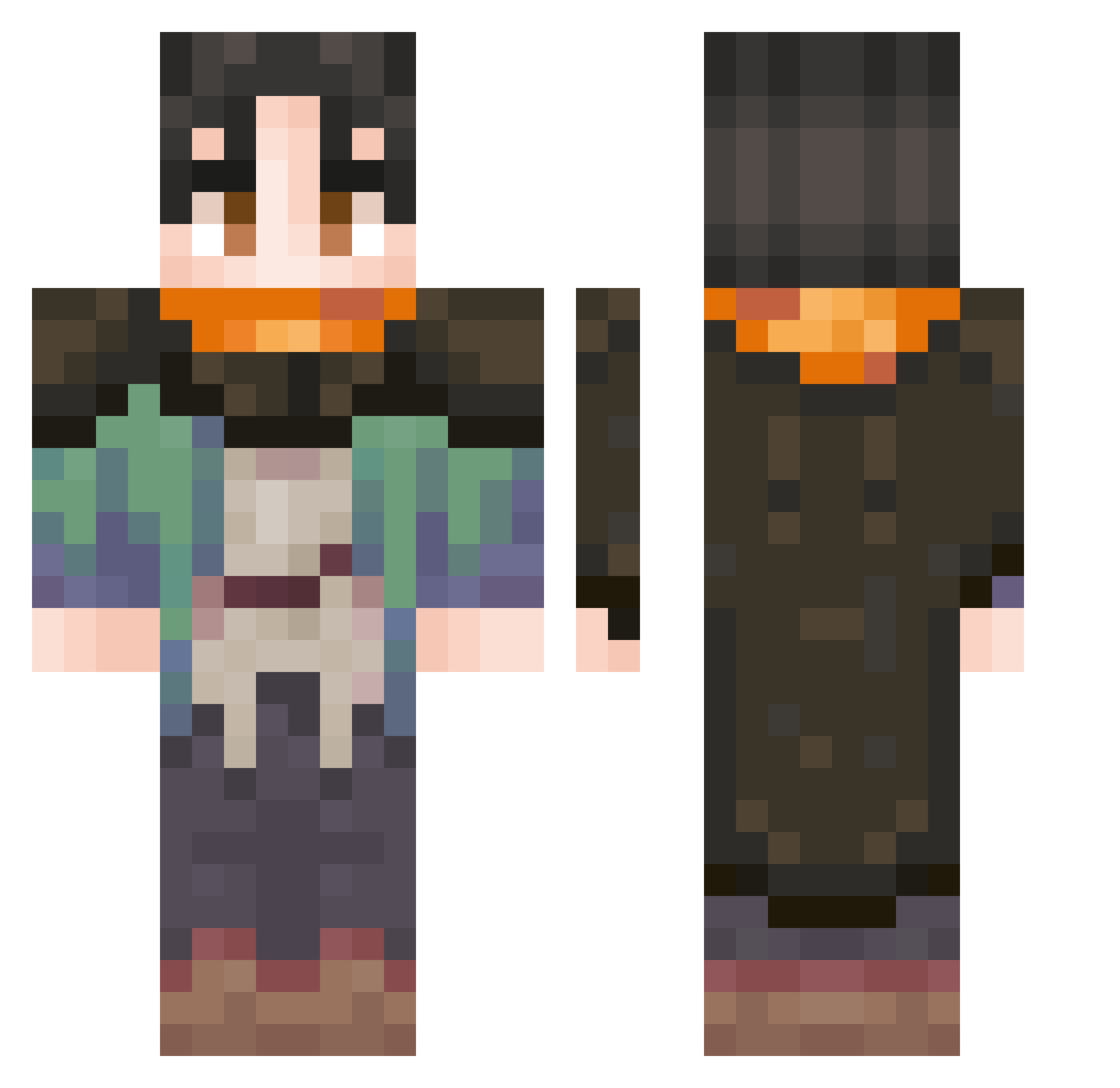
Other players with this skin (39)
Mr_Roblox007 was the 32nd player we have seen with this skin, first spotted on 14.10.2026. The same skin was seen on these players. Open a nickname to see their current skin and skin history.
 Dante2Veil CrookerSpook elbet BuffGudako ATsuSH Sensei_Taco Xyist Caburlakk isaaclolja meloooooooo12 paZiT1V Itsallgoodman14 Fredd0e Tartarus_010d Shatterhand95 Agus_Ludox swiftsoldier2000 sharpshooterk sebas77iann Takameikito
 TinyHowler12 PaiDeT0dos moratorium916 Biman2 Aila0603
 sun3k Toramuka
 Gatsuu0 PapitoEG
 Littlesoc PuffinWarrior09 Jefin021 NitroNick99 triton45omega ARandomDuck12 TheGonza18
 AruHaru923 OguriCapGoat123 oketariq
More Cloak Minecraft skins
How to install the Mr_Roblox007 skin
- Press the Download button above to save the skin as a PNG file.
- Minecraft: Bedrock Edition (PE): open the Dressing Room from the main menu (or tap your character → Edit Character), go to Classic Skins → Owned, press the + (new skin) button, choose the downloaded PNG and pick the Classic (Steve) model. Works on PC and mobile; consoles cannot import custom skins.
- Minecraft: Java Edition: open the Minecraft Launcher, go to the Skins tab, click New Skin, load the PNG, pick the Classic (Steve) model and press Save & Use. You can also upload it at minecraft.net → Profile → Change Skin.
The skin does not show up after import - what should I do?
Restart Minecraft and open the Dressing Room again - imported skins sometimes appear only after a restart. Also make sure you selected the imported skin and picked the Classic (Steve) model.
Which model should I choose, Classic or Slim?
This skin is designed for the Classic (Steve) model. If you pick the wrong model, the arms of the skin will look stretched or squeezed.
Is the skin of Mr_Roblox007 free to download?
Yes. Press Download, save the PNG file and use it in Minecraft: Bedrock Edition or Java Edition - no payment or registration needed. The skin also works on multiplayer servers and Realms.
More skins
Looking for more? Go back to all Minecraft skins and check the top skins of the week, month and all time, or find any player's skin by nickname.