
MrUndu - Minecraft Skins & Skin History
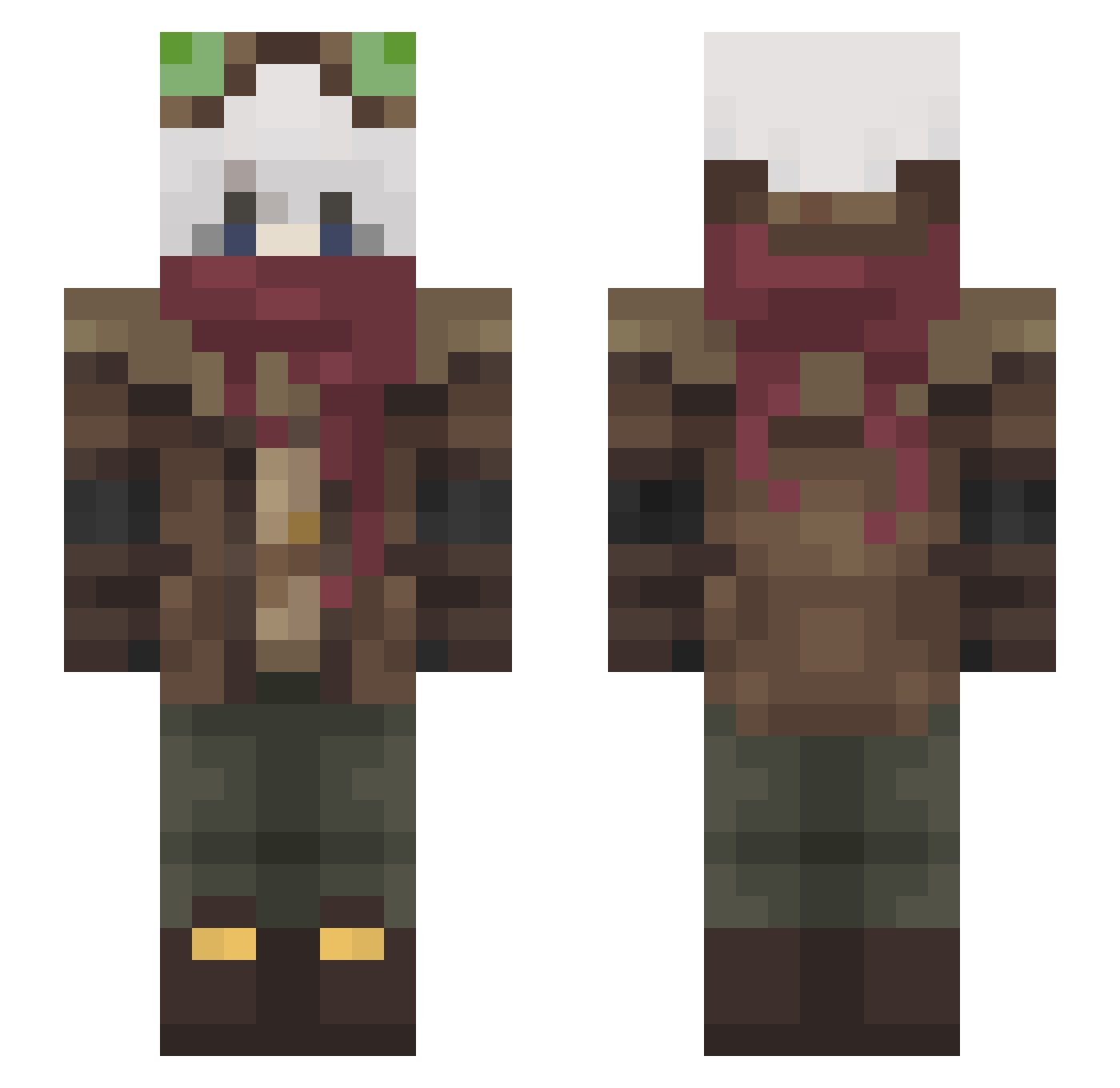
Current Minecraft skin of the player MrUndu, loaded from the official Mojang API. Rotate the 3D model with your mouse or finger, then download the skin as a PNG file and use it in Minecraft: Bedrock Edition or Java Edition for free. When MrUndu changes their skin, this page updates automatically and the old skin stays in the history below.
Other players with this skin (465)
MrUndu was the 415th player we have seen with this skin, first spotted on 22.10.2026. The same skin was seen on these players. Open a nickname to see their current skin and skin history.
 Cosmo062 iDrewBR DragonWriting _Doimus_ Kuzial Return_to_Monk3 Tenyoki Yarious kigurumi4806 moldyfruitsalad Bladoro AuroraRE Hono_kurai01 Vermilli_ Tomokoto88 Jazzinto XENA27 blyatman45 shangguanpeifeng Spotter93 Firestic FadiAllah Grey_vale Mephsis Spooky_Goat XenonLD TinyMmouser Zap22 SadYvmi mahajahpit Itimkunz Purple007 TaroShire ADragonCat Arctom Youerrt Spicy_Soup Szperek ALEXISARATO STM2608 _xza_ Filozh MieserHarald187 boneboxxx Maty52 yamamalmao ArtBug2020 MrBroNoober RRxite Xytil SinAky EmpireKnight MoonLitTrickle02 Noachr2007 Maxi_Tigre_ jpatc1 Mubaraki Angel30331 sawdust99 legend330
More Pilot Minecraft skins
How to install the MrUndu skin
- Press the Download button above to save the skin as a PNG file.
- Minecraft: Bedrock Edition (PE): open the Dressing Room from the main menu (or tap your character → Edit Character), go to Classic Skins → Owned, press the + (new skin) button, choose the downloaded PNG and pick the Slim (Alex) model. Works on PC and mobile; consoles cannot import custom skins.
- Minecraft: Java Edition: open the Minecraft Launcher, go to the Skins tab, click New Skin, load the PNG, pick the Slim (Alex) model and press Save & Use. You can also upload it at minecraft.net → Profile → Change Skin.
The skin does not show up after import - what should I do?
Restart Minecraft and open the Dressing Room again - imported skins sometimes appear only after a restart. Also make sure you selected the imported skin and picked the Slim (Alex) model.
Which model should I choose, Classic or Slim?
This skin is designed for the Slim (Alex) model. If you pick the wrong model, the arms of the skin will look stretched or squeezed.
Is the skin of MrUndu free to download?
Yes. Press Download, save the PNG file and use it in Minecraft: Bedrock Edition or Java Edition - no payment or registration needed. The skin also works on multiplayer servers and Realms.
More skins
Looking for more? Go back to all Minecraft skins and check the top skins of the week, month and all time, or find any player's skin by nickname.