
MrTex - Minecraft Skins & Skin History
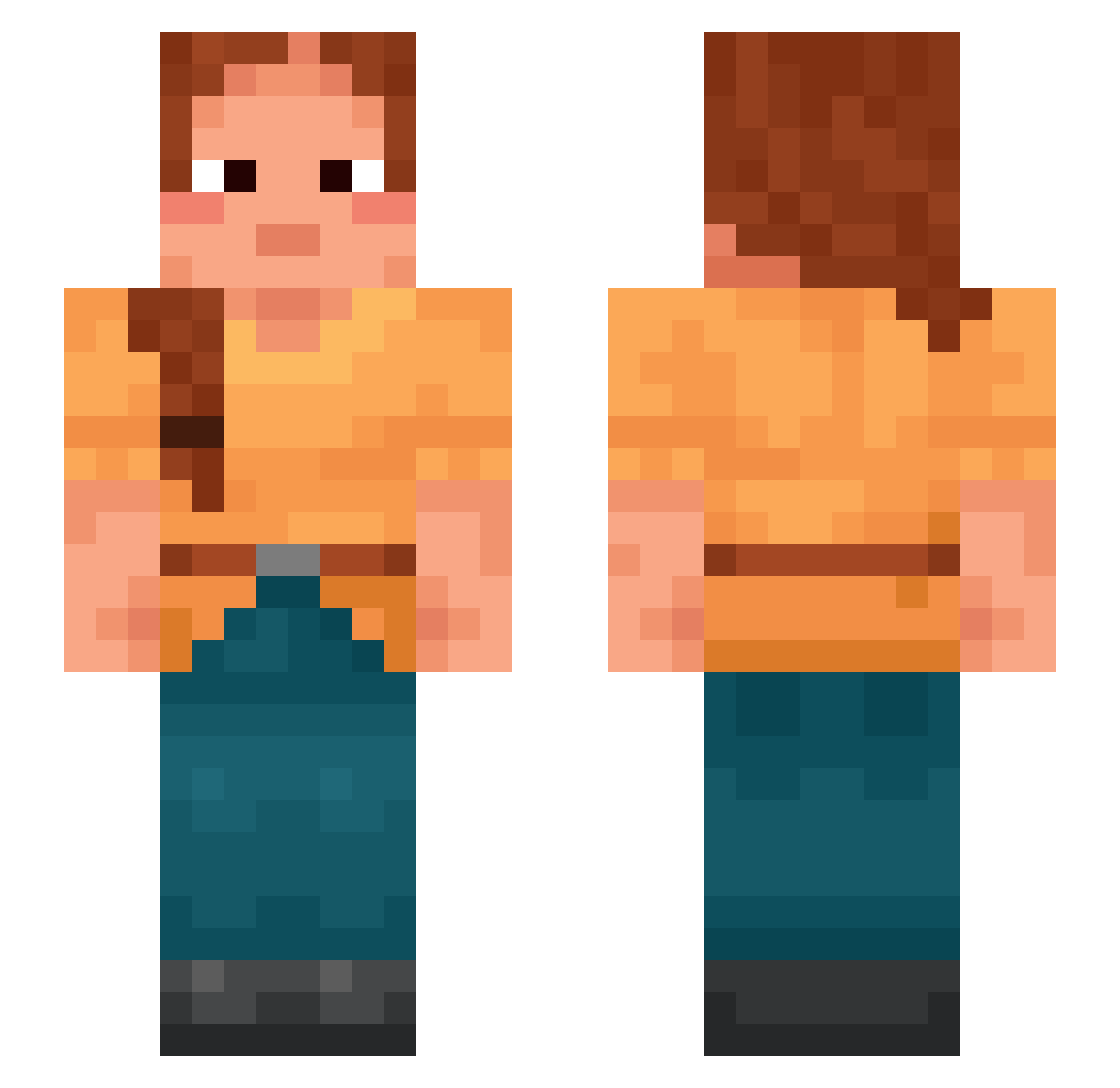
Current Minecraft skin of the player MrTex, loaded from the official Mojang API. Rotate the 3D model with your mouse or finger, then download the skin as a PNG file and use it in Minecraft: Bedrock Edition or Java Edition for free. When MrTex changes their skin, this page updates automatically and the old skin stays in the history below.
Other players with this skin (998)
MrTex was the 82nd player we have seen with this skin, first spotted on 04.08.2026. The same skin was seen on these players. Open a nickname to see their current skin and skin history.
 qrhz Cerri_xoxo Molens Dillis sarzzzzz Comradee Yomzy jdysnipe
 8misery8 zArgentinos Indicible
 Capling ManyBerry overbore Constat JasonMines1205 Copist SuperUnit yunan106 hollow0o Jagra Unseamed
 DioNesquik Jaminity Rallentando Haralabie kyss19 TheClashgod FoxCraft5 YetiZz Hairband matosaaaaaaaaaaa
 Penguin_Sith18 airliner Oriolus Gonzarko Annox1111 Newkilleur789 Rebeka Mussurana Armenite
 signasioplatini Ado
 tomassardinha Bobotie Danivi1120 Bamah mashamhm Ghazi underfire Craxy_TV zonacat4 Rigour sericeous lukink Emboli Calvaire Turtle_Mocha Uhtred69 Nyttap
More Braid Minecraft skins
How to install the MrTex skin
- Press the Download button above to save the skin as a PNG file.
- Minecraft: Bedrock Edition (PE): open the Dressing Room from the main menu (or tap your character → Edit Character), go to Classic Skins → Owned, press the + (new skin) button, choose the downloaded PNG and pick the Slim (Alex) model. Works on PC and mobile; consoles cannot import custom skins.
- Minecraft: Java Edition: open the Minecraft Launcher, go to the Skins tab, click New Skin, load the PNG, pick the Slim (Alex) model and press Save & Use. You can also upload it at minecraft.net → Profile → Change Skin.
The skin does not show up after import - what should I do?
Restart Minecraft and open the Dressing Room again - imported skins sometimes appear only after a restart. Also make sure you selected the imported skin and picked the Slim (Alex) model.
Which model should I choose, Classic or Slim?
This skin is designed for the Slim (Alex) model. If you pick the wrong model, the arms of the skin will look stretched or squeezed.
Is the skin of MrTex free to download?
Yes. Press Download, save the PNG file and use it in Minecraft: Bedrock Edition or Java Edition - no payment or registration needed. The skin also works on multiplayer servers and Realms.
More skins
Looking for more? Go back to all Minecraft skins and check the top skins of the week, month and all time, or find any player's skin by nickname.