
MrSpicy037 - Minecraft Skins & Skin History
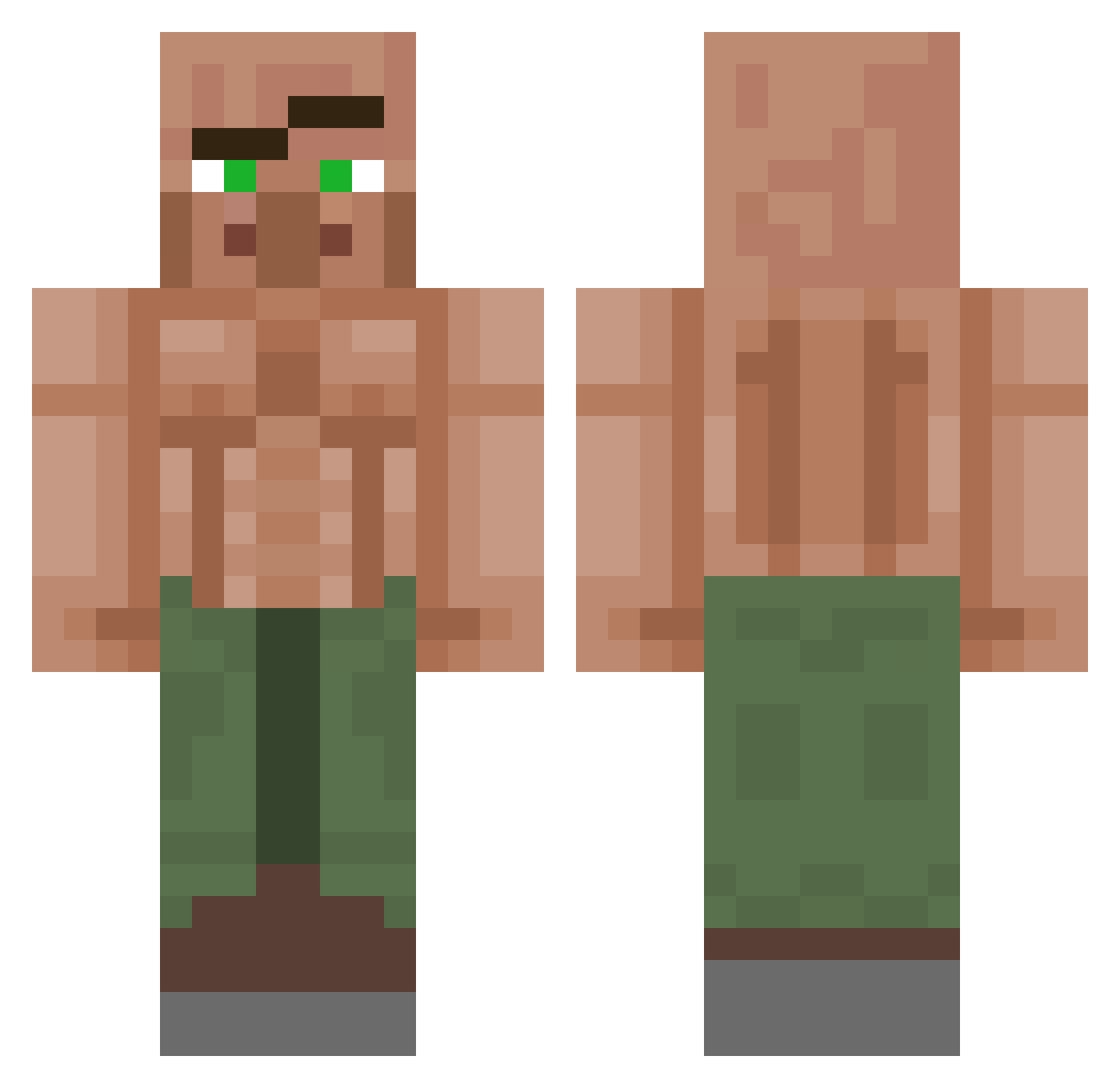
Current Minecraft skin of the player MrSpicy037, loaded from the official Mojang API. Rotate the 3D model with your mouse or finger, then download the skin as a PNG file and use it in Minecraft: Bedrock Edition or Java Edition for free. When MrSpicy037 changes their skin, this page updates automatically and the old skin stays in the history below.
Other players with this skin (1382)
MrSpicy037 was the 1181st player we have seen with this skin, first spotted on 03.11.2026. The same skin was seen on these players. Open a nickname to see their current skin and skin history.
 schebbeln Sapuja Scopout rogue25 CosmicTaco Slanggs IRydePwenies Mhzin123 corcrafter2015 TourCatt BoesesFeuertier strikerduder Matyi1516 MatheusBR24 vortexRift Reklama18 Srblaster18 Moezbar Malaxass Mrcontento DarkSuperNinja CrewClapz BryanLoLee Quesito81 nuo7226 oibene Th3R0dG0d Joseelpollos TrunkMonkers Hobikiller p000000000000 MSchoeler illMignolo Gallanger0 aadi329t CrumpetMan0811 SidNotFound00 drip_villager BaseBuddha walanx blokmun Arlstotelis Rick_Grimes2 Vopogon yes_no_yes Someone_29 ashleighiscool69 Nisaias evolvedbanana StealthArt22924 Banane123987 xFirex112 Byacchus Dark_russ_knight DerivedBug360 QuizKhalifa JOES_PIZZAS vasyan84 Nanoriddler pitisgood2
More Buff Villager Minecraft skins
See all 43 Buff Villager skins
How to install the MrSpicy037 skin
- Press the Download button above to save the skin as a PNG file.
- Minecraft: Bedrock Edition (PE): open the Dressing Room from the main menu (or tap your character → Edit Character), go to Classic Skins → Owned, press the + (new skin) button, choose the downloaded PNG and pick the Classic (Steve) model. Works on PC and mobile; consoles cannot import custom skins.
- Minecraft: Java Edition: open the Minecraft Launcher, go to the Skins tab, click New Skin, load the PNG, pick the Classic (Steve) model and press Save & Use. You can also upload it at minecraft.net → Profile → Change Skin.
The skin does not show up after import - what should I do?
Restart Minecraft and open the Dressing Room again - imported skins sometimes appear only after a restart. Also make sure you selected the imported skin and picked the Classic (Steve) model.
Which model should I choose, Classic or Slim?
This skin is designed for the Classic (Steve) model. If you pick the wrong model, the arms of the skin will look stretched or squeezed.
Is the skin of MrSpicy037 free to download?
Yes. Press Download, save the PNG file and use it in Minecraft: Bedrock Edition or Java Edition - no payment or registration needed. The skin also works on multiplayer servers and Realms.
More skins
Looking for more? Go back to all Minecraft skins and check the top skins of the week, month and all time, or find any player's skin by nickname.