
MrPieMan894 - Minecraft Skins & Skin History
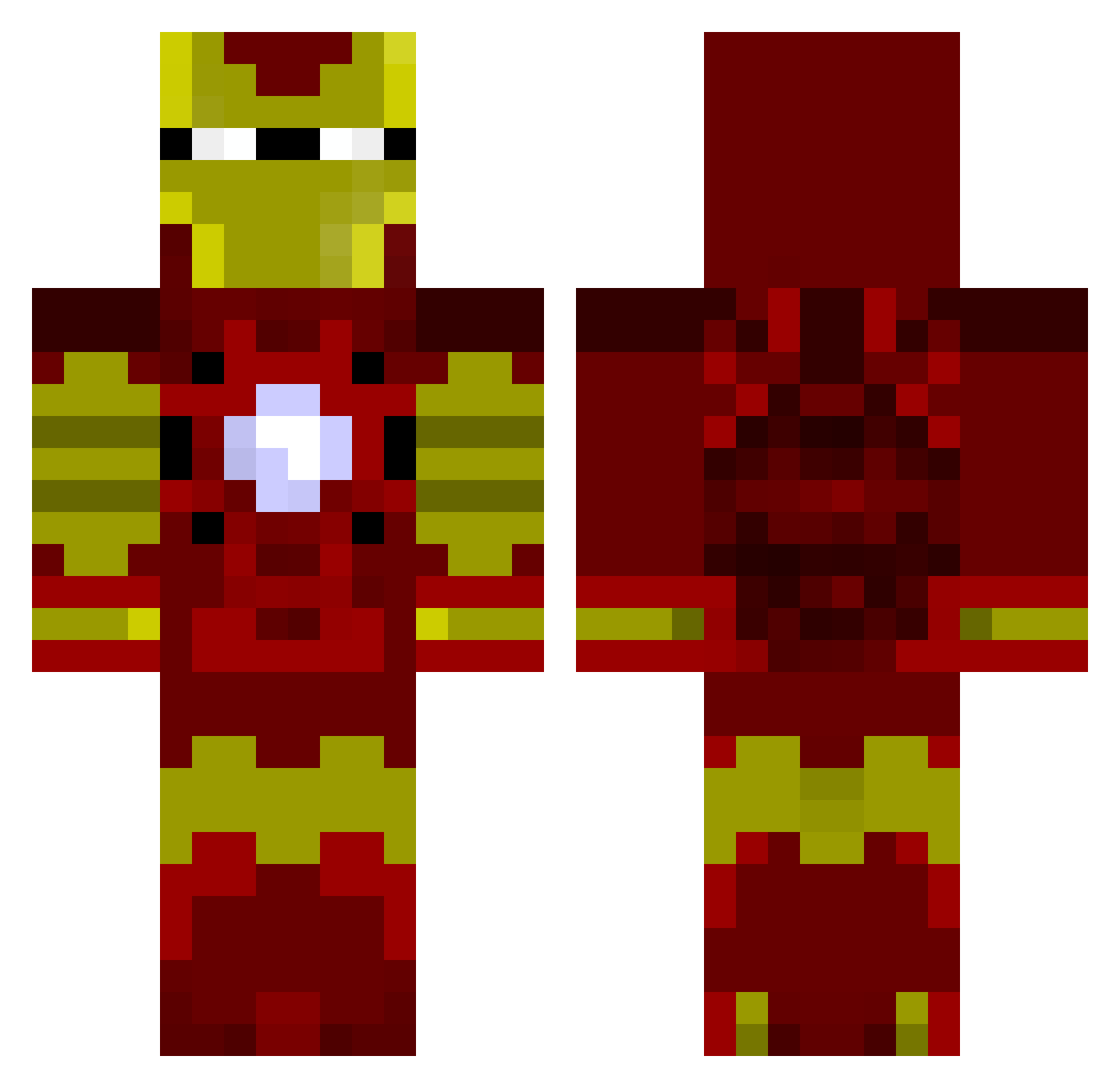
Current Minecraft skin of the player MrPieMan894, loaded from the official Mojang API. Rotate the 3D model with your mouse or finger, then download the skin as a PNG file and use it in Minecraft: Bedrock Edition or Java Edition for free. When MrPieMan894 changes their skin, this page updates automatically and the old skin stays in the history below.
Other players with this skin (803)
MrPieMan894 was the 68th player we have seen with this skin, first spotted on 31.07.2026. The same skin was seen on these players. Open a nickname to see their current skin and skin history.
 Neguito123 Jarrod080 Cameron4301 Brandt_98 Columbus420 samb132 Diabeetuhs Gere_05 Bad_Jpb Jigglypuff218 rcgriffith123 jacoboman2000 dominicalv RDTaken CreeperBuster63 chanman008 SXCBUM Forslund12 rayzershark L3GG pizzamanmurf APBell14 daannaad MaximosFairman Harry_Potter_7 Tomcat_Gaming Tijs Argantharow Corey1219 Fission_Mailed stampycatt06 Bob_Dole_ Obiettivo Zakkx34 resurrection76 Wildmanjan Lordkickbutt euge2002 bboys56 Buck1231 HAKU311 AumShinrikyo69 DannyxRed metalmol kovaley cinibuns13 Primatenhirn Eraser088 Kev07 CaptainBatman1 meeeeep19 Savage_Remix_Boi BrandonL77 Dianite4Life101 crimpr ColtHenry Bobsuperfist BestBlockBreaker PoisonedAce TheAvengerGR
More Iron Man Minecraft skins
How to install the MrPieMan894 skin
- Press the Download button above to save the skin as a PNG file.
- Minecraft: Bedrock Edition (PE): open the Dressing Room from the main menu (or tap your character → Edit Character), go to Classic Skins → Owned, press the + (new skin) button, choose the downloaded PNG and pick the Classic (Steve) model. Works on PC and mobile; consoles cannot import custom skins.
- Minecraft: Java Edition: open the Minecraft Launcher, go to the Skins tab, click New Skin, load the PNG, pick the Classic (Steve) model and press Save & Use. You can also upload it at minecraft.net → Profile → Change Skin.
The skin does not show up after import - what should I do?
Restart Minecraft and open the Dressing Room again - imported skins sometimes appear only after a restart. Also make sure you selected the imported skin and picked the Classic (Steve) model.
Which model should I choose, Classic or Slim?
This skin is designed for the Classic (Steve) model. If you pick the wrong model, the arms of the skin will look stretched or squeezed.
Is the skin of MrPieMan894 free to download?
Yes. Press Download, save the PNG file and use it in Minecraft: Bedrock Edition or Java Edition - no payment or registration needed. The skin also works on multiplayer servers and Realms.
More skins
Looking for more? Go back to all Minecraft skins and check the top skins of the week, month and all time, or find any player's skin by nickname.