
MrMostillo - Minecraft Skins & Skin History
Current Minecraft skin of the player MrMostillo, loaded from the official Mojang API. Rotate the 3D model with your mouse or finger, then download the skin as a PNG file and use it in Minecraft: Bedrock Edition or Java Edition for free. When MrMostillo changes their skin, this page updates automatically and the old skin stays in the history below.
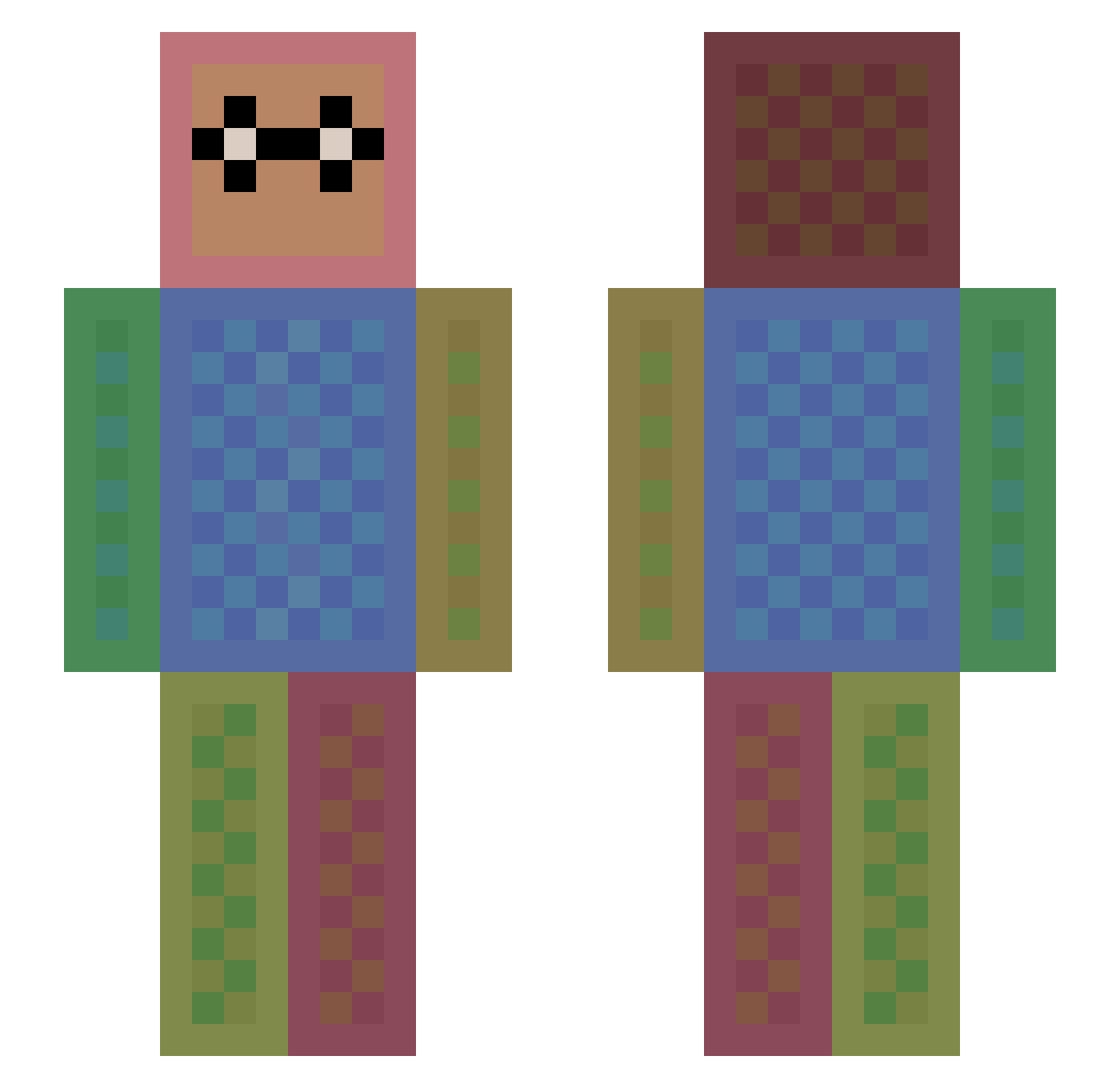
Other players with this skin (1113)
MrMostillo was the 450th player we have seen with this skin, first spotted on 30.08.2026. The same skin was seen on these players. Open a nickname to see their current skin and skin history.
 DoniBobesYT Leagueofashe MishalGamer a_golem KeksBoby 10destruction JDMONKS solacce Jackson2202 herobrine46gamer chi5no9 Jani300 arturditu JodeeVolt MonkikiPower Yamato_atsuki zombiehunter082 HydrolicAlt6 RadBen7 Off_The_Molly dtownn214 kacchi852 pascalsfx zikute StipNy GladerBlad Pavel99_99 Keilyn51 SternZ louisbothanashua Sir_Jonalot sassy_grl Sudsy123 KoTsuno zeromax3 playingxbox tom_emile Theosfe Coolcat28 XoXo_LJ Mythology100 TondaMika harpreet35 melle2020 AlmightyAcorn LillithFC Abyssmo atikara Master_Man76 christmascod GageyGage1 Mexica0x LolXDGiggles sengmin1 Slayer7999 __TimeOut__ FCByoloFCB0306 Candycanecutie Aisyl Rachel_the_bunny
How to install the MrMostillo skin
- Press the Download button above to save the skin as a PNG file.
- Minecraft: Bedrock Edition (PE): open the Dressing Room from the main menu (or tap your character → Edit Character), go to Classic Skins → Owned, press the + (new skin) button, choose the downloaded PNG and pick the Slim (Alex) model. Works on PC and mobile; consoles cannot import custom skins.
- Minecraft: Java Edition: open the Minecraft Launcher, go to the Skins tab, click New Skin, load the PNG, pick the Slim (Alex) model and press Save & Use. You can also upload it at minecraft.net → Profile → Change Skin.
The skin does not show up after import - what should I do?
Restart Minecraft and open the Dressing Room again - imported skins sometimes appear only after a restart. Also make sure you selected the imported skin and picked the Slim (Alex) model.
Which model should I choose, Classic or Slim?
This skin is designed for the Slim (Alex) model. If you pick the wrong model, the arms of the skin will look stretched or squeezed.
Is the skin of MrMostillo free to download?
Yes. Press Download, save the PNG file and use it in Minecraft: Bedrock Edition or Java Edition - no payment or registration needed. The skin also works on multiplayer servers and Realms.
More skins
Looking for more? Go back to all Minecraft skins and check the top skins of the week, month and all time, or find any player's skin by nickname.