
MrLiniman - Minecraft Skins & Skin History
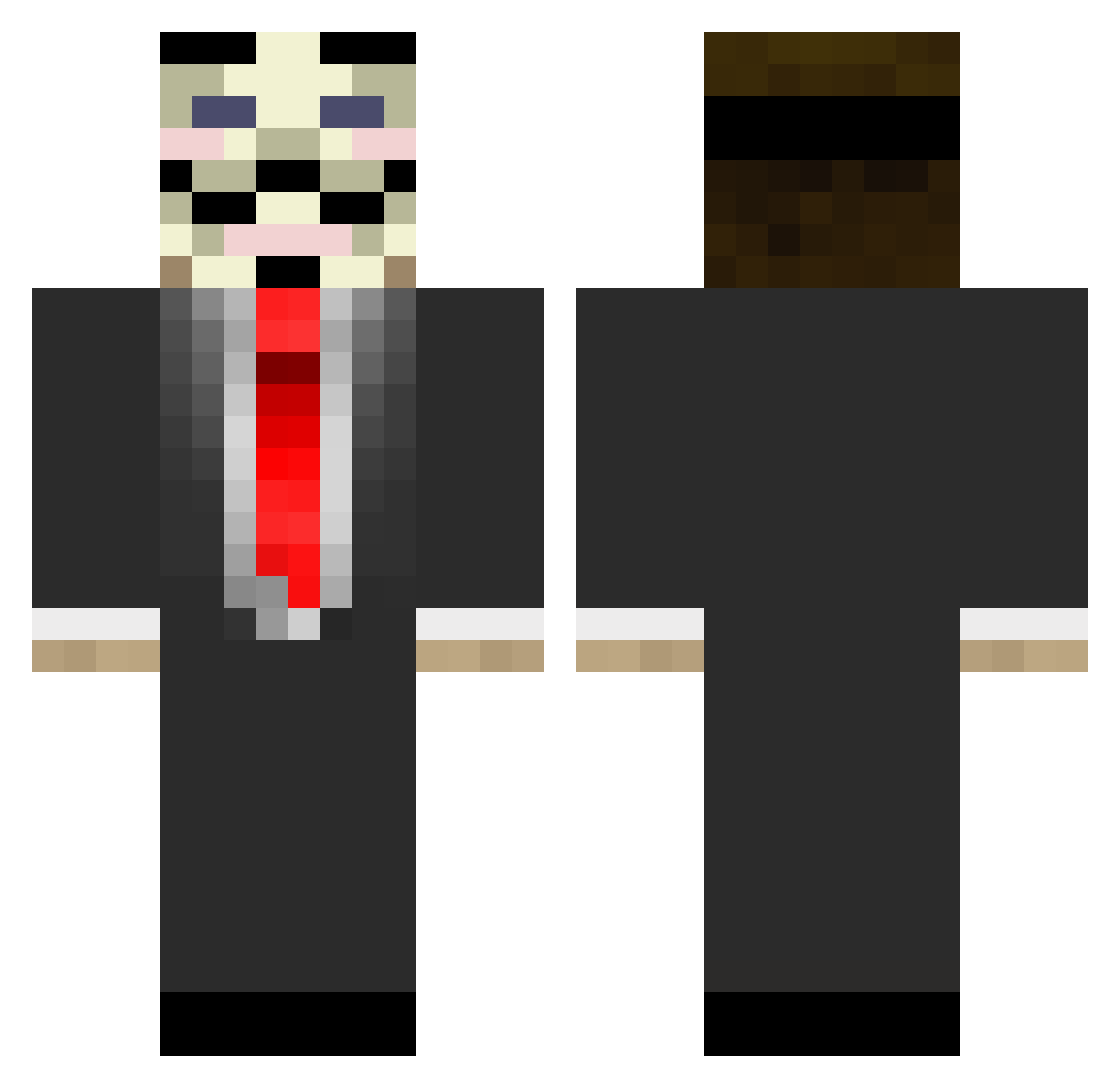
Current Minecraft skin of the player MrLiniman, loaded from the official Mojang API. Rotate the 3D model with your mouse or finger, then download the skin as a PNG file and use it in Minecraft: Bedrock Edition or Java Edition for free. When MrLiniman changes their skin, this page updates automatically and the old skin stays in the history below.
Other players with this skin (103)
MrLiniman was the 78th player we have seen with this skin, first spotted on 09.10.2026. The same skin was seen on these players. Open a nickname to see their current skin and skin history.
 murdoursmonkey camilobaq Maquintosh ShenYu_3008 CirkaN PapierWc PeakDitch Alex822002 Dralthex JustMike92 royal6k Albert_just PsychoticYodaPS Oihan46 Namho77 Leon_xhan Thorgame2010 bookcat01 7h4t1guy speatsman KingAndj DANIELHRYT Airswan Bot_nitsuJ tj8084 Xajid Ograt Avengerstakko Oppenheimer1 SwiftDesigns HaniWasTaken KingHoustoner racminecraft410 sabo105 Mr_Musik hellel01 Sean2Slimey GlatzenBen chakchouka warfighterq Pyjamma2 Eli0409 professionalvb QualmPalme k_i_m_i BigMarv666 ooo456 UnK1nd3n1gMa t0lo Oliv3226 Dolboeb XtationAndGames misfit8305 Jayl Nkidm2 UnknownCHIGGA CarlitosInsano YoungSeaMarble Arosy2333 SIXLIES
More V For Vendetta Minecraft skins
See all 285 V For Vendetta skins
How to install the MrLiniman skin
- Press the Download button above to save the skin as a PNG file.
- Minecraft: Bedrock Edition (PE): open the Dressing Room from the main menu (or tap your character → Edit Character), go to Classic Skins → Owned, press the + (new skin) button, choose the downloaded PNG and pick the Classic (Steve) model. Works on PC and mobile; consoles cannot import custom skins.
- Minecraft: Java Edition: open the Minecraft Launcher, go to the Skins tab, click New Skin, load the PNG, pick the Classic (Steve) model and press Save & Use. You can also upload it at minecraft.net → Profile → Change Skin.
The skin does not show up after import - what should I do?
Restart Minecraft and open the Dressing Room again - imported skins sometimes appear only after a restart. Also make sure you selected the imported skin and picked the Classic (Steve) model.
Which model should I choose, Classic or Slim?
This skin is designed for the Classic (Steve) model. If you pick the wrong model, the arms of the skin will look stretched or squeezed.
Is the skin of MrLiniman free to download?
Yes. Press Download, save the PNG file and use it in Minecraft: Bedrock Edition or Java Edition - no payment or registration needed. The skin also works on multiplayer servers and Realms.
More skins
Looking for more? Go back to all Minecraft skins and check the top skins of the week, month and all time, or find any player's skin by nickname.