
MrGolds_ - Minecraft Skins & Skin History
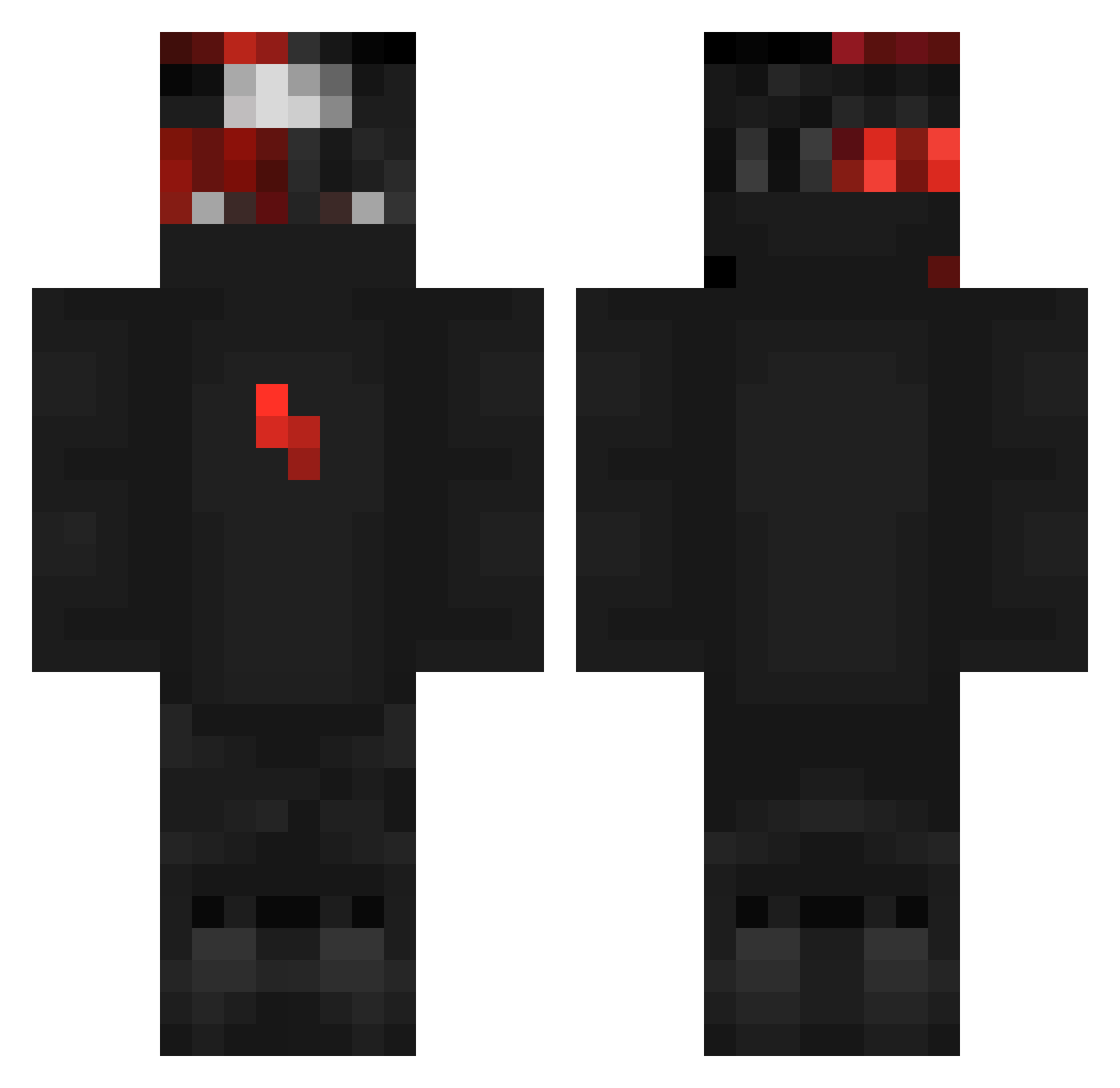
Current Minecraft skin of the player MrGolds_, loaded from the official Mojang API. Rotate the 3D model with your mouse or finger, then download the skin as a PNG file and use it in Minecraft: Bedrock Edition or Java Edition for free. When MrGolds_ changes their skin, this page updates automatically and the old skin stays in the history below.
Other players with this skin (283)
MrGolds_ was the 40th player we have seen with this skin, first spotted on 07.08.2026. The same skin was seen on these players. Open a nickname to see their current skin and skin history.
 jaxon_XD vSyrox tautvydasrub Cuz_My_Snipzz QueenAdapt feestbeest1 PixieishLamp357 Khornal StrizeX NeonFat Saucelupe vChucky BlessedSinD1 KryptexDK The_champions Kentix Hr_Lucifer ImStelll RyChaz Oronosgigini Palanca Fire737
 Blade176Master _Sm1le__ Schpuero BuddyNarc Zaraxxrose carcaco2000 vixon5403 Szymi_17 PhoWasTaken wonked _Jamzy creepw1ld IGuy0421 DaytonPlayzYT planetengel Praludzik fanzufanzu EH0T1K7 aylon__zohar NoPvPNoLife REPA_1336 alexmlg1 Ahmost_ NilsWW_47 Pocoyote JoyAndBoss nZoaku lHeisenberga TaroUp Nyfe_ AonVybez masinkives rygpat xojuliann Its_PaigonYT XPR_PREDATOR Marsbars00 Sr_Antony
More Ninja Minecraft skins
How to install the MrGolds_ skin
- Press the Download button above to save the skin as a PNG file.
- Minecraft: Bedrock Edition (PE): open the Dressing Room from the main menu (or tap your character → Edit Character), go to Classic Skins → Owned, press the + (new skin) button, choose the downloaded PNG and pick the Classic (Steve) model. Works on PC and mobile; consoles cannot import custom skins.
- Minecraft: Java Edition: open the Minecraft Launcher, go to the Skins tab, click New Skin, load the PNG, pick the Classic (Steve) model and press Save & Use. You can also upload it at minecraft.net → Profile → Change Skin.
The skin does not show up after import - what should I do?
Restart Minecraft and open the Dressing Room again - imported skins sometimes appear only after a restart. Also make sure you selected the imported skin and picked the Classic (Steve) model.
Which model should I choose, Classic or Slim?
This skin is designed for the Classic (Steve) model. If you pick the wrong model, the arms of the skin will look stretched or squeezed.
Is the skin of MrGolds_ free to download?
Yes. Press Download, save the PNG file and use it in Minecraft: Bedrock Edition or Java Edition - no payment or registration needed. The skin also works on multiplayer servers and Realms.
More skins
Looking for more? Go back to all Minecraft skins and check the top skins of the week, month and all time, or find any player's skin by nickname.