
MrErmittler - Minecraft Skins & Skin History
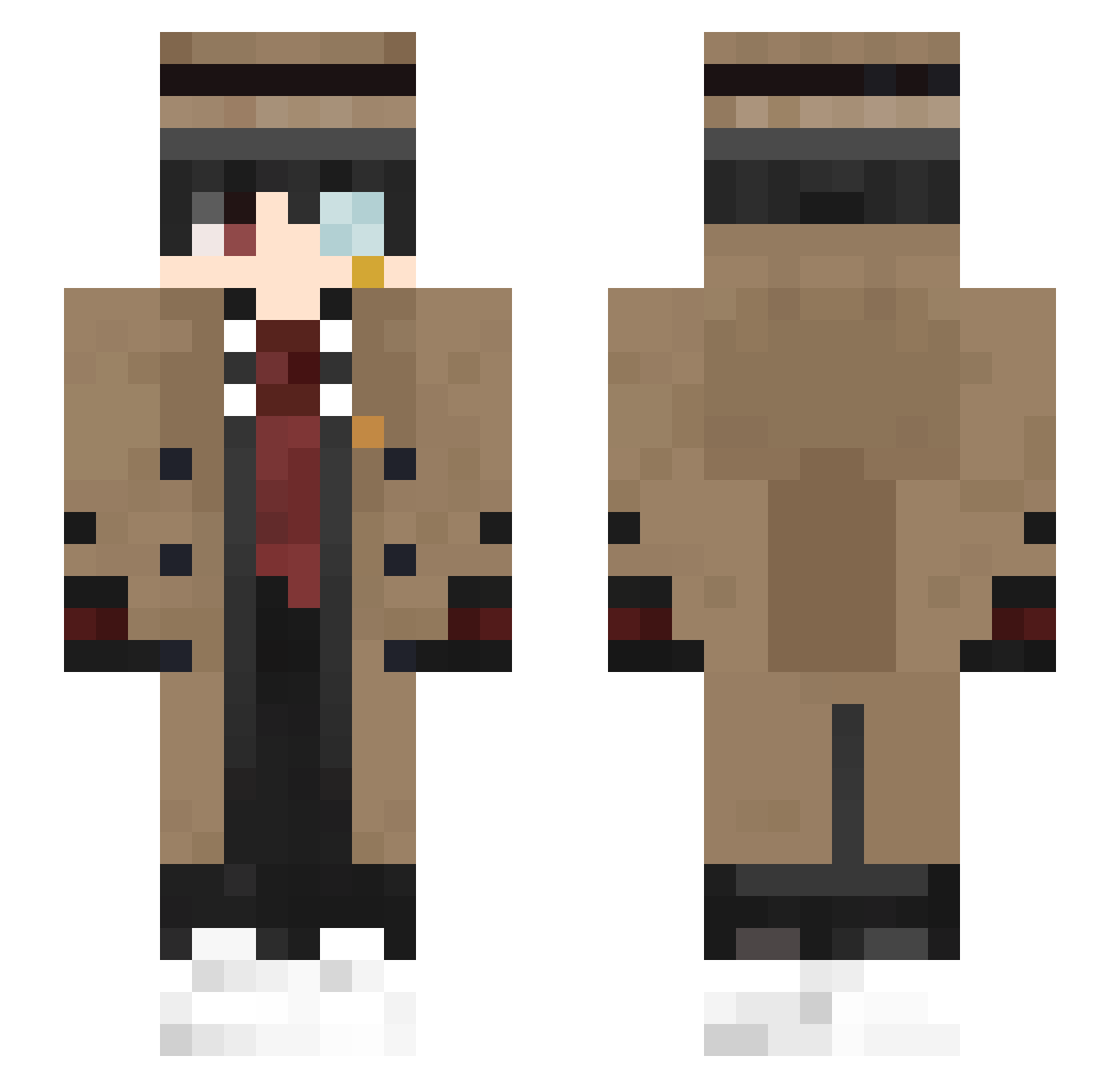
Current Minecraft skin of the player MrErmittler, loaded from the official Mojang API. Rotate the 3D model with your mouse or finger, then download the skin as a PNG file and use it in Minecraft: Bedrock Edition or Java Edition for free. When MrErmittler changes their skin, this page updates automatically and the old skin stays in the history below.
Other players with this skin (363)
MrErmittler was the 155th player we have seen with this skin, first spotted on 14.09.2026. The same skin was seen on these players. Open a nickname to see their current skin and skin history.
 SleepyPenguiin A2li vicke89 V1talli Bot4skY a79_ OscarMiller BlockDistroyer2k DenisSimplyDenis Dobchinski frankaugi HellingApostle01 DetusheKatze02 DDungeon123 Layzen97264 yAlexOfficial Gqrvit xdznb light13457 Reisacola DiogoWYD Bukajek SmallDING0 didiboy_ Wifreen the_sky_orange AkiraTDL xbobus HappyRonan07 ouoouo87 dejwidek2137 Anasatanasick Tthevking gluneau skesan07 iKadirGamer tworugo Ravetheblade SirBrave1 NoodlePotss nomirlol MrCJ987 httyle qaziiiqq carlaun Csouer foggyman11 Ghost0603 7OT PypKJ ccccalder chillaXx07 cuyocosmico 1UnknownTraveler DeyanGB HellFox7417 Academy_Prof_Phy MADMax24K Itz_ManicYT ay_kami
More Yugi Amane Minecraft skins
How to install the MrErmittler skin
- Press the Download button above to save the skin as a PNG file.
- Minecraft: Bedrock Edition (PE): open the Dressing Room from the main menu (or tap your character → Edit Character), go to Classic Skins → Owned, press the + (new skin) button, choose the downloaded PNG and pick the Slim (Alex) model. Works on PC and mobile; consoles cannot import custom skins.
- Minecraft: Java Edition: open the Minecraft Launcher, go to the Skins tab, click New Skin, load the PNG, pick the Slim (Alex) model and press Save & Use. You can also upload it at minecraft.net → Profile → Change Skin.
The skin does not show up after import - what should I do?
Restart Minecraft and open the Dressing Room again - imported skins sometimes appear only after a restart. Also make sure you selected the imported skin and picked the Slim (Alex) model.
Which model should I choose, Classic or Slim?
This skin is designed for the Slim (Alex) model. If you pick the wrong model, the arms of the skin will look stretched or squeezed.
Is the skin of MrErmittler free to download?
Yes. Press Download, save the PNG file and use it in Minecraft: Bedrock Edition or Java Edition - no payment or registration needed. The skin also works on multiplayer servers and Realms.
More skins
Looking for more? Go back to all Minecraft skins and check the top skins of the week, month and all time, or find any player's skin by nickname.