
MrDaddyMan87 - Minecraft Skins & Skin History
Current Minecraft skin of the player MrDaddyMan87, loaded from the official Mojang API. Rotate the 3D model with your mouse or finger, then download the skin as a PNG file and use it in Minecraft: Bedrock Edition or Java Edition for free. When MrDaddyMan87 changes their skin, this page updates automatically and the old skin stays in the history below.
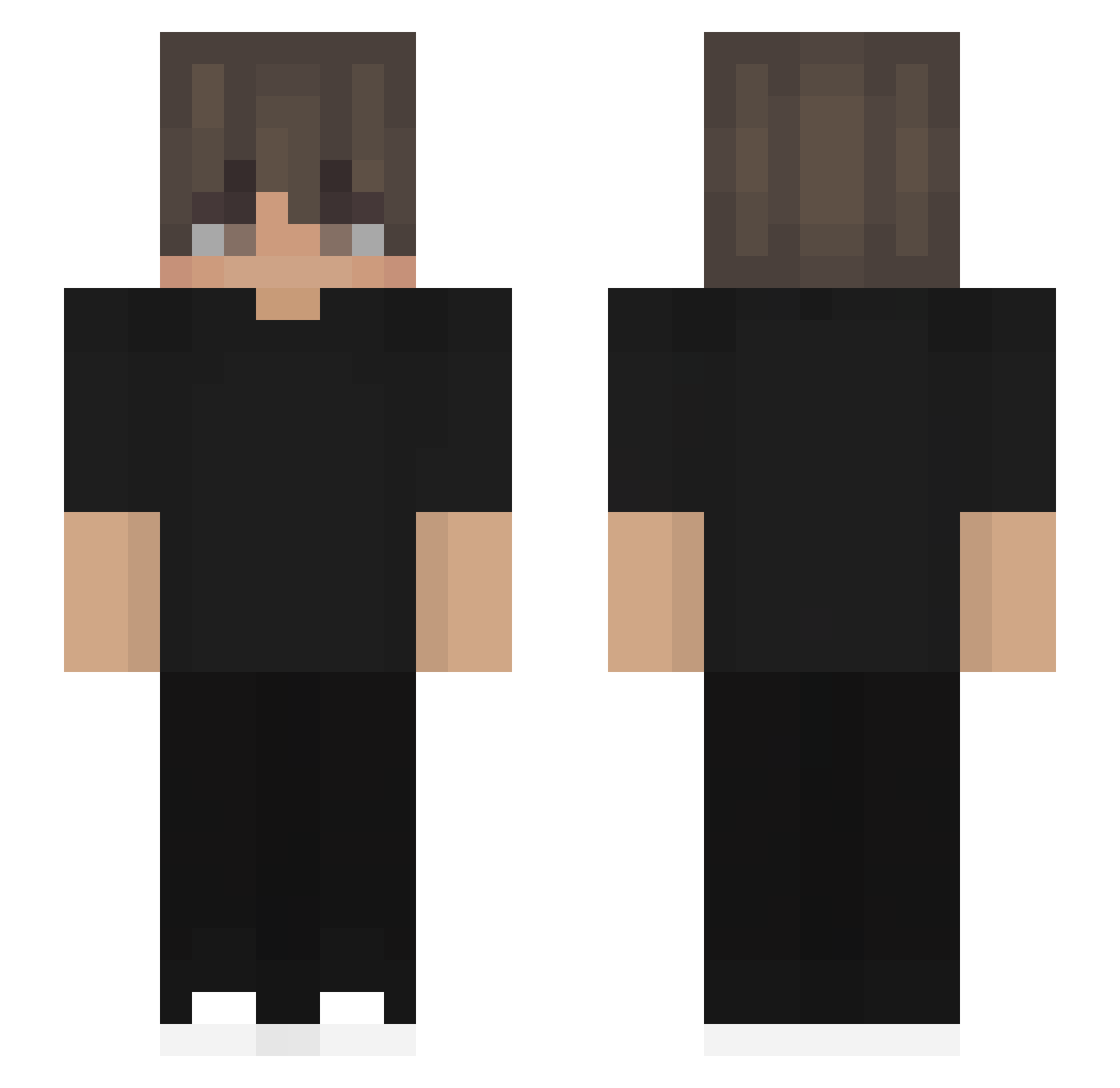
Other players with this skin (561)
MrDaddyMan87 was the 496th player we have seen with this skin, first spotted on 30.10.2026. The same skin was seen on these players. Open a nickname to see their current skin and skin history.
 gongyee fowii89 KavyG26 sharkyshark5485 SrLukii XMelerX meow_EmWNd_10_20 pedrinhogamer244 Randomfish101 vbcthkgchkg BL4K33 TimaNS30 pyzzaa Sniperwolfd Swirn tomyg14 ggf14 Ayuka_07 PtiiSam offc Retius Floxen35 Redeers Eikhala KCIJ sleepyShy0sical alexwisk Danisuto SonnieRay Hosoin_ GuardianAngel670 Killed_by_Lopzze SamuelLozano23 AlanTheCrafter Agentone1412 KHA305 DESTROYD79 RAMTERO1731 RAFFYX25 evharr wrrte_ _Alex22_ Piteer__official LORADRO MrKalio gabaiutami BenniPro10 cold_man_ssb uwusiak221 RXG_Stoic BINGzzz666 jluckner27 AlifSTURU Rubzas raffcurtis yume1012 KuraiShizo Jacexed Nicogamer0210 Forge08
How to install the MrDaddyMan87 skin
- Press the Download button above to save the skin as a PNG file.
- Minecraft: Bedrock Edition (PE): open the Dressing Room from the main menu (or tap your character → Edit Character), go to Classic Skins → Owned, press the + (new skin) button, choose the downloaded PNG and pick the Slim (Alex) model. Works on PC and mobile; consoles cannot import custom skins.
- Minecraft: Java Edition: open the Minecraft Launcher, go to the Skins tab, click New Skin, load the PNG, pick the Slim (Alex) model and press Save & Use. You can also upload it at minecraft.net → Profile → Change Skin.
The skin does not show up after import - what should I do?
Restart Minecraft and open the Dressing Room again - imported skins sometimes appear only after a restart. Also make sure you selected the imported skin and picked the Slim (Alex) model.
Which model should I choose, Classic or Slim?
This skin is designed for the Slim (Alex) model. If you pick the wrong model, the arms of the skin will look stretched or squeezed.
Is the skin of MrDaddyMan87 free to download?
Yes. Press Download, save the PNG file and use it in Minecraft: Bedrock Edition or Java Edition - no payment or registration needed. The skin also works on multiplayer servers and Realms.
More skins
Looking for more? Go back to all Minecraft skins and check the top skins of the week, month and all time, or find any player's skin by nickname.