
Hosoin_ - Minecraft Skins & Skin History
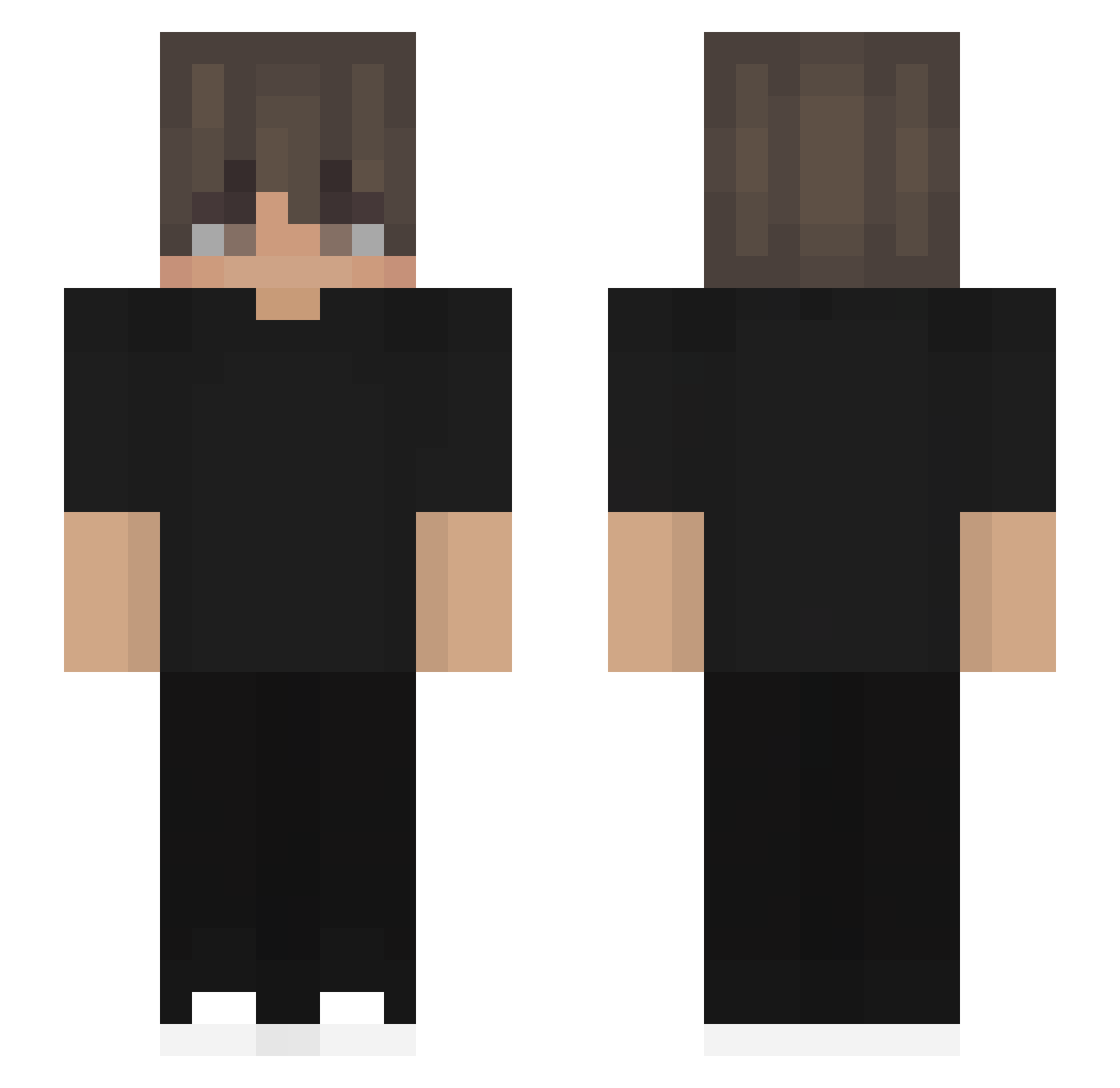
Current Minecraft skin of the player Hosoin_, loaded from the official Mojang API. Rotate the 3D model with your mouse or finger, then download the skin as a PNG file and use it in Minecraft: Bedrock Edition or Java Edition for free. When Hosoin_ changes their skin, this page updates automatically and the old skin stays in the history below.
Other players with this skin (561)
Hosoin_ was the 512th player we have seen with this skin, first spotted on 03.11.2026. The same skin was seen on these players. Open a nickname to see their current skin and skin history.
 SamuelLozano23 DESTROYD79 SonnieRay Danisuto evharr alexwisk sleepyShy0sical KCIJ _Alex22_ Eikhala Redeers LORADRO Retius PtiiSam RXG_Stoic BINGzzz666 Sniperwolfd raffcurtis pyzzaa KuraiShizo Nicogamer0210 Forge08 Senjoughara dragonslayer354 XMelerX SeYongYong Nalitein Pollettoh Szymus_Dymus_ carlosx8ttr EFEYGT58 SrLukii samuelfu fowii89 shirtokiya1 gongyee MrDaddyMan87 KavyG26 sharkyshark5485 castilom WhiteTiger05 thubob2011 meow_EmWNd_10_20 pedrinhogamer244 Paul187wuw Randomfish101 Manu_ke vbcthkgchkg BL4K33 wariat858 Chrismarvin TimaNS30 reaperofthemist Swirn tomyg14 ggf14 1m_Smuf4jz NXPQ Ayuka_07 offc
How to install the Hosoin_ skin
- Press the Download button above to save the skin as a PNG file.
- Minecraft: Bedrock Edition (PE): open the Dressing Room from the main menu (or tap your character → Edit Character), go to Classic Skins → Owned, press the + (new skin) button, choose the downloaded PNG and pick the Slim (Alex) model. Works on PC and mobile; consoles cannot import custom skins.
- Minecraft: Java Edition: open the Minecraft Launcher, go to the Skins tab, click New Skin, load the PNG, pick the Slim (Alex) model and press Save & Use. You can also upload it at minecraft.net → Profile → Change Skin.
The skin does not show up after import - what should I do?
Restart Minecraft and open the Dressing Room again - imported skins sometimes appear only after a restart. Also make sure you selected the imported skin and picked the Slim (Alex) model.
Which model should I choose, Classic or Slim?
This skin is designed for the Slim (Alex) model. If you pick the wrong model, the arms of the skin will look stretched or squeezed.
Is the skin of Hosoin_ free to download?
Yes. Press Download, save the PNG file and use it in Minecraft: Bedrock Edition or Java Edition - no payment or registration needed. The skin also works on multiplayer servers and Realms.
More skins
Looking for more? Go back to all Minecraft skins and check the top skins of the week, month and all time, or find any player's skin by nickname.