
MrBaku0 - Minecraft Skins & Skin History
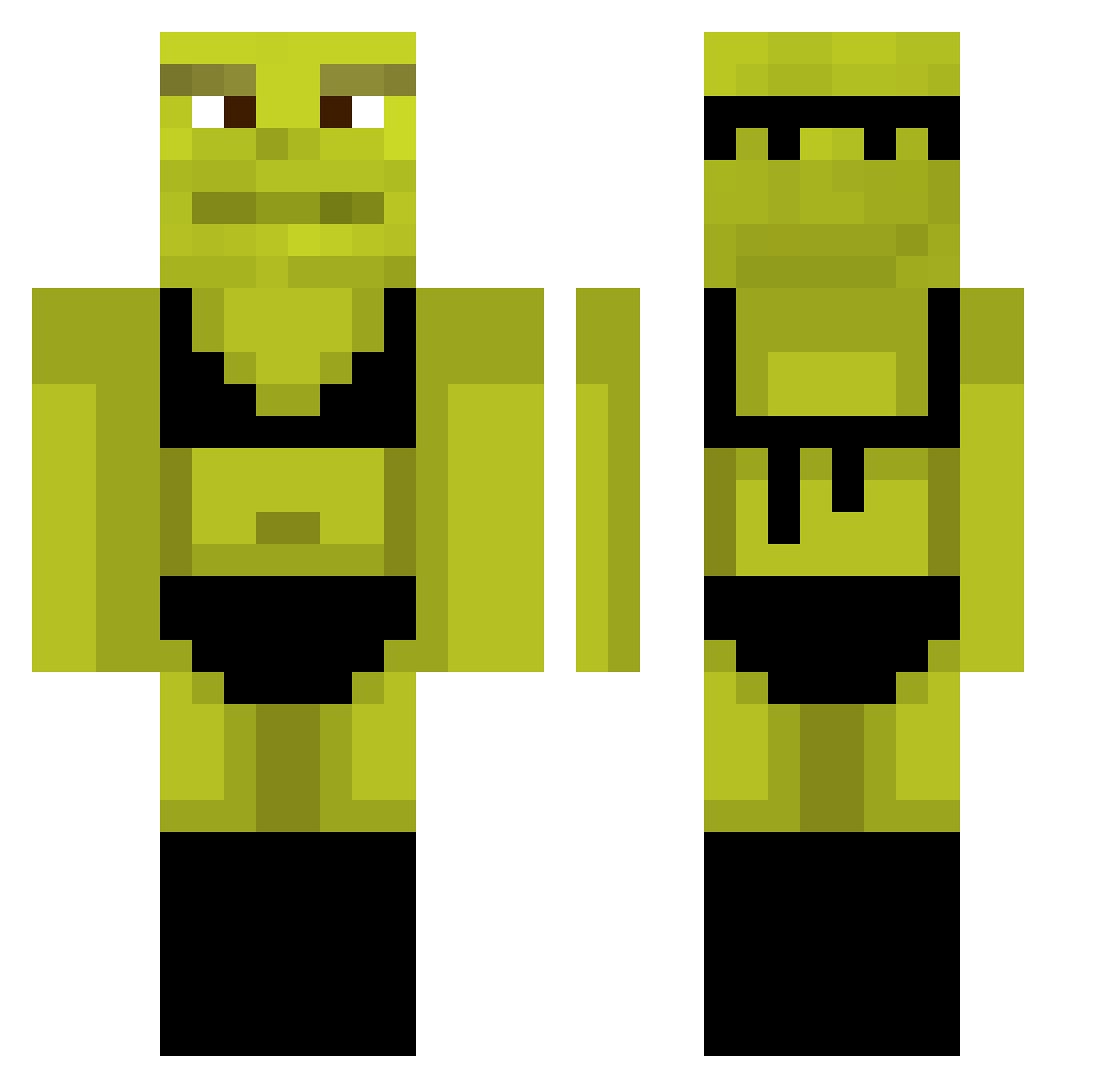
Current Minecraft skin of the player MrBaku0, loaded from the official Mojang API. Rotate the 3D model with your mouse or finger, then download the skin as a PNG file and use it in Minecraft: Bedrock Edition or Java Edition for free. When MrBaku0 changes their skin, this page updates automatically and the old skin stays in the history below.
Other players with this skin (1073)
MrBaku0 was the 881st player we have seen with this skin, first spotted on 01.11.2026. The same skin was seen on these players. Open a nickname to see their current skin and skin history.
 ShreksPP DisLexSia NavazZ RexieK DoyBoy_Jr Zazibober DrFluffyFlippers Swig MasterSplintr1 La_Zoubinette Unfreundlich_ IITA08 Dogeisurmom kaiser2269 Alpha_Lark giripoca07 _TPAXEP_ cuillereasoupe Rorusio Imbirasz Itchyballs57 InJail0utS00n JackieWildcat Sessime Asaffexd Panoramix20 Nostym Spoopy_Boopy Pavelloo Hoov7 Happygameren11 wojtusus15363 NataliaBoar WhisperGodd yleyah KingsMenAlt5 StepBroCoop numnutinatree Ch0nic Alibinha Jack_D222 AlienneTookMe Uzumaral RenoAcas Giaku_pp RubenSG qkoh pokeelourd ObamasDarkShaft juditni Jayth1234 ercxe lexibear12345 wsikora Inbedesu Ethansthebruh ziolonyy marchetto79 dongyoung_ MRpotato7069
More Shrek Minecraft skins
How to install the MrBaku0 skin
- Press the Download button above to save the skin as a PNG file.
- Minecraft: Bedrock Edition (PE): open the Dressing Room from the main menu (or tap your character → Edit Character), go to Classic Skins → Owned, press the + (new skin) button, choose the downloaded PNG and pick the Classic (Steve) model. Works on PC and mobile; consoles cannot import custom skins.
- Minecraft: Java Edition: open the Minecraft Launcher, go to the Skins tab, click New Skin, load the PNG, pick the Classic (Steve) model and press Save & Use. You can also upload it at minecraft.net → Profile → Change Skin.
The skin does not show up after import - what should I do?
Restart Minecraft and open the Dressing Room again - imported skins sometimes appear only after a restart. Also make sure you selected the imported skin and picked the Classic (Steve) model.
Which model should I choose, Classic or Slim?
This skin is designed for the Classic (Steve) model. If you pick the wrong model, the arms of the skin will look stretched or squeezed.
Is the skin of MrBaku0 free to download?
Yes. Press Download, save the PNG file and use it in Minecraft: Bedrock Edition or Java Edition - no payment or registration needed. The skin also works on multiplayer servers and Realms.
More skins
Looking for more? Go back to all Minecraft skins and check the top skins of the week, month and all time, or find any player's skin by nickname.