
MrAndy6 - Minecraft Skins & Skin History
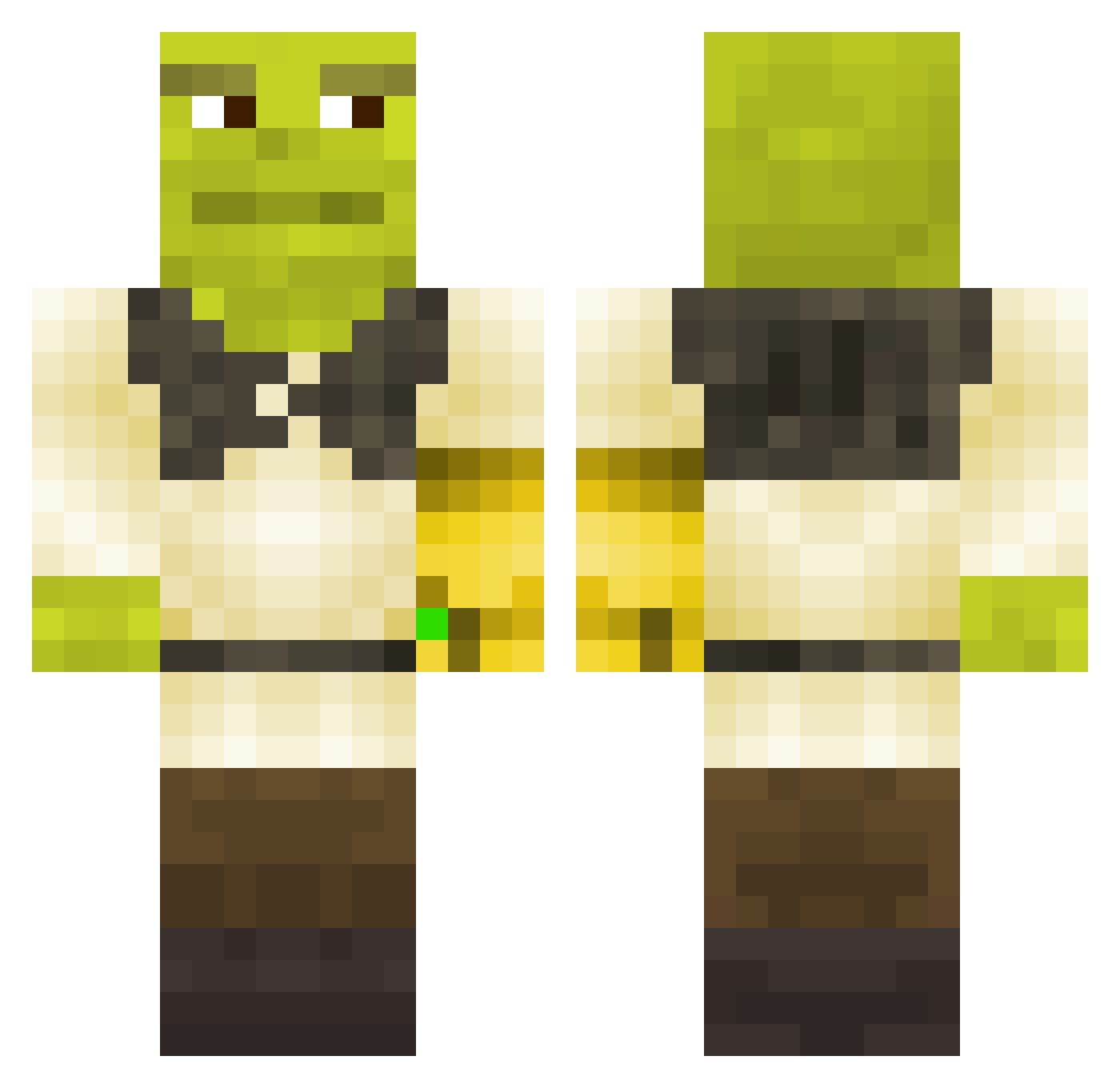
Current Minecraft skin of the player MrAndy6, loaded from the official Mojang API. Rotate the 3D model with your mouse or finger, then download the skin as a PNG file and use it in Minecraft: Bedrock Edition or Java Edition for free. When MrAndy6 changes their skin, this page updates automatically and the old skin stays in the history below.
Other players with this skin (441)
MrAndy6 was the 340th player we have seen with this skin, first spotted on 26.10.2026. The same skin was seen on these players. Open a nickname to see their current skin and skin history.
 Krowanaapapie Juliannaher willsund HellMoustacho FlegmonsLover Schnitzlmeister Guepeed FaZeThanosYT lovingrangas Sarchia Deztruct Skyline7171 SPACEBOYKOBE Wszystko_Jedno Sansgaster1 Kvarnrud__ Maxx321 pablo7suchted byjosepro43 Sumsing charlesh5 chcarlitos eWaNBaXteR Egon3 TOMAS69 YaBoiCrabs killzonestefan Stillleben JaydonH TwistedDro LiamPrice MySwaap s3m3n69 KidneyCollector InFezt192 Jiffffffff VeraVM Carbideous ImNotaCactus Mayonic7 Bigmacsama robottsang martib09 Deathlocked98 Spill3dT3a Puddyman QHowLyQ69 salvsmon Night_digger2020 Eggs4Bart Dery11 bigg_PP_ener_G Wati_Builder yoavs12 Tramunt ZoMbOOOty Tis_Patty MS15 Klawesyn Iceex
More Infinity Gauntlet Minecraft skins
See all 716 Infinity Gauntlet skins
How to install the MrAndy6 skin
- Press the Download button above to save the skin as a PNG file.
- Minecraft: Bedrock Edition (PE): open the Dressing Room from the main menu (or tap your character → Edit Character), go to Classic Skins → Owned, press the + (new skin) button, choose the downloaded PNG and pick the Classic (Steve) model. Works on PC and mobile; consoles cannot import custom skins.
- Minecraft: Java Edition: open the Minecraft Launcher, go to the Skins tab, click New Skin, load the PNG, pick the Classic (Steve) model and press Save & Use. You can also upload it at minecraft.net → Profile → Change Skin.
The skin does not show up after import - what should I do?
Restart Minecraft and open the Dressing Room again - imported skins sometimes appear only after a restart. Also make sure you selected the imported skin and picked the Classic (Steve) model.
Which model should I choose, Classic or Slim?
This skin is designed for the Classic (Steve) model. If you pick the wrong model, the arms of the skin will look stretched or squeezed.
Is the skin of MrAndy6 free to download?
Yes. Press Download, save the PNG file and use it in Minecraft: Bedrock Edition or Java Edition - no payment or registration needed. The skin also works on multiplayer servers and Realms.
More skins
Looking for more? Go back to all Minecraft skins and check the top skins of the week, month and all time, or find any player's skin by nickname.