
MrAkDrosher - Minecraft Skins & Skin History
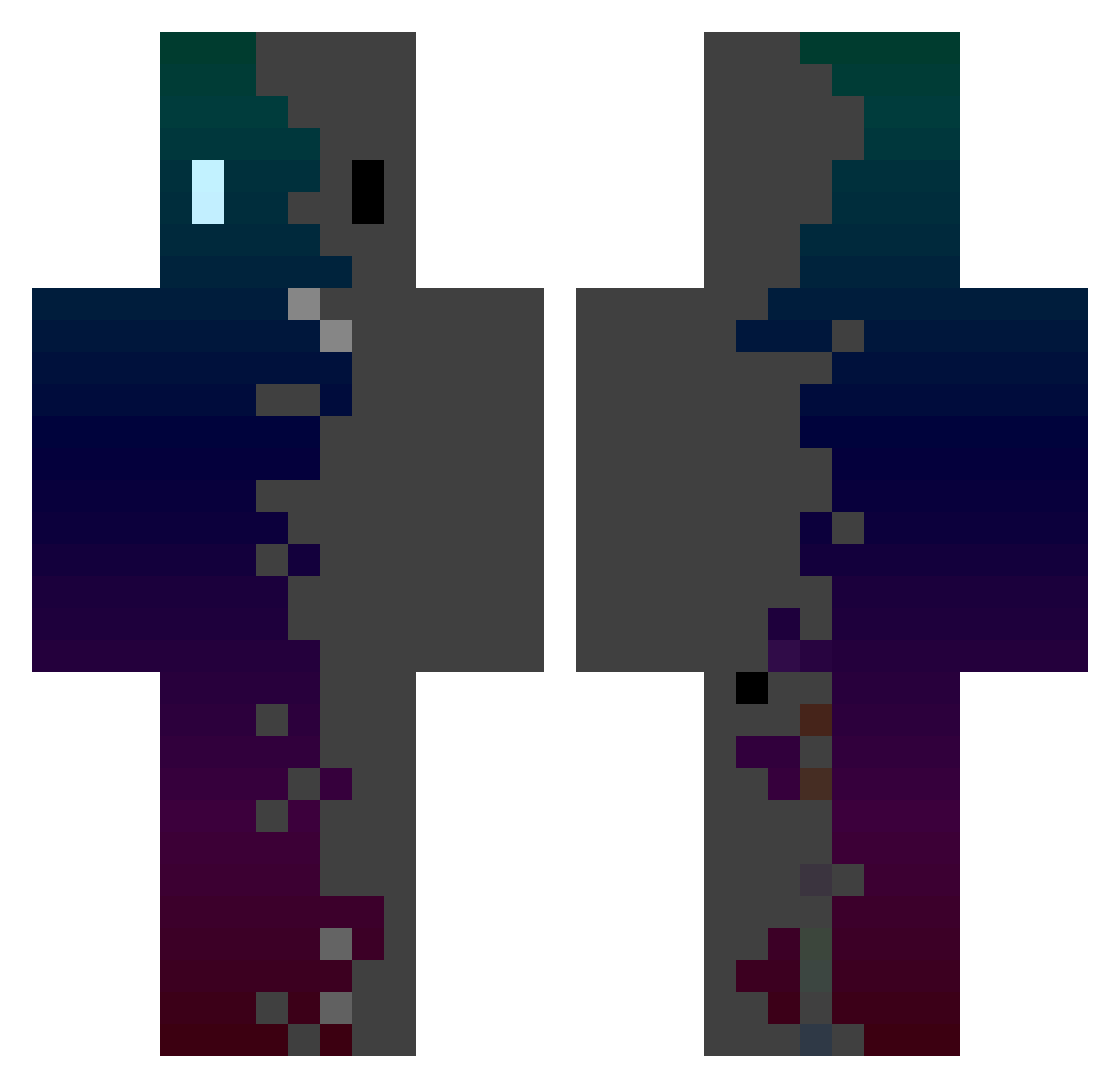
Current Minecraft skin of the player MrAkDrosher, loaded from the official Mojang API. Rotate the 3D model with your mouse or finger, then download the skin as a PNG file and use it in Minecraft: Bedrock Edition or Java Edition for free. When MrAkDrosher changes their skin, this page updates automatically and the old skin stays in the history below.
Other players with this skin (434)
MrAkDrosher was the 149th player we have seen with this skin, first spotted on 06.09.2026. The same skin was seen on these players. Open a nickname to see their current skin and skin history.
 jancio90 wojowniczan Ferrari_SF40 IsabellaGD renvins JYR12345 MASLXZ Craftylife83 iiisynergy Balowicz99 Tontu321 Blaaii012 ChenKEN1026 Jvdak Kayzix8792 javicar756 IDAN1905 edouardfit kuril1256 NEYMARJR10803 Samurai_80 Gatto15 Braysool Swift9449 ivanzitto fufu01017 MTKNM Ayla260 Speedy0903 loctopus22 StoneyHarbor738 noheart5555 TheThirdKiwi xAriokx blue_turtle123 mauro123ish SUNAME55 ZeroRay0v0 Helixity Kirt_28 Noting1 Wave_Sound_ MaimunAnger lalalalalalal555 Leapon ELMATADIOR Owl5233 stanley15 ZerDroX27 Ramia007 Powder99 SalvadorskYY GateGamePlay puchupuchu zixnyu Dudtzs Bamboo_dream JupiterJones04 LEE_MIKE Ezcio
How to install the MrAkDrosher skin
- Press the Download button above to save the skin as a PNG file.
- Minecraft: Bedrock Edition (PE): open the Dressing Room from the main menu (or tap your character → Edit Character), go to Classic Skins → Owned, press the + (new skin) button, choose the downloaded PNG and pick the Classic (Steve) model. Works on PC and mobile; consoles cannot import custom skins.
- Minecraft: Java Edition: open the Minecraft Launcher, go to the Skins tab, click New Skin, load the PNG, pick the Classic (Steve) model and press Save & Use. You can also upload it at minecraft.net → Profile → Change Skin.
The skin does not show up after import - what should I do?
Restart Minecraft and open the Dressing Room again - imported skins sometimes appear only after a restart. Also make sure you selected the imported skin and picked the Classic (Steve) model.
Which model should I choose, Classic or Slim?
This skin is designed for the Classic (Steve) model. If you pick the wrong model, the arms of the skin will look stretched or squeezed.
Is the skin of MrAkDrosher free to download?
Yes. Press Download, save the PNG file and use it in Minecraft: Bedrock Edition or Java Edition - no payment or registration needed. The skin also works on multiplayer servers and Realms.
More skins
Looking for more? Go back to all Minecraft skins and check the top skins of the week, month and all time, or find any player's skin by nickname.