
Moyena - Minecraft Skins & Skin History
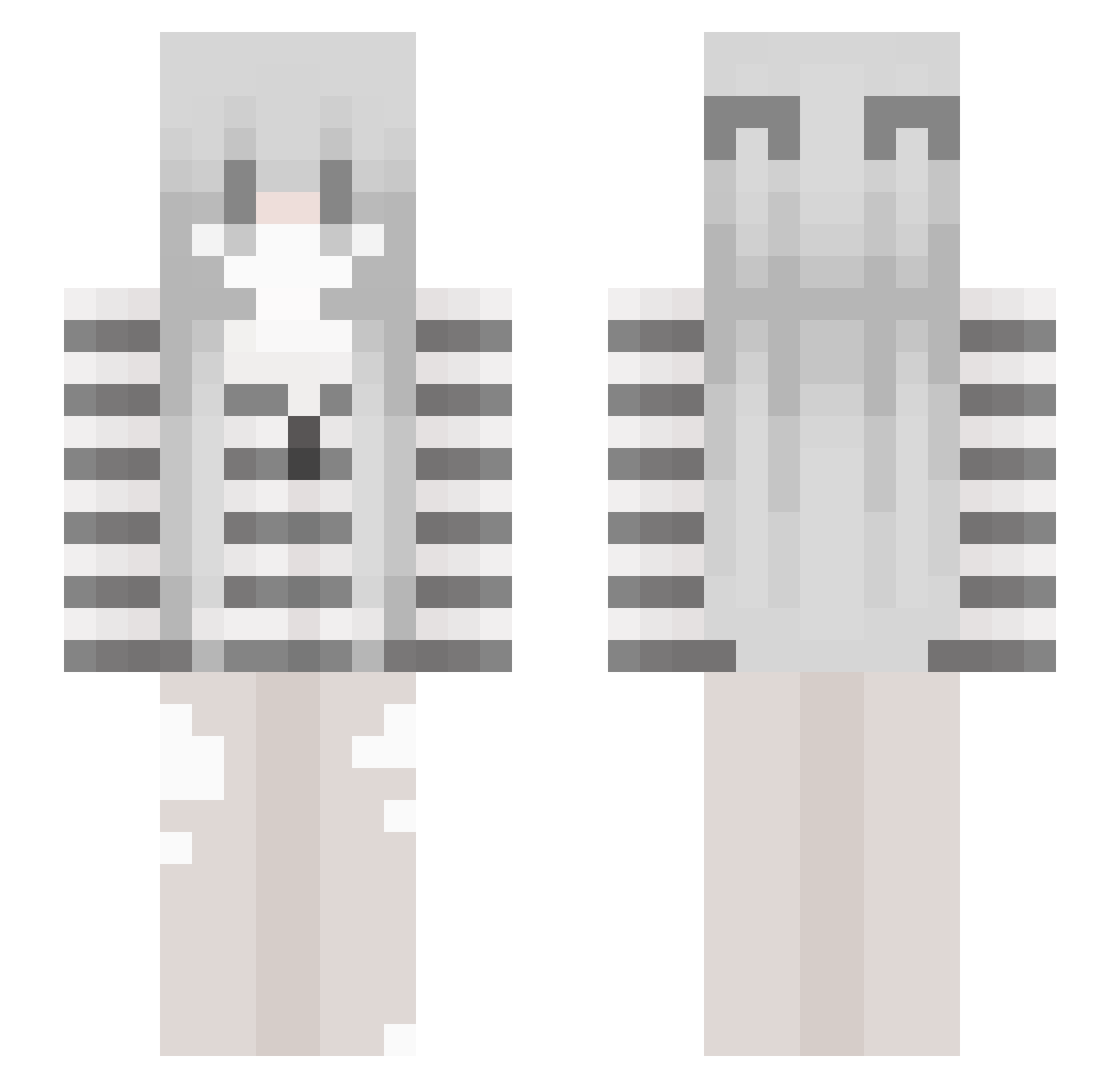
Current Minecraft skin of the player Moyena, loaded from the official Mojang API. Rotate the 3D model with your mouse or finger, then download the skin as a PNG file and use it in Minecraft: Bedrock Edition or Java Edition for free. When Moyena changes their skin, this page updates automatically and the old skin stays in the history below.
Other players with this skin (59)
Moyena was the 23rd player we have seen with this skin, first spotted on 22.08.2026. The same skin was seen on these players. Open a nickname to see their current skin and skin history.
 ouf1y kotmarkot Natisha06 1xsys laxw __dnxx nyangyee12 2ssz tellinx hometaanna saqredxd nettmaksiu wshlisted hellokittys22 thenstop blissenvyy ilykepw
 Itz_Filou
 Gemahl Teger176 Yu_0820 cutenicheegirll KochamBotki_ xxItz_Nightxx MaxDrak jyArrow0911 somberxo xvszoeqp DuangYa Neiset Unwind231 Z1R51 doggymuncher101 bella_c qzno _kait_x starzsyn lowyvv DeathIsSalvation gwracie Friedland Gab1M iClaymore pawsockzs greenbird6600 feministisch blurppzzz kimiout tusoki vlqrs NA_1nA dr9wzy emvbay Alexsty flyingracecar75 NoctisVeylor valuo starflowrs cutenicheegirl
More Monochrome Minecraft skins
How to install the Moyena skin
- Press the Download button above to save the skin as a PNG file.
- Minecraft: Bedrock Edition (PE): open the Dressing Room from the main menu (or tap your character → Edit Character), go to Classic Skins → Owned, press the + (new skin) button, choose the downloaded PNG and pick the Slim (Alex) model. Works on PC and mobile; consoles cannot import custom skins.
- Minecraft: Java Edition: open the Minecraft Launcher, go to the Skins tab, click New Skin, load the PNG, pick the Slim (Alex) model and press Save & Use. You can also upload it at minecraft.net → Profile → Change Skin.
The skin does not show up after import - what should I do?
Restart Minecraft and open the Dressing Room again - imported skins sometimes appear only after a restart. Also make sure you selected the imported skin and picked the Slim (Alex) model.
Which model should I choose, Classic or Slim?
This skin is designed for the Slim (Alex) model. If you pick the wrong model, the arms of the skin will look stretched or squeezed.
Is the skin of Moyena free to download?
Yes. Press Download, save the PNG file and use it in Minecraft: Bedrock Edition or Java Edition - no payment or registration needed. The skin also works on multiplayer servers and Realms.
More skins
Looking for more? Go back to all Minecraft skins and check the top skins of the week, month and all time, or find any player's skin by nickname.