
Motomanito - Minecraft Skins & Skin History
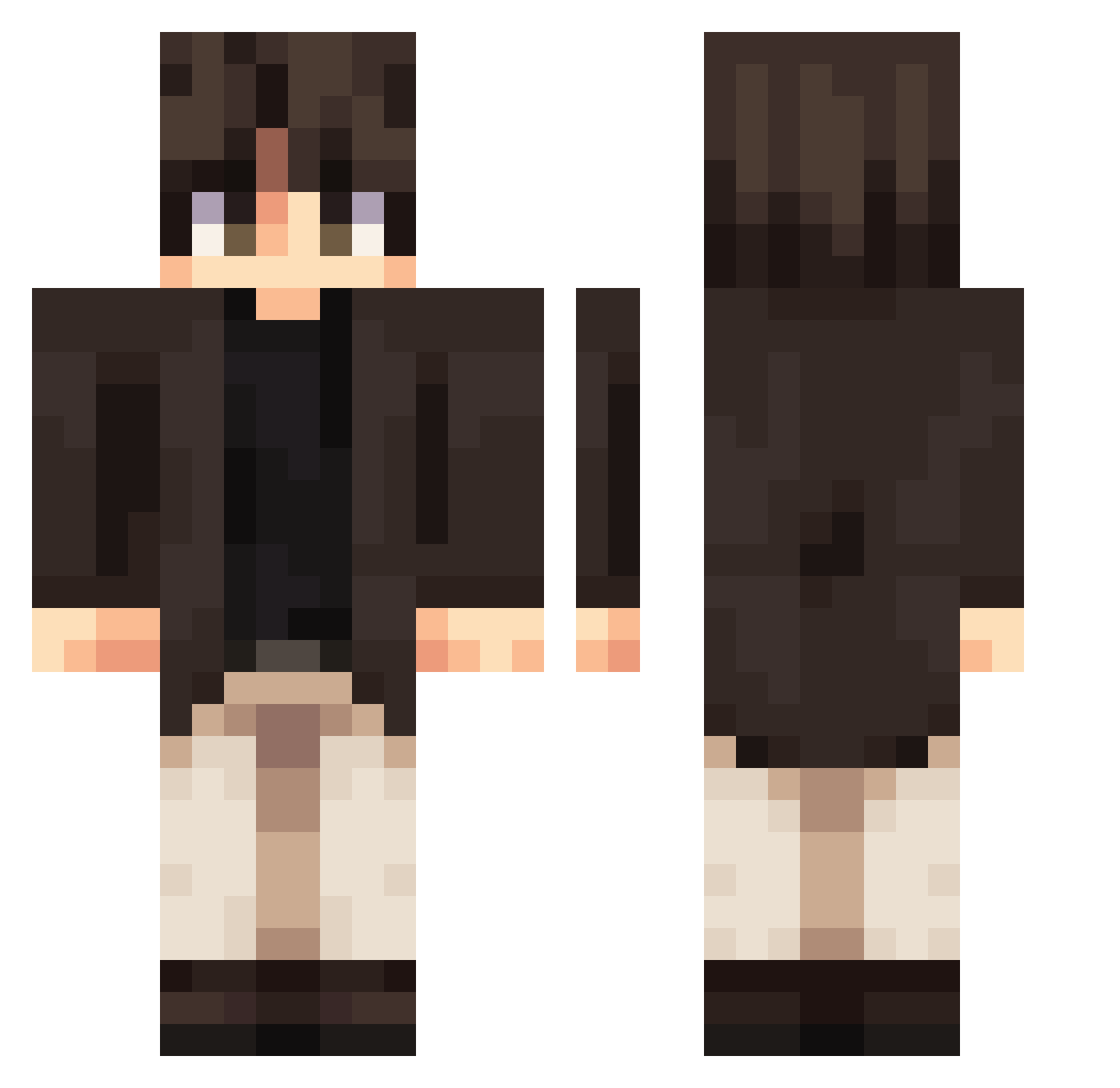
Current Minecraft skin of the player Motomanito, loaded from the official Mojang API. Rotate the 3D model with your mouse or finger, then download the skin as a PNG file and use it in Minecraft: Bedrock Edition or Java Edition for free. When Motomanito changes their skin, this page updates automatically and the old skin stays in the history below.
Other players with this skin (393)
Motomanito was the 361st player we have seen with this skin, first spotted on 24.10.2026. The same skin was seen on these players. Open a nickname to see their current skin and skin history.
 Kiwynn Unlogischa Thecico7 MrFreezy1 cxi0317 Mentoryboy Charisma0099 MrDoolittle TROJANS_KN opgamer8248 lingfengying Zackstabz xoumu chocolatekiller hjfgd HelloWorld2333 Galamach LIBAO666 Lee1545 sirareice Gh1nko KKWHSD123 ZeckZe wannaWww simhoneyy Jahames11 Keannerz InputJax IronPickaxe13 dan7mo Cofunami_ Brako14 SiranCole Junppe vector_artemis Kkreusha rats0n takos_ Kai_Fan Vesperbloom TSK364_MY nFlourish SpiegelBlock474 NOTRIXR WilliamKomdy SecuSellan Scythuser Captain_NYJ Dobby_777 silvpont Theonlywarmth yashfar Hotarou_sama Genca23 chouffepicon Ldog1012 z1122334 H4rLeY_0904 TAAKEPP bluning
More Casual Minecraft skins
How to install the Motomanito skin
- Press the Download button above to save the skin as a PNG file.
- Minecraft: Bedrock Edition (PE): open the Dressing Room from the main menu (or tap your character → Edit Character), go to Classic Skins → Owned, press the + (new skin) button, choose the downloaded PNG and pick the Classic (Steve) model. Works on PC and mobile; consoles cannot import custom skins.
- Minecraft: Java Edition: open the Minecraft Launcher, go to the Skins tab, click New Skin, load the PNG, pick the Classic (Steve) model and press Save & Use. You can also upload it at minecraft.net → Profile → Change Skin.
The skin does not show up after import - what should I do?
Restart Minecraft and open the Dressing Room again - imported skins sometimes appear only after a restart. Also make sure you selected the imported skin and picked the Classic (Steve) model.
Which model should I choose, Classic or Slim?
This skin is designed for the Classic (Steve) model. If you pick the wrong model, the arms of the skin will look stretched or squeezed.
Is the skin of Motomanito free to download?
Yes. Press Download, save the PNG file and use it in Minecraft: Bedrock Edition or Java Edition - no payment or registration needed. The skin also works on multiplayer servers and Realms.
More skins
Looking for more? Go back to all Minecraft skins and check the top skins of the week, month and all time, or find any player's skin by nickname.