
Moot_ready - Minecraft Skins & Skin History
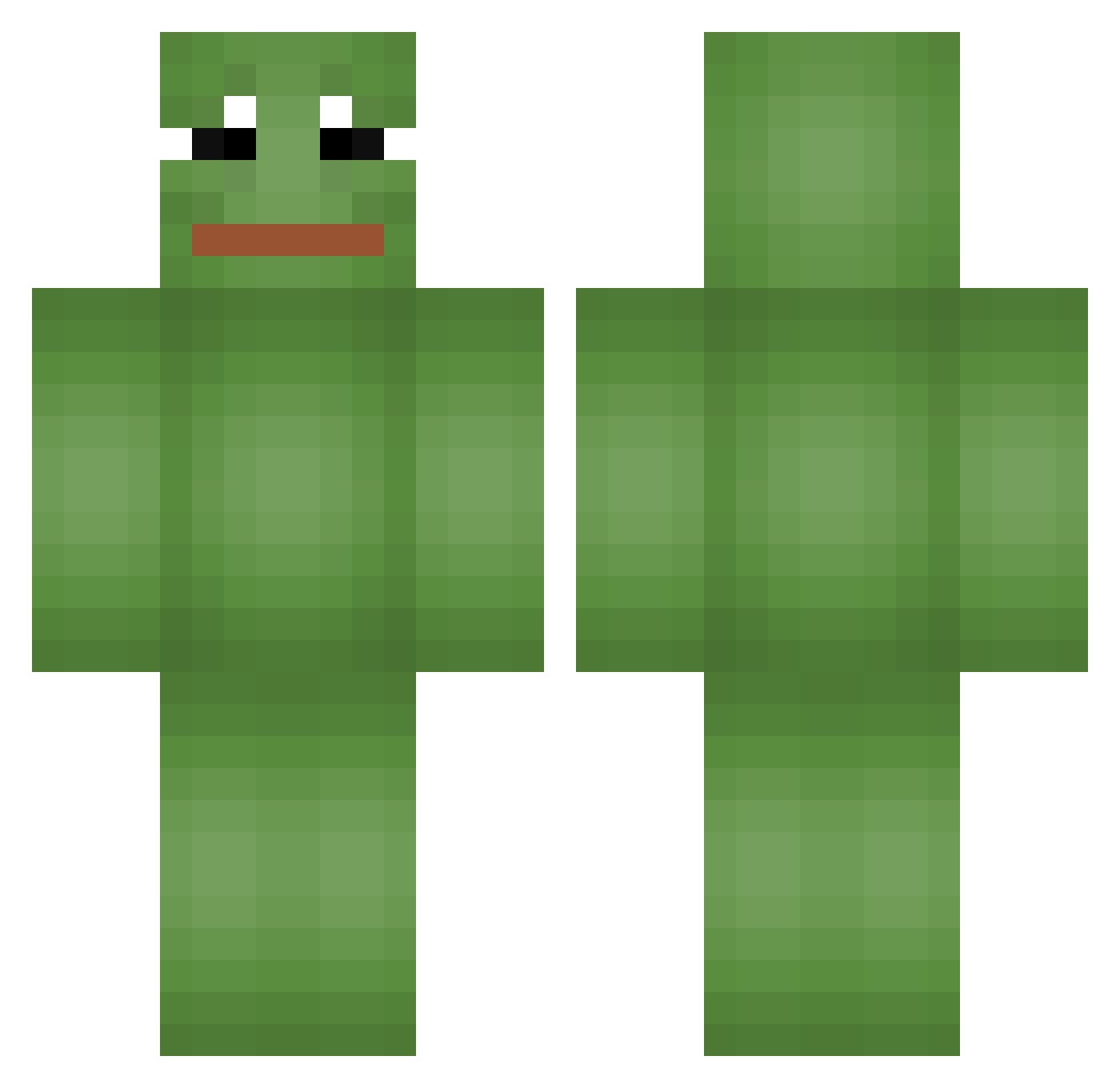
Current Minecraft skin of the player Moot_ready, loaded from the official Mojang API. Rotate the 3D model with your mouse or finger, then download the skin as a PNG file and use it in Minecraft: Bedrock Edition or Java Edition for free. When Moot_ready changes their skin, this page updates automatically and the old skin stays in the history below.
Other players with this skin (665)
Moot_ready was the 541st player we have seen with this skin, first spotted on 17.10.2026. The same skin was seen on these players. Open a nickname to see their current skin and skin history.
 JampbellSoup Themi2905 Clemo782 MyW33D Dafal Jude_Smith Paravent lsm1025 rkdrn0209 jeul xHaksuZ Incredibacon PepeDastr LaTitube EnduroCrafter criminalemch pintos36 Deepy61 TepilloSamaa LeRoiMangouste JUNSSG Haspik0 PhilMcrakin worthlless S5_Seek skajja Holbewoner4 Rev_lefty lukas_69_ MOHAGAR vBXR PTJ__ Be8e Mimirnjir rusek_08 Konim_el Jjeoru Troolstv Fruity_Salad Danstormshadow SERAP Babura Maxpoke John_Jun ektmd42 yoalcaro pobuhov Hyooooj KlNGOFCORN Chappy0061 iGunsmoke Macious_ qlrxmfl FrancisDias Juan_Pierre satellitesss White_Ranga HunterPang_ Tomrua 9imchi
More Pepe Minecraft skins
How to install the Moot_ready skin
- Press the Download button above to save the skin as a PNG file.
- Minecraft: Bedrock Edition (PE): open the Dressing Room from the main menu (or tap your character → Edit Character), go to Classic Skins → Owned, press the + (new skin) button, choose the downloaded PNG and pick the Classic (Steve) model. Works on PC and mobile; consoles cannot import custom skins.
- Minecraft: Java Edition: open the Minecraft Launcher, go to the Skins tab, click New Skin, load the PNG, pick the Classic (Steve) model and press Save & Use. You can also upload it at minecraft.net → Profile → Change Skin.
The skin does not show up after import - what should I do?
Restart Minecraft and open the Dressing Room again - imported skins sometimes appear only after a restart. Also make sure you selected the imported skin and picked the Classic (Steve) model.
Which model should I choose, Classic or Slim?
This skin is designed for the Classic (Steve) model. If you pick the wrong model, the arms of the skin will look stretched or squeezed.
Is the skin of Moot_ready free to download?
Yes. Press Download, save the PNG file and use it in Minecraft: Bedrock Edition or Java Edition - no payment or registration needed. The skin also works on multiplayer servers and Realms.
More skins
Looking for more? Go back to all Minecraft skins and check the top skins of the week, month and all time, or find any player's skin by nickname.