
MoonChildXx1 - Minecraft Skins & Skin History
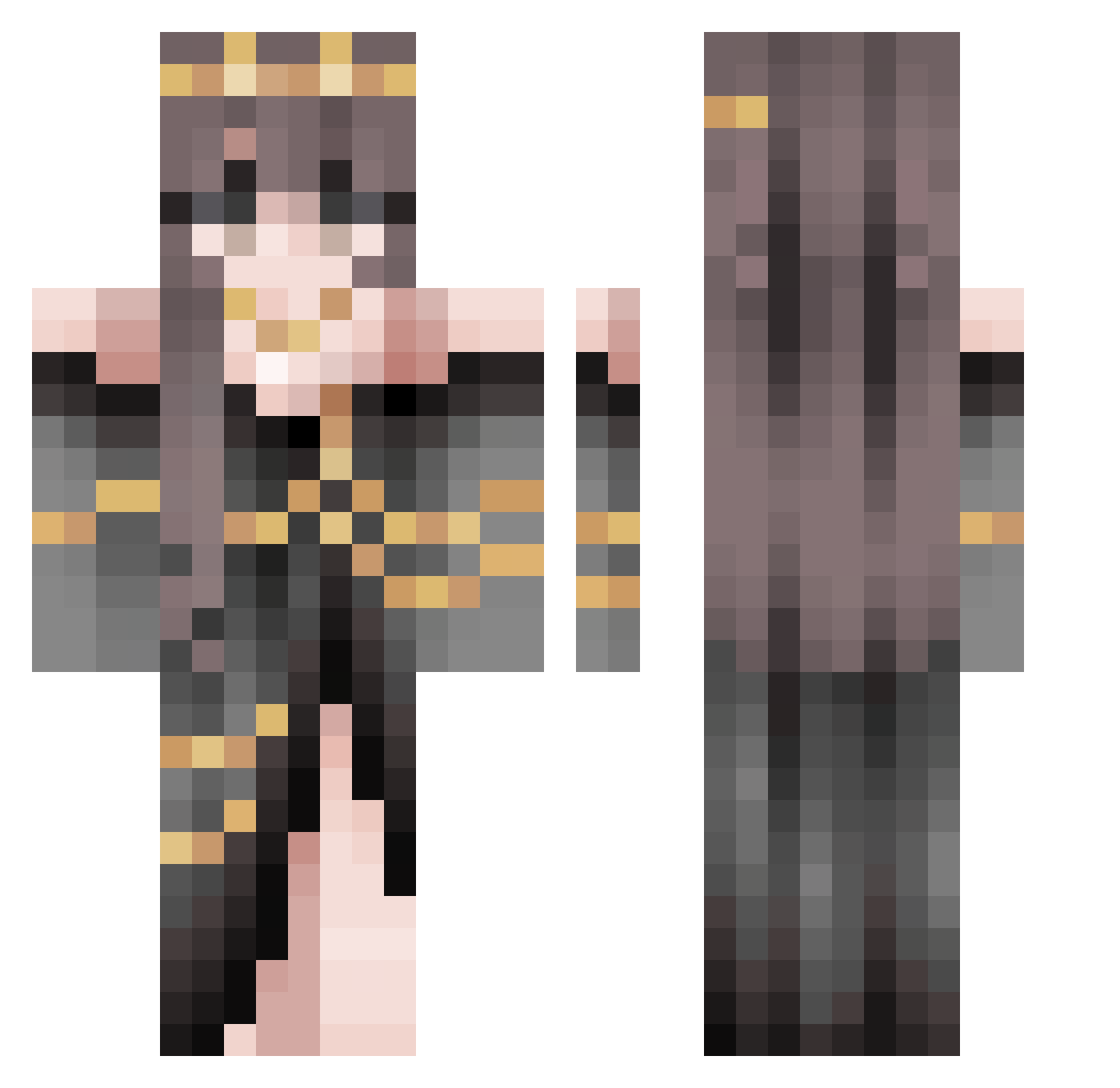
Current Minecraft skin of the player MoonChildXx1, loaded from the official Mojang API. Rotate the 3D model with your mouse or finger, then download the skin as a PNG file and use it in Minecraft: Bedrock Edition or Java Edition for free. When MoonChildXx1 changes their skin, this page updates automatically and the old skin stays in the history below.
Other players with this skin (705)
MoonChildXx1 was the 682nd player we have seen with this skin, first spotted on 16.11.2026. The same skin was seen on these players. Open a nickname to see their current skin and skin history.
 Mariyummy Astralix1 Aiminaabee zuzajak Seydii WawaLeRouge clumsyyqueen Miania SunnyKenn robo_4128 Addeand ValkyrieRa2 CobaltClub Wolf0XD PinkeTuna silverwind04 victides Cassandra1566 ThelittleSock Laurennn172 Nikomanis ed03x _KyuuQ _Masque_rade_ Schwarzey GmmMmMmM MitsuOtta Keehanic Reaper051112 IrritableAtom QueennnBee AconiteAsh honours_wifey mariammap MATEK2801 Kiiraj Morrigan_Star Leviticurse _Mohamed Cheshire_Spirit SovietWeasel AntaresNiyatt simmemissen Youbike kingnate23 ValePecar Jhhasdd8239 alexanaw Tutto0530 Aggeng TrojanRam BigPickle26 BloodOfAValkyrie AJRJ1202 terramorphing xxEmiiixx Szczur11 felinoo Zariess Pop_Art
More Gold Jewelry Minecraft skins
How to install the MoonChildXx1 skin
- Press the Download button above to save the skin as a PNG file.
- Minecraft: Bedrock Edition (PE): open the Dressing Room from the main menu (or tap your character → Edit Character), go to Classic Skins → Owned, press the + (new skin) button, choose the downloaded PNG and pick the Classic (Steve) model. Works on PC and mobile; consoles cannot import custom skins.
- Minecraft: Java Edition: open the Minecraft Launcher, go to the Skins tab, click New Skin, load the PNG, pick the Classic (Steve) model and press Save & Use. You can also upload it at minecraft.net → Profile → Change Skin.
The skin does not show up after import - what should I do?
Restart Minecraft and open the Dressing Room again - imported skins sometimes appear only after a restart. Also make sure you selected the imported skin and picked the Classic (Steve) model.
Which model should I choose, Classic or Slim?
This skin is designed for the Classic (Steve) model. If you pick the wrong model, the arms of the skin will look stretched or squeezed.
Is the skin of MoonChildXx1 free to download?
Yes. Press Download, save the PNG file and use it in Minecraft: Bedrock Edition or Java Edition - no payment or registration needed. The skin also works on multiplayer servers and Realms.
More skins
Looking for more? Go back to all Minecraft skins and check the top skins of the week, month and all time, or find any player's skin by nickname.