
MonsterTremblay - Minecraft Skins & Skin History
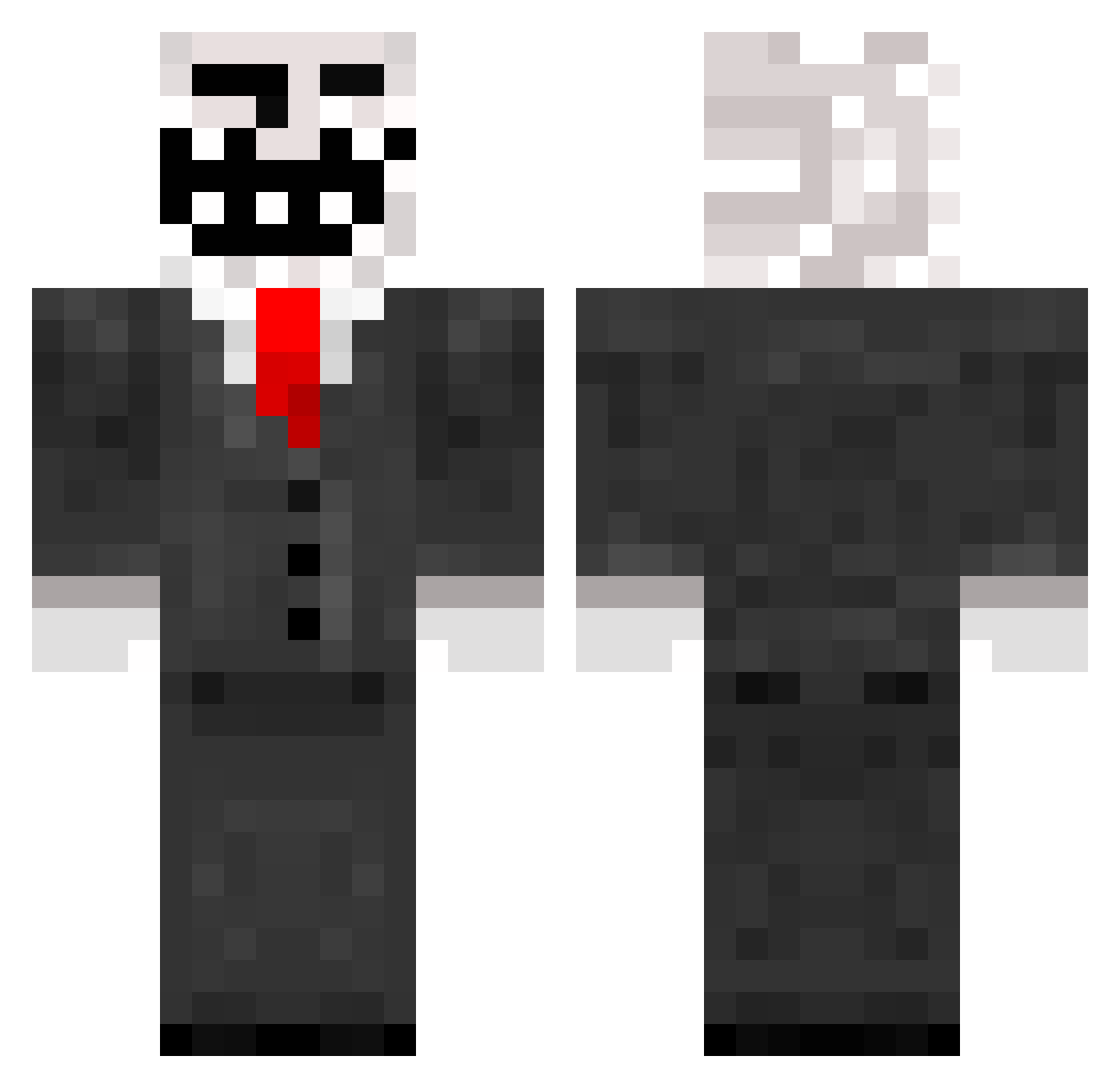
Current Minecraft skin of the player MonsterTremblay, loaded from the official Mojang API. Rotate the 3D model with your mouse or finger, then download the skin as a PNG file and use it in Minecraft: Bedrock Edition or Java Edition for free. When MonsterTremblay changes their skin, this page updates automatically and the old skin stays in the history below.
Other players with this skin (788)
MonsterTremblay was the 698th player we have seen with this skin, first spotted on 21.10.2026. The same skin was seen on these players. Open a nickname to see their current skin and skin history.
 melmel217 carsonson poldo188107 Paperwings0109 xXloggieXx Mirohka KayFOur PHILZFAN radio47fool Car50n talbot98 Fummelfichte d7030e20 D3m0nFr34k cwebster10 timonmuc123 Viperown05 PizzaMinecraft5 kody337 Ivan23998 fredericd2004 keriop93 Trollf4ce SteamApples dylanswales99 JERSEYBOY17 Backst0p Stampythecat500 lagartija22 NachoMiracle CAPTAIN_DEW robloxnxx AidanPlaysMc_XD dontlookup01 jellyjack02 oherakles Birdman2000 PaiPiloto RhythmicWookie maxwell39 Willowburg s3r1al1337 Sterzyt mrawesomeguy2424 wille75 danni2000 BauceSauce Flubble RobertFrost gymgirl4life GIORGOSR TROLLFACE1104 WalterGiller beastlygamer12 WildShark87 WisoS jolarex untrustworthy J3zzz Samuhrai
More Trollface Minecraft skins
How to install the MonsterTremblay skin
- Press the Download button above to save the skin as a PNG file.
- Minecraft: Bedrock Edition (PE): open the Dressing Room from the main menu (or tap your character → Edit Character), go to Classic Skins → Owned, press the + (new skin) button, choose the downloaded PNG and pick the Classic (Steve) model. Works on PC and mobile; consoles cannot import custom skins.
- Minecraft: Java Edition: open the Minecraft Launcher, go to the Skins tab, click New Skin, load the PNG, pick the Classic (Steve) model and press Save & Use. You can also upload it at minecraft.net → Profile → Change Skin.
The skin does not show up after import - what should I do?
Restart Minecraft and open the Dressing Room again - imported skins sometimes appear only after a restart. Also make sure you selected the imported skin and picked the Classic (Steve) model.
Which model should I choose, Classic or Slim?
This skin is designed for the Classic (Steve) model. If you pick the wrong model, the arms of the skin will look stretched or squeezed.
Is the skin of MonsterTremblay free to download?
Yes. Press Download, save the PNG file and use it in Minecraft: Bedrock Edition or Java Edition - no payment or registration needed. The skin also works on multiplayer servers and Realms.
More skins
Looking for more? Go back to all Minecraft skins and check the top skins of the week, month and all time, or find any player's skin by nickname.