
MonsMessi - Minecraft Skins & Skin History
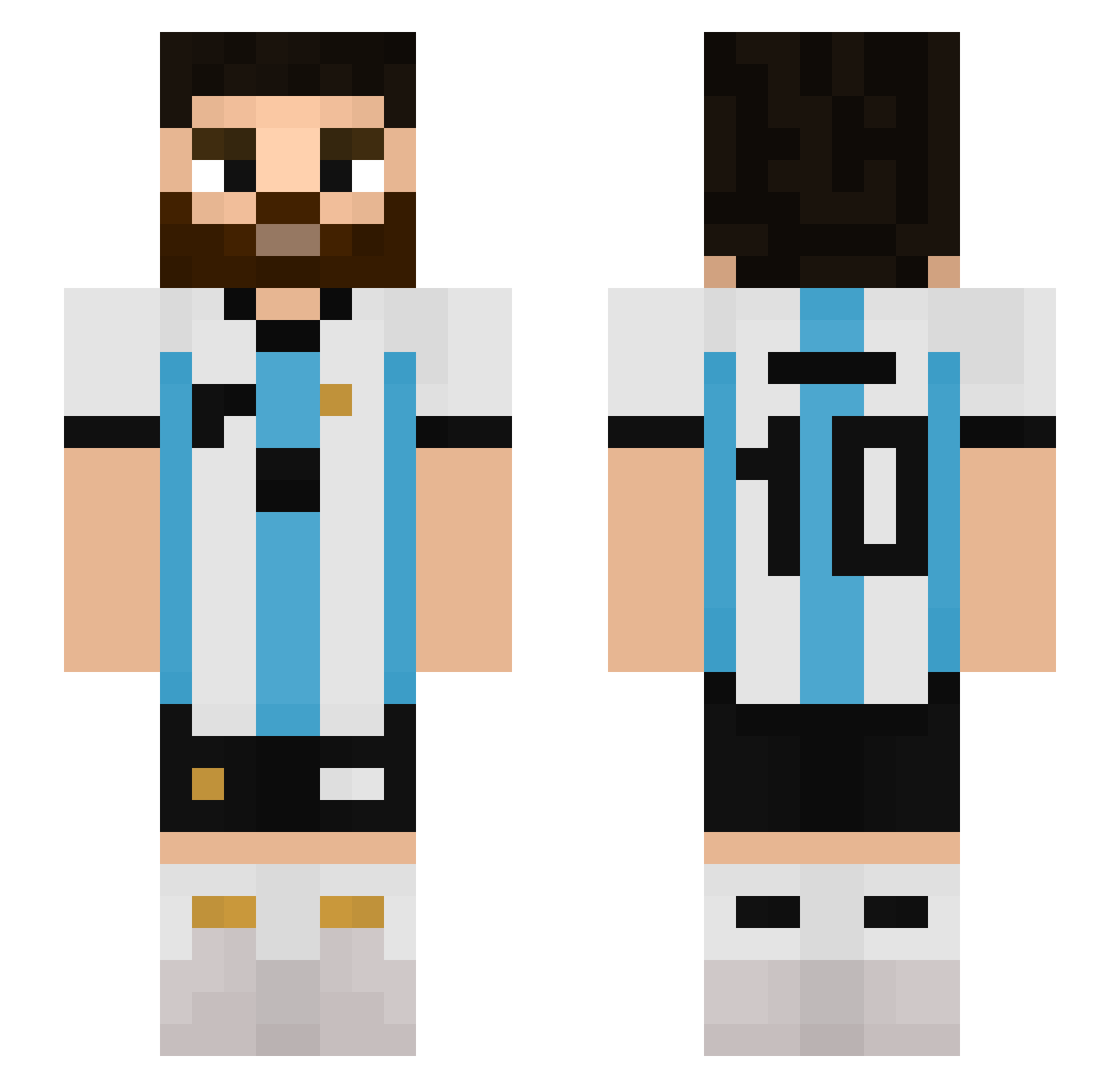
Current Minecraft skin of the player MonsMessi, loaded from the official Mojang API. Rotate the 3D model with your mouse or finger, then download the skin as a PNG file and use it in Minecraft: Bedrock Edition or Java Edition for free. When MonsMessi changes their skin, this page updates automatically and the old skin stays in the history below.
Other players with this skin (511)
MonsMessi was the 207th player we have seen with this skin, first spotted on 29.08.2026. The same skin was seen on these players. Open a nickname to see their current skin and skin history.
 dlautaro387 LukeComery gayquienlolea diemozzz Liamnator19091 3LTITAN Rendh Afoo1212 emojnax SrPepsiCola SubRaptor13 Julikas123 HoodedSnake2227 Monkey1812 Supikes Legionx__ MADARA3ER Laucha2024 changfengpolang SMARTTY Ketvet InfernoNinja007 ronaldihnho t35tr1993r Ejazz888 cartdogOCE godtjsdn Laikiatico Mckenna2809 B4bbo_ NickKnacker Juss1106 Asser91 Lineex23 miqota Nahuprz biteK Lautariitoo Mimi112_ Nakamura_Chang b991212 _sKwareK_ leooozz dryoki Omar112232 anjdenu St_Spring Zikina Elias_TR3 veliero220acuto juan208M yose5557 DiegoTRI Deccay MumbaiSlums Aloonxo635s EXARV1 soniic_69 SAVAGE00 Biceps_5
More Argentina Minecraft skins
How to install the MonsMessi skin
- Press the Download button above to save the skin as a PNG file.
- Minecraft: Bedrock Edition (PE): open the Dressing Room from the main menu (or tap your character → Edit Character), go to Classic Skins → Owned, press the + (new skin) button, choose the downloaded PNG and pick the Slim (Alex) model. Works on PC and mobile; consoles cannot import custom skins.
- Minecraft: Java Edition: open the Minecraft Launcher, go to the Skins tab, click New Skin, load the PNG, pick the Slim (Alex) model and press Save & Use. You can also upload it at minecraft.net → Profile → Change Skin.
The skin does not show up after import - what should I do?
Restart Minecraft and open the Dressing Room again - imported skins sometimes appear only after a restart. Also make sure you selected the imported skin and picked the Slim (Alex) model.
Which model should I choose, Classic or Slim?
This skin is designed for the Slim (Alex) model. If you pick the wrong model, the arms of the skin will look stretched or squeezed.
Is the skin of MonsMessi free to download?
Yes. Press Download, save the PNG file and use it in Minecraft: Bedrock Edition or Java Edition - no payment or registration needed. The skin also works on multiplayer servers and Realms.
More skins
Looking for more? Go back to all Minecraft skins and check the top skins of the week, month and all time, or find any player's skin by nickname.