
Monkeymaster01 - Minecraft Skins & Skin History
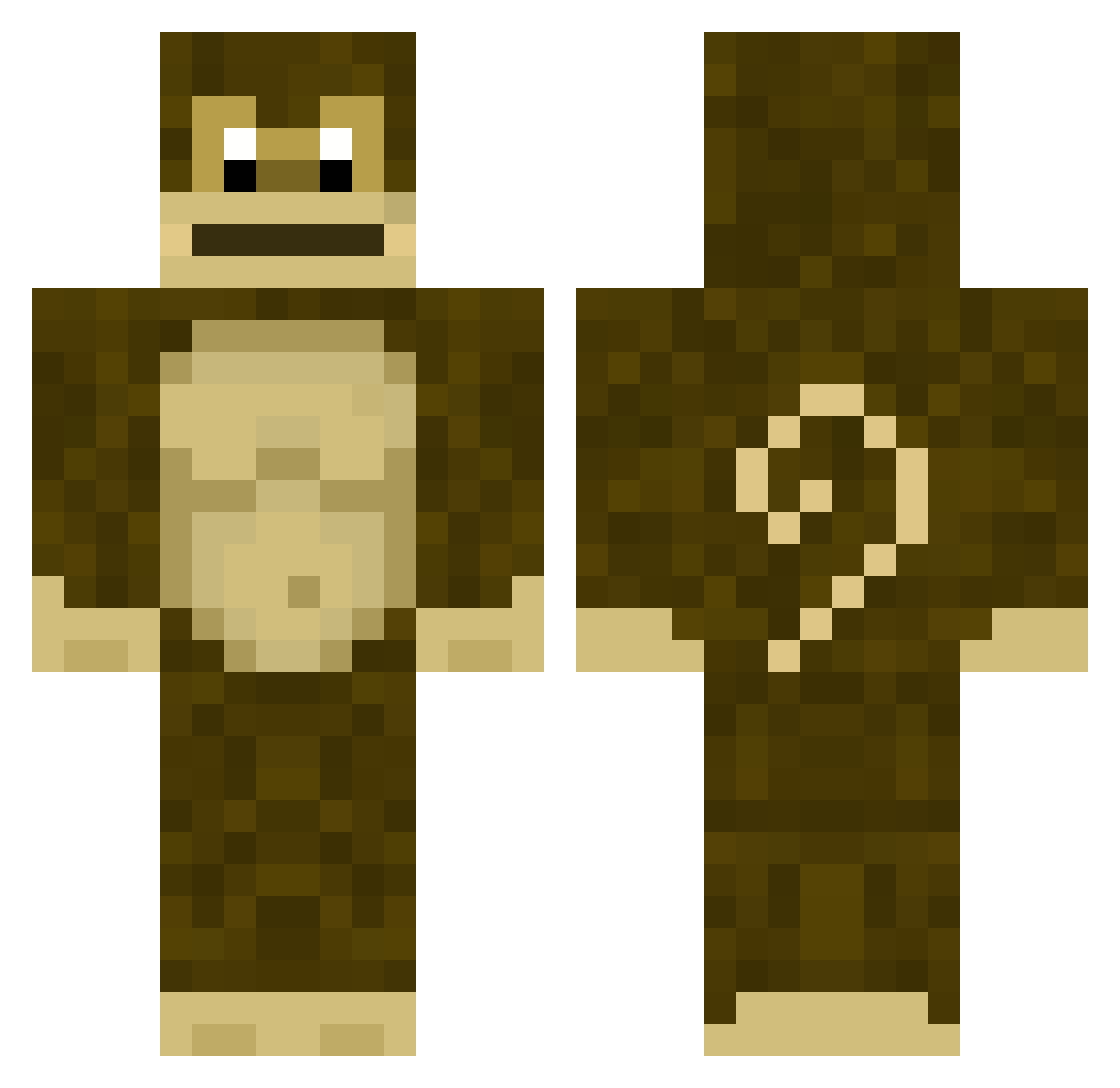
Current Minecraft skin of the player Monkeymaster01, loaded from the official Mojang API. Rotate the 3D model with your mouse or finger, then download the skin as a PNG file and use it in Minecraft: Bedrock Edition or Java Edition for free. When Monkeymaster01 changes their skin, this page updates automatically and the old skin stays in the history below.
Other players with this skin (356)
Monkeymaster01 was the 340th player we have seen with this skin, first spotted on 07.11.2026. The same skin was seen on these players. Open a nickname to see their current skin and skin history.
 gyuree JasouGamer Rafacruz argsl Lachied101 Hallowww niedsonOgostoso Monkey3742 Musicamphetamine Biggiedoinkss MaitreKIRBO wammajamma69 OgDonkeyKong KARTEG31 IamMisterD EspurrMeow marronesiqueira illievanilli pronagibator2007 Quinha xoqls1 kirozinXD IfinnTSU PersonnosreP hkrich7 SourAlien69 thefazee Bopnik xVist4 Toxic_Nuggget MutantMonkeys du5 ilytwizzy Emanuel55 Sandwich2Gnou CRYScur szoldi GaunerPAScAL516 Smirkimus xJoh4n merryboat marioanao immigrantbean temaxx_ ariiita BurntWaffles11 MonkeyGanger Veikor Enzotesser dirtyfn BlmFanNr1 Matzenias1 JoJoschi Finn823 Mazzulo IneelI Dieter030 Zwarecheque CentComet majakwietniewska
More Donkey Kong Minecraft skins
How to install the Monkeymaster01 skin
- Press the Download button above to save the skin as a PNG file.
- Minecraft: Bedrock Edition (PE): open the Dressing Room from the main menu (or tap your character → Edit Character), go to Classic Skins → Owned, press the + (new skin) button, choose the downloaded PNG and pick the Classic (Steve) model. Works on PC and mobile; consoles cannot import custom skins.
- Minecraft: Java Edition: open the Minecraft Launcher, go to the Skins tab, click New Skin, load the PNG, pick the Classic (Steve) model and press Save & Use. You can also upload it at minecraft.net → Profile → Change Skin.
The skin does not show up after import - what should I do?
Restart Minecraft and open the Dressing Room again - imported skins sometimes appear only after a restart. Also make sure you selected the imported skin and picked the Classic (Steve) model.
Which model should I choose, Classic or Slim?
This skin is designed for the Classic (Steve) model. If you pick the wrong model, the arms of the skin will look stretched or squeezed.
Is the skin of Monkeymaster01 free to download?
Yes. Press Download, save the PNG file and use it in Minecraft: Bedrock Edition or Java Edition - no payment or registration needed. The skin also works on multiplayer servers and Realms.
More skins
Looking for more? Go back to all Minecraft skins and check the top skins of the week, month and all time, or find any player's skin by nickname.