
MolixElite - Minecraft Skins & Skin History
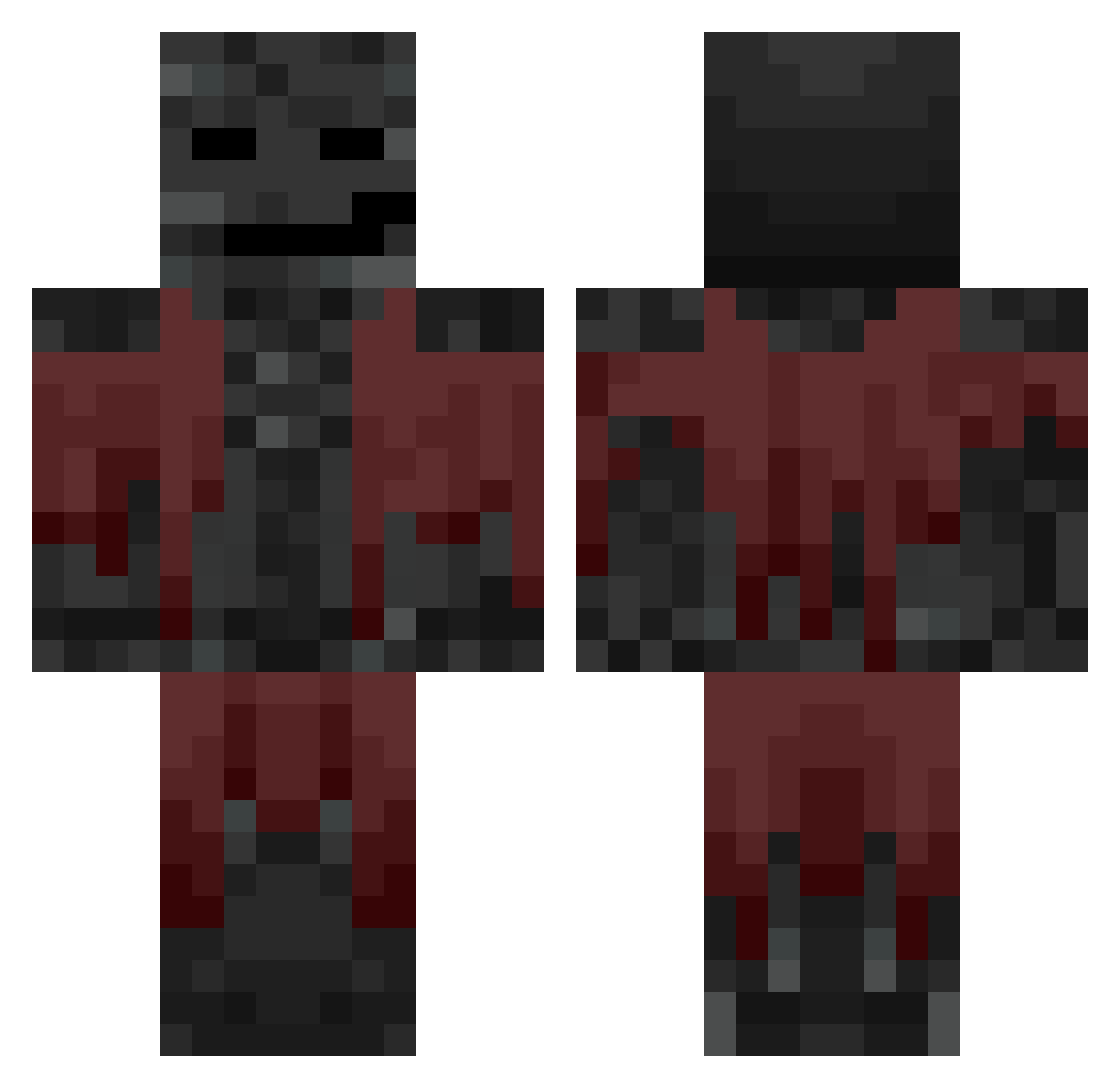
Current Minecraft skin of the player MolixElite, loaded from the official Mojang API. Rotate the 3D model with your mouse or finger, then download the skin as a PNG file and use it in Minecraft: Bedrock Edition or Java Edition for free. When MolixElite changes their skin, this page updates automatically and the old skin stays in the history below.
Other players with this skin (640)
MolixElite was the 106th player we have seen with this skin, first spotted on 11.08.2026. The same skin was seen on these players. Open a nickname to see their current skin and skin history.
 GUZIN0987 OSKI100 Cozxeisthebest ljfun26 Carl_BJ User1312___ NTX_2115 Iano_Perisono18 NeoTechno72 ERENN9393 Cadaveris clokz donda Lilkil07 FondingSquire
 YasarAlp Koky_Crafter Swinys
 cafeconlecheypan meoww990 MrBibbin_ bran879 mirorizz motazzz_2 Jojhann Shapzyyy vo1dy1 ItzJustApex Gabriello10
 ghjhh garvh Snok56 King_sheep9 alezenoreal godeimos DRZEWOALAWITO
 ISSAMAF
 Alipro3142 shark_ii d9zh merlinotje yumma454 Faroosi11
 braintum0rgaming FamilieWagner3
 bungabinga Smaeul SamkoGury sion_250 MineTnt12 iLycheex781 MonochromaticEXE aKrytox_
 Jxak9 Quark_Bey Banns GerardoSiu
 NoName11222
 _betta dqt_
More Wither Minecraft skins
How to install the MolixElite skin
- Press the Download button above to save the skin as a PNG file.
- Minecraft: Bedrock Edition (PE): open the Dressing Room from the main menu (or tap your character → Edit Character), go to Classic Skins → Owned, press the + (new skin) button, choose the downloaded PNG and pick the Classic (Steve) model. Works on PC and mobile; consoles cannot import custom skins.
- Minecraft: Java Edition: open the Minecraft Launcher, go to the Skins tab, click New Skin, load the PNG, pick the Classic (Steve) model and press Save & Use. You can also upload it at minecraft.net → Profile → Change Skin.
The skin does not show up after import - what should I do?
Restart Minecraft and open the Dressing Room again - imported skins sometimes appear only after a restart. Also make sure you selected the imported skin and picked the Classic (Steve) model.
Which model should I choose, Classic or Slim?
This skin is designed for the Classic (Steve) model. If you pick the wrong model, the arms of the skin will look stretched or squeezed.
Is the skin of MolixElite free to download?
Yes. Press Download, save the PNG file and use it in Minecraft: Bedrock Edition or Java Edition - no payment or registration needed. The skin also works on multiplayer servers and Realms.
More skins
Looking for more? Go back to all Minecraft skins and check the top skins of the week, month and all time, or find any player's skin by nickname.