
MobNico - Minecraft Skins & Skin History
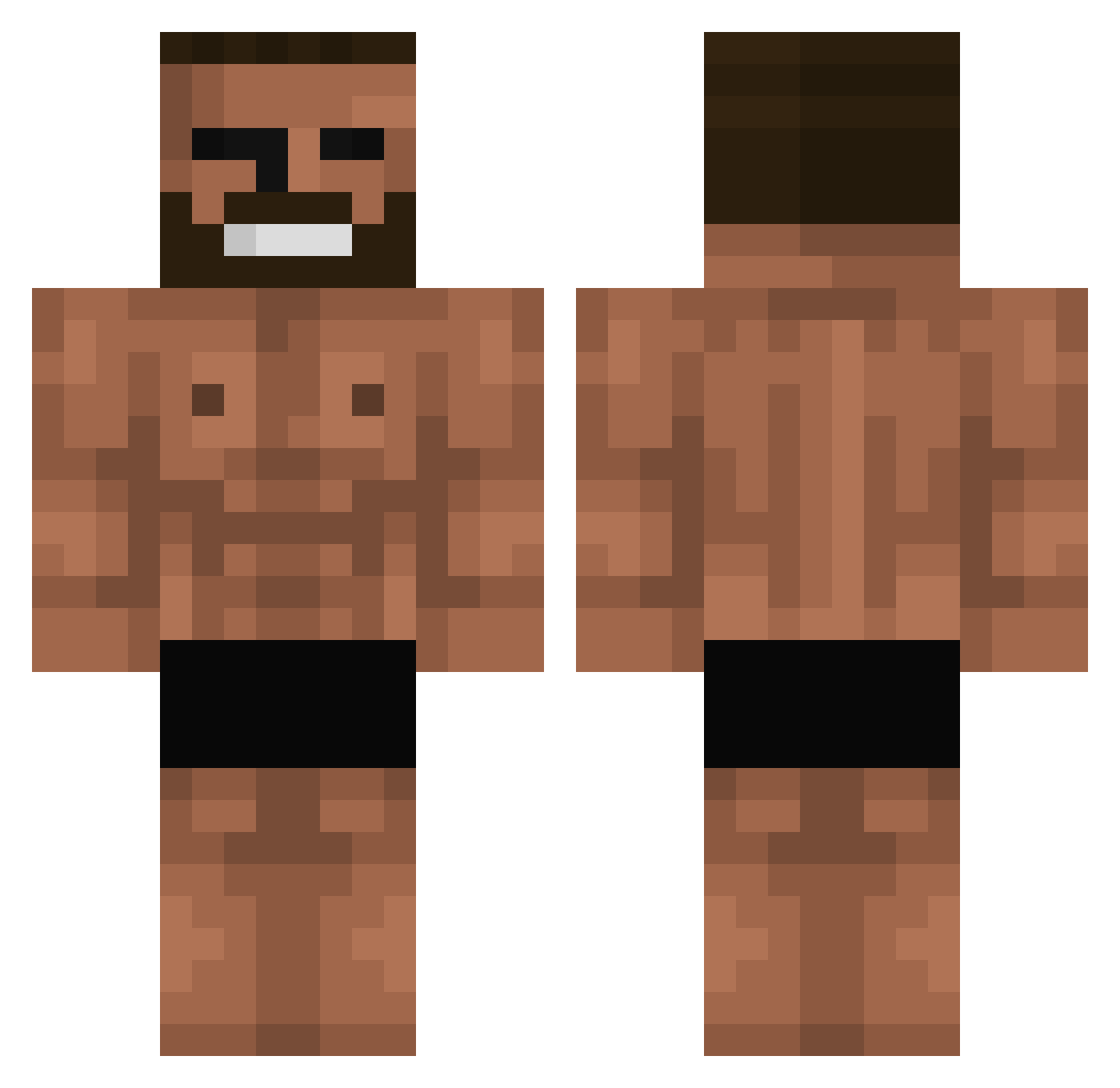
Current Minecraft skin of the player MobNico, loaded from the official Mojang API. Rotate the 3D model with your mouse or finger, then download the skin as a PNG file and use it in Minecraft: Bedrock Edition or Java Edition for free. When MobNico changes their skin, this page updates automatically and the old skin stays in the history below.
Other players with this skin (699)
MobNico was the 333rd player we have seen with this skin, first spotted on 15.09.2026. The same skin was seen on these players. Open a nickname to see their current skin and skin history.
 WPMEmruczek PapoWeeD hqdwfh parkdaegu CurryInAHurry711 Cosmic768 Eanor kkda_David origogiplz _Sparkblaze_ nohaxjustrizz zebaothzZ baDdy1 whattge koufkouf Ketorolaco Kmg_1221 RYUOLOP N4thansz Athenaris IamnewbieXD EgirlAreBadOnPvp BunchofBread08 nekopants02 Jyabajya Grasdrcz DoDamKun Skiwa_ Ernes777 iCartel23 YoErmite kzwat GEMESPLAY15 Fart_Garfunkel0 mrbobthedino Erektus sigmagamerpro356 Salgadinho5 drow52 Bermiudez maalkki bablybabl WhiteFace007 secmin6974 goggux katiealexism Mirzaaa SupperDanni Lesent Zicotopss Rob1712 yungaard famcb_23YT _Zum memoli53 MonkeBiggy Abimas woomin5820 blcknoah Kintama_Kuma
More Gigachad Minecraft skins
How to install the MobNico skin
- Press the Download button above to save the skin as a PNG file.
- Minecraft: Bedrock Edition (PE): open the Dressing Room from the main menu (or tap your character → Edit Character), go to Classic Skins → Owned, press the + (new skin) button, choose the downloaded PNG and pick the Classic (Steve) model. Works on PC and mobile; consoles cannot import custom skins.
- Minecraft: Java Edition: open the Minecraft Launcher, go to the Skins tab, click New Skin, load the PNG, pick the Classic (Steve) model and press Save & Use. You can also upload it at minecraft.net → Profile → Change Skin.
The skin does not show up after import - what should I do?
Restart Minecraft and open the Dressing Room again - imported skins sometimes appear only after a restart. Also make sure you selected the imported skin and picked the Classic (Steve) model.
Which model should I choose, Classic or Slim?
This skin is designed for the Classic (Steve) model. If you pick the wrong model, the arms of the skin will look stretched or squeezed.
Is the skin of MobNico free to download?
Yes. Press Download, save the PNG file and use it in Minecraft: Bedrock Edition or Java Edition - no payment or registration needed. The skin also works on multiplayer servers and Realms.
More skins
Looking for more? Go back to all Minecraft skins and check the top skins of the week, month and all time, or find any player's skin by nickname.