
Miucas - Minecraft Skins & Skin History
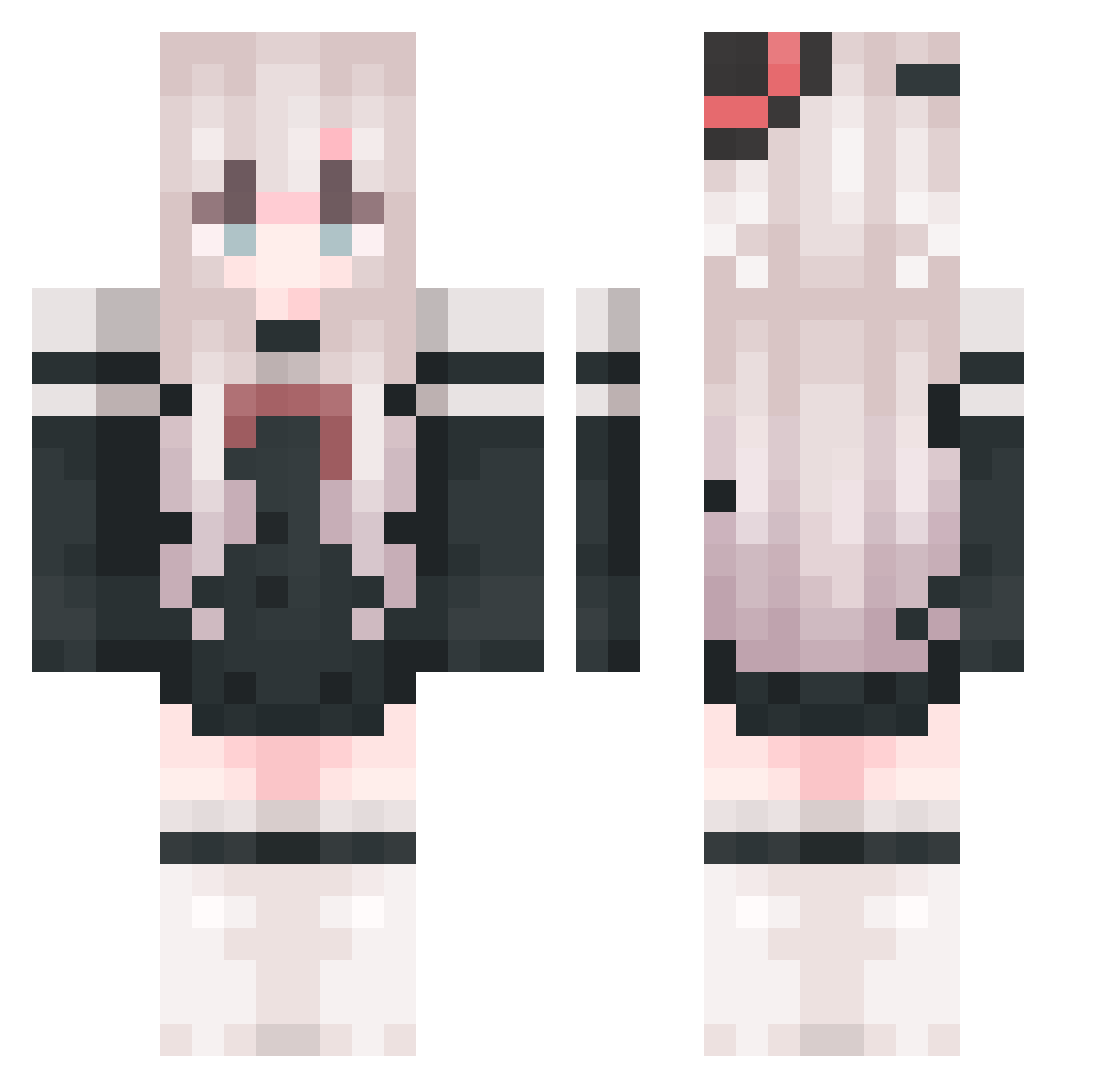
Current Minecraft skin of the player Miucas, loaded from the official Mojang API. Rotate the 3D model with your mouse or finger, then download the skin as a PNG file and use it in Minecraft: Bedrock Edition or Java Edition for free. When Miucas changes their skin, this page updates automatically and the old skin stays in the history below.
Other players with this skin (818)
Miucas was the 60th player we have seen with this skin, first spotted on 31.07.2026. The same skin was seen on these players. Open a nickname to see their current skin and skin history.
 yingyunaixu Re_Reach Atorekuta Noshiroyyds yst666 ssy050506 YUMOLJR XiaoYao_1233 HAonsi wc2319 IlllIlllIlI AugustDream7 Xiamou114514 Dzzzd 109714 ROY1994 MC_mengxing cikn223 shouif Lroyce520
 BaoBaoGe nullptr_cast msmc_bhW7y_0810 lychee6 Cernlean lvziq CurrenSama A_XiaoY _Bai_z_ rabies097 du_sheng9 Zzz0921 M4TIGER yumo06 Planesworker eh23364 ATRI_Quantum snowaa1 Awlala yuar0 Aimiye Allayed GUMENGSHENGHUA SilviaS14 Ruiii9527 ty67y4 SLAOLAO _hang666 16sama missiour Bob_0857 Zhang66 plmkhgfcxz chunshan2006 Yenksz SHJEM luoshanghua BaI__GeI_ ljh2008 Wizard_in_Diagon
More Top Hat Minecraft skins
How to install the Miucas skin
- Press the Download button above to save the skin as a PNG file.
- Minecraft: Bedrock Edition (PE): open the Dressing Room from the main menu (or tap your character → Edit Character), go to Classic Skins → Owned, press the + (new skin) button, choose the downloaded PNG and pick the Classic (Steve) model. Works on PC and mobile; consoles cannot import custom skins.
- Minecraft: Java Edition: open the Minecraft Launcher, go to the Skins tab, click New Skin, load the PNG, pick the Classic (Steve) model and press Save & Use. You can also upload it at minecraft.net → Profile → Change Skin.
The skin does not show up after import - what should I do?
Restart Minecraft and open the Dressing Room again - imported skins sometimes appear only after a restart. Also make sure you selected the imported skin and picked the Classic (Steve) model.
Which model should I choose, Classic or Slim?
This skin is designed for the Classic (Steve) model. If you pick the wrong model, the arms of the skin will look stretched or squeezed.
Is the skin of Miucas free to download?
Yes. Press Download, save the PNG file and use it in Minecraft: Bedrock Edition or Java Edition - no payment or registration needed. The skin also works on multiplayer servers and Realms.
More skins
Looking for more? Go back to all Minecraft skins and check the top skins of the week, month and all time, or find any player's skin by nickname.