
Misutaaa - Minecraft Skins & Skin History
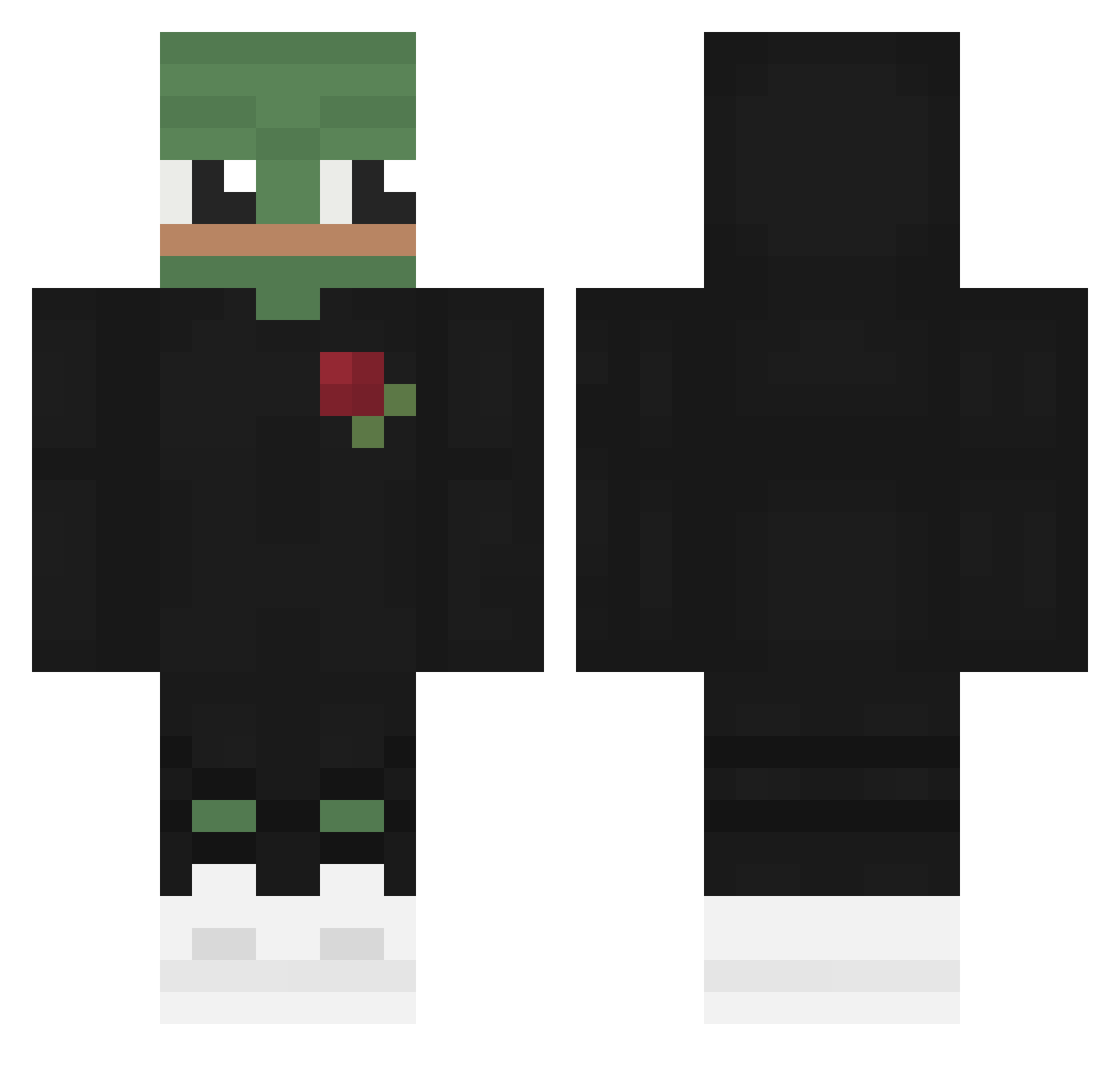
Current Minecraft skin of the player Misutaaa, loaded from the official Mojang API. Rotate the 3D model with your mouse or finger, then download the skin as a PNG file and use it in Minecraft: Bedrock Edition or Java Edition for free. When Misutaaa changes their skin, this page updates automatically and the old skin stays in the history below.
Other players with this skin (567)
Misutaaa was the 328th player we have seen with this skin, first spotted on 24.09.2026. The same skin was seen on these players. Open a nickname to see their current skin and skin history.
 JadedStories Agent_Arvis Itz_Alpaks11 Koerbiiiiii Apajix Nayrod4 ahnlike MrSkR1pT ZiggyZong SilenceNKS JustMonika69420 FoggyPoggyDZ Jach2002 xXW0LFXx Osc_1 EmeeeeeeeK _GUARDi_ QtpiShy AndyLubitzFan Disinge Framcesco Grathaa bda124 VALERA_DIZEL AnthonyVault EinSakura Gyopx Bxrxn_K EliCZE AlterF4 Otets YM_d TheSoulessSoul Rodrimania 3_kubson_3 Vernni WicsBlue ZaBaKeu BRETZZ EBoooooy NotAbyssal crodeleboy Entr0py78 oDap LeArchon SqdPantera only_nothing TunaChamchi Eziorek_IC3 Snowxx93 coleofduty MeanJohnso yeon_on2 Pumpthiest isose SchapenHaar YMDw _Nieel kympapo chojunsik
More Pepe Minecraft skins
How to install the Misutaaa skin
- Press the Download button above to save the skin as a PNG file.
- Minecraft: Bedrock Edition (PE): open the Dressing Room from the main menu (or tap your character → Edit Character), go to Classic Skins → Owned, press the + (new skin) button, choose the downloaded PNG and pick the Classic (Steve) model. Works on PC and mobile; consoles cannot import custom skins.
- Minecraft: Java Edition: open the Minecraft Launcher, go to the Skins tab, click New Skin, load the PNG, pick the Classic (Steve) model and press Save & Use. You can also upload it at minecraft.net → Profile → Change Skin.
The skin does not show up after import - what should I do?
Restart Minecraft and open the Dressing Room again - imported skins sometimes appear only after a restart. Also make sure you selected the imported skin and picked the Classic (Steve) model.
Which model should I choose, Classic or Slim?
This skin is designed for the Classic (Steve) model. If you pick the wrong model, the arms of the skin will look stretched or squeezed.
Is the skin of Misutaaa free to download?
Yes. Press Download, save the PNG file and use it in Minecraft: Bedrock Edition or Java Edition - no payment or registration needed. The skin also works on multiplayer servers and Realms.
More skins
Looking for more? Go back to all Minecraft skins and check the top skins of the week, month and all time, or find any player's skin by nickname.