
MistxrQ_ - Minecraft Skins & Skin History
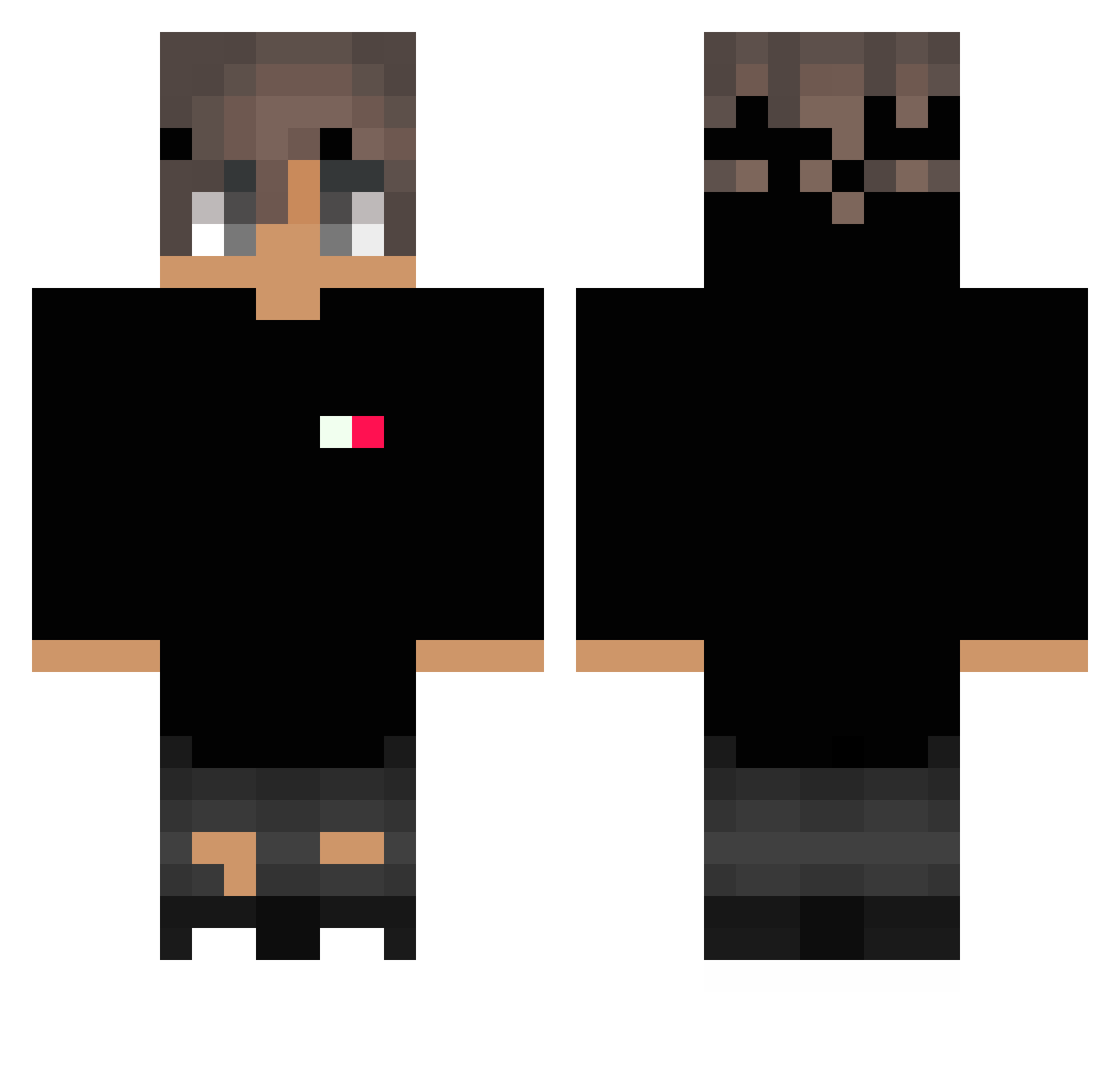
Current Minecraft skin of the player MistxrQ_, loaded from the official Mojang API. Rotate the 3D model with your mouse or finger, then download the skin as a PNG file and use it in Minecraft: Bedrock Edition or Java Edition for free. When MistxrQ_ changes their skin, this page updates automatically and the old skin stays in the history below.
Other players with this skin (242)
MistxrQ_ was the 173rd player we have seen with this skin, first spotted on 26.09.2026. The same skin was seen on these players. Open a nickname to see their current skin and skin history.
 maxtone95 MatzeOG Ew_Its_Sarah Mitrics zOlimpTV GappleApple MesNikeVol nowhere360 ficlake _migty_ Rodrigo_Cruz209 Franchu2017 Seazy_ CS_frosty Nuj4009 vasiliiv2003 Raptorfi WalkerCCMI ZUDOKATO poprostuklon SenseiWhite Wekstr ScarFace2250 xAsker09 zwid lifornia sogoodpp RuffLogix Pxno DessyYiff drgonknight NaYroX__ Raidan225 Helaga 69DuDsOn aleks2317 KL_errr Bernardoevil EricFrost xXKosmitaXx mistercraft5001 Scaarf OTA38220 KimmHoidHer EpiFMt MirkoRuggeri Alookinn MilanDrmex 00fomar DG_lit zMagnuz Bockie343 xPatryk1337 Black_lwj SamTheMan_0182 mangoisabirb Costa1112 sanzyyygg JeanSAxX VentoxIsBad
How to install the MistxrQ_ skin
- Press the Download button above to save the skin as a PNG file.
- Minecraft: Bedrock Edition (PE): open the Dressing Room from the main menu (or tap your character → Edit Character), go to Classic Skins → Owned, press the + (new skin) button, choose the downloaded PNG and pick the Classic (Steve) model. Works on PC and mobile; consoles cannot import custom skins.
- Minecraft: Java Edition: open the Minecraft Launcher, go to the Skins tab, click New Skin, load the PNG, pick the Classic (Steve) model and press Save & Use. You can also upload it at minecraft.net → Profile → Change Skin.
The skin does not show up after import - what should I do?
Restart Minecraft and open the Dressing Room again - imported skins sometimes appear only after a restart. Also make sure you selected the imported skin and picked the Classic (Steve) model.
Which model should I choose, Classic or Slim?
This skin is designed for the Classic (Steve) model. If you pick the wrong model, the arms of the skin will look stretched or squeezed.
Is the skin of MistxrQ_ free to download?
Yes. Press Download, save the PNG file and use it in Minecraft: Bedrock Edition or Java Edition - no payment or registration needed. The skin also works on multiplayer servers and Realms.
More skins
Looking for more? Go back to all Minecraft skins and check the top skins of the week, month and all time, or find any player's skin by nickname.